



Last updated: August 2026
Introduction
In today’s data-driven world, organizations frequently need to move data between different systems efficiently and reliably. A common scenario is transferring JSON data from SFTP servers to Snowflake data warehouses. While this seems straightforward, it often involves complex ETL processes, custom scripts, and ongoing maintenance.
Enter Sling, an open-source data integration tool designed to simplify these data movement challenges. Sling provides a streamlined approach to data replication, making it easy to transfer data between various sources and destinations, including SFTP servers and Snowflake.
In this comprehensive guide, we’ll walk through how to use Sling to efficiently move JSON data from an SFTP server to Snowflake. You’ll learn about:
- Setting up Sling in your environment
- Configuring SFTP and Snowflake connections
- Creating and running data replication tasks
- Using both the CLI and Platform interfaces
- Best practices for optimal performance
Whether you’re a data engineer, developer, or analyst, this guide will help you implement a robust data pipeline using Sling’s powerful features.
Understanding the Data Pipeline Challenge
Moving data from SFTP to Snowflake traditionally involves several complex steps and considerations:
- Authentication and Access: Managing SFTP credentials, SSH keys, and Snowflake authentication
- Data Parsing: Handling JSON files with varying structures and nested data
- Type Mapping: Converting JSON data types to appropriate Snowflake column types
- Error Handling: Dealing with malformed JSON, network issues, and failed transfers
- Scalability: Processing large files and multiple directories efficiently
- Monitoring: Tracking successful transfers and troubleshooting failures
Many organizations resort to writing custom scripts or using expensive ETL tools to handle these challenges. This approach often leads to:
- High development and maintenance costs
- Complex error handling and retry logic
- Limited scalability and performance
- Difficulty in monitoring and troubleshooting
- Technical debt from custom solutions
Sling addresses these challenges by providing:
- Built-in support for SFTP and Snowflake connections
- Automatic JSON parsing and type inference
- Efficient bulk loading capabilities
- Robust error handling and retry mechanisms
- Comprehensive monitoring and logging
- Simple configuration through YAML or CLI flags
Let’s explore how to implement this solution using Sling.
Getting Started with Sling
Installing Sling is straightforward and supports multiple platforms. Choose the installation method that best suits your environment:
# macOS / Linux
curl -fsSL https://slingdata.io/install.sh | bash

# Windows
irm https://slingdata.io/install.ps1 | iex

# Python
pip install sling
After installation, verify that Sling is properly installed by checking its version:
# Check Sling version
sling --version
Setting Up Connections
SFTP Connection Setup
Sling provides multiple ways to configure your SFTP connection. Here are the available options:
Using sling conns set Command
# Set up SFTP connection with password authentication
sling conns set MY_SFTP type=sftp host=sftp.example.com user=myuser password=mypassword port=22

# Set up SFTP connection with SSH key authentication
sling conns set MY_SFTP type=sftp host=sftp.example.com user=myuser private_key=/path/to/private_key port=22
Using Environment Variables
# Using JSON format
export MY_SFTP='{
  "type": "sftp",
  "host": "sftp.example.com",
  "user": "myuser",
  "password": "mypassword",
  "port": 22
}'
Using YAML Configuration
Create or edit ~/.sling/env.yaml:
connections:
  MY_SFTP:
    type: sftp
    host: sftp.example.com
    user: myuser
    port: 22
    password: mypassword  # Or use private_key
    private_key: /path/to/private_key  # Optional, alternative to password
Snowflake Connection Setup
Similarly, you can configure your Snowflake connection using multiple methods:
Using sling conns set Command
# Set up Snowflake connection
sling conns set MY_SNOWFLAKE type=snowflake account=myaccount user=myuser password=mypassword database=mydatabase warehouse=mywarehouse role=myrole
Using Environment Variables
# Using connection URL
export MY_SNOWFLAKE='snowflake://myuser:mypassword@myaccount/mydatabase?warehouse=mywarehouse&role=myrole'
Using YAML Configuration
Add to your ~/.sling/env.yaml:
connections:
  MY_SNOWFLAKE:
    type: snowflake
    account: myaccount
    user: myuser
    password: mypassword
    database: mydatabase
    warehouse: mywarehouse
    role: myrole
    schema: myschema  # Optional
Data Synchronization Methods
Sling offers two primary methods for configuring and running data synchronization: CLI flags and replication YAML files. Let’s explore both approaches.
Using CLI Flags
For quick, one-off transfers or simple configurations, you can use CLI flags:
Basic Example
# Basic JSON file transfer
sling run \
  --src-conn MY_SFTP \
  --src-stream '/path/to/data.json' \
  --src-options '{ "format": "json", "flatten": true }' \
  --tgt-conn MY_SNOWFLAKE \
  --tgt-object 'mydatabase.myschema.mytable' \
  --mode full-refresh
Advanced Example
# Advanced JSON transfer with options, create a new table for each file
sling run \
  --src-conn MY_SFTP \
  --src-stream '/path/to/data/*.json' \
  --src-options '{
    "format": "json",
    "flatten": true,
    "jmespath": "records[*]",
    "empty_as_null": true
  }' \
  --transforms '[remove_diacritics, trim_space]' \
  --tgt-conn MY_SNOWFLAKE \
  --tgt-object 'mydatabase.myschema.{stream_file_name}' \
  --tgt-options '{
    "column_casing": "snake",
    "table_keys": {"primary": ["id"]},
    "add_new_columns": true
  }'
Using Replication YAML
For more complex scenarios or when managing multiple streams, use a replication YAML file:
Basic Multi-stream Example
source: MY_SFTP
target: MY_SNOWFLAKE

defaults:
  mode: full-refresh
  source_options:
    format: json
    flatten: true
    empty_as_null: true

streams:
  '/data/customers/*.json':
    object: mydatabase.myschema.customers
    transforms: [remove_diacritics, trim_space]

  '/data/orders/*.json':
    object: mydatabase.myschema.orders
    transforms: [remove_diacritics, trim_space]
Complex Multi-stream Example
source: MY_SFTP
target: MY_SNOWFLAKE

env:
  SLING_SAMPLE_SIZE: 2000
  SLING_STREAM_URL_COLUMN: true

defaults:
  mode: incremental
  source_options:
    format: json
    flatten: true
    empty_as_null: true
    jmespath: "records[*]"
  target_options:
    column_casing: snake
    add_new_columns: true

streams:
  '/data/customers/${stream_date}/*.json':
    object: mydatabase.myschema.customers
    transforms:
      - remove_diacritics
      - trim_space
    primary_key: [customer_id]
    update_key: last_modified
    source_options:
      datetime_format: "YYYY-MM-DD HH:mm:ss"
    target_options:
      table_keys:
        primary: [customer_id]
        unique: [email]

  '/data/orders/${stream_date}/*.json':
    object: mydatabase.myschema.orders
    transforms:
      customer_name: [remove_diacritics, trim_space]
      email: [lower, trim_space]
    primary_key: [order_id]
    update_key: order_date
    source_options:
      datetime_format: "YYYY-MM-DD"
    target_options:
      table_keys:
        primary: [order_id]
To run a replication YAML configuration:
# Run the replication
sling run -r path/to/replication.yaml
The Sling Platform
While the CLI is powerful for local development and automation, Sling also offers a comprehensive platform for managing data operations at scale. The platform provides a user-friendly interface for:
- Managing connections
- Creating and editing replications
- Monitoring executions
- Scheduling jobs
- Team collaboration
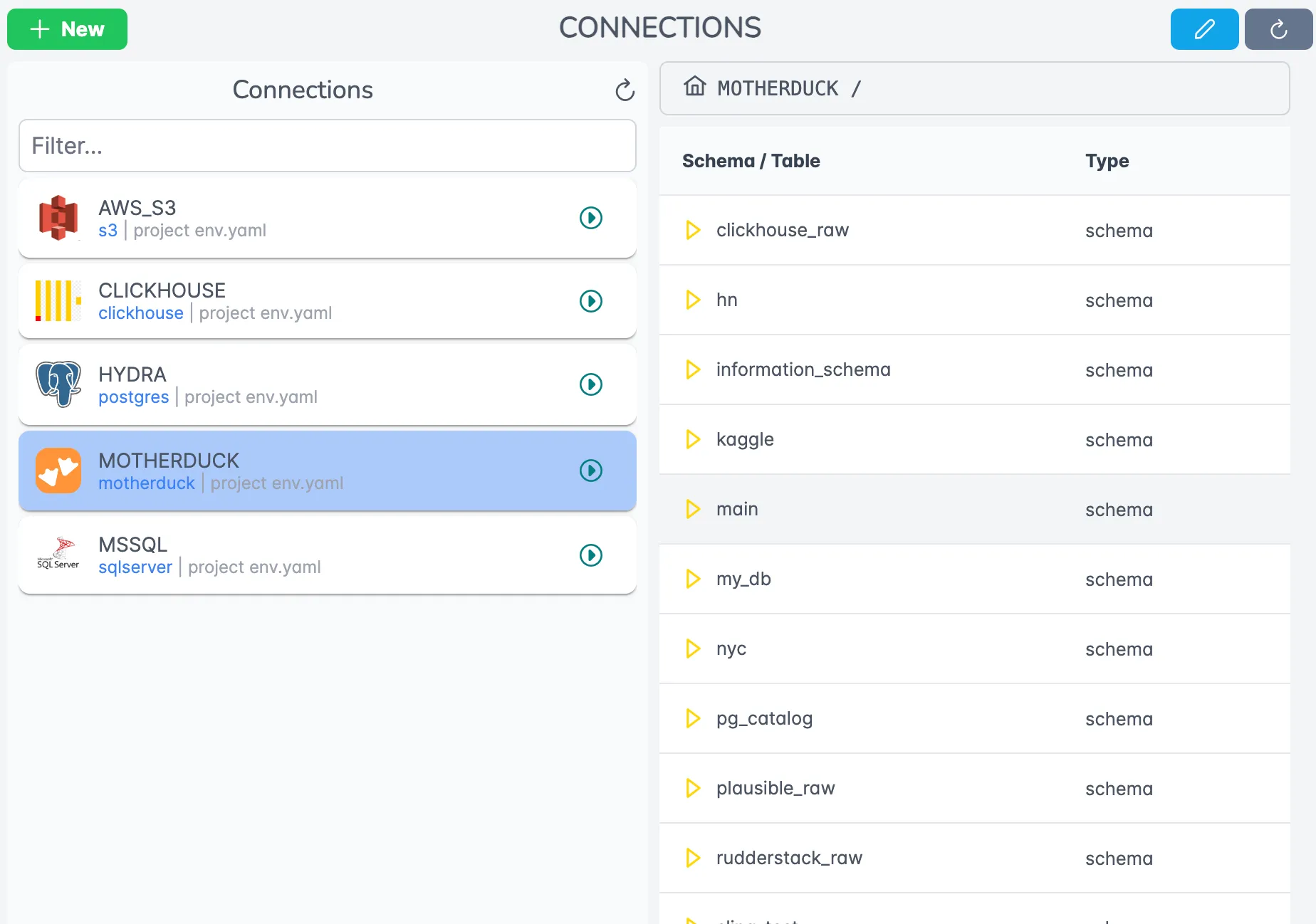
The Connections page allows you to manage your data sources and destinations securely.
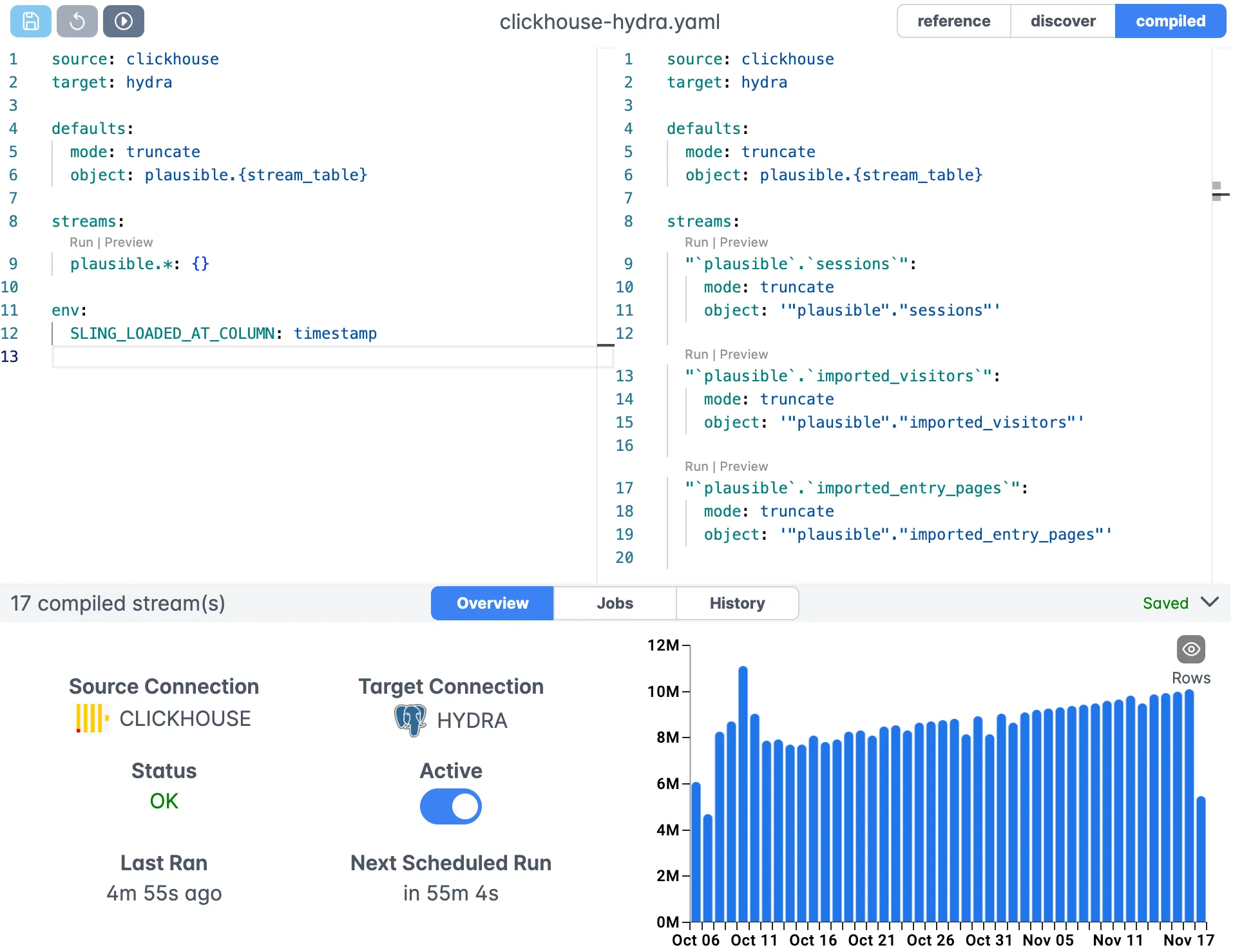
The Editor provides a visual interface for creating and modifying replication configurations.
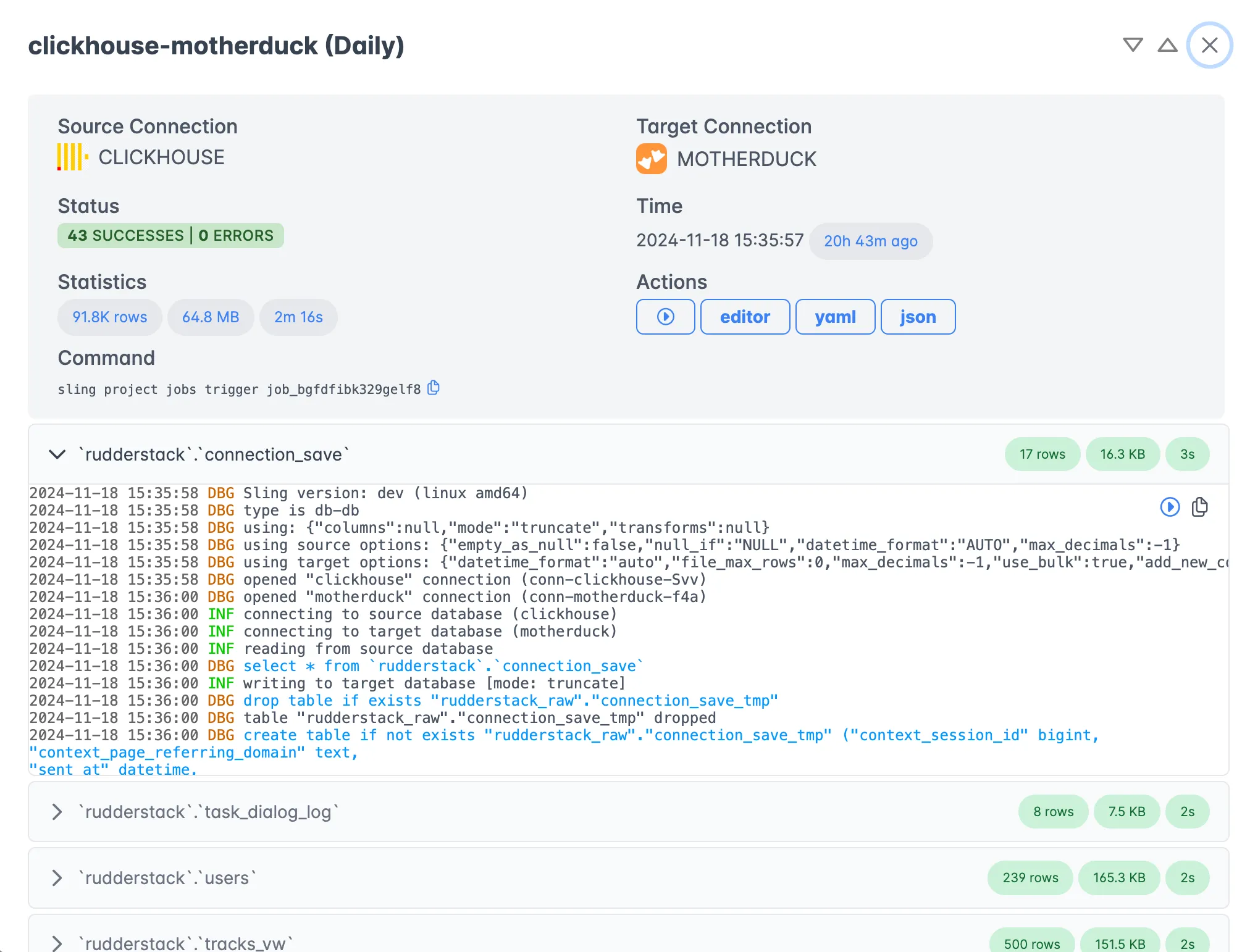
The Execution view shows detailed information about your data transfers, including progress, logs, and statistics.
Platform Components
The Sling Platform consists of several key components:
Control Plane
- Manages authentication and authorization
- Handles job scheduling and orchestration
- Provides the web interface
Agents
- Execute data operations
- Run in your infrastructure
- Maintain secure access to your data sources
Editor
- Visual replication configuration
- Syntax highlighting and validation
- Template management
Monitoring
- Real-time execution tracking
- Error reporting and alerting
- Performance metrics
To get started with the platform:
- Sign up at https://app.slingdata.io/signup
- Create your first project
- Install and configure a Sling agent
- Set up your connections
- Create and run your first replication
Best Practices and Tips
To ensure optimal performance and reliability when transferring JSON data from SFTP to Snowflake:
JSON Handling
- Use
flatten: truefor nested JSON structures - Specify
jmespathexpressions for complex JSON parsing - Set
empty_as_null: trueto handle empty strings consistently
- Use
Performance Optimization
- Use wildcards for processing multiple files
- Implement incremental loading for large datasets
- Configure appropriate batch sizes
Error Handling
- Set up proper logging and monitoring
- Use primary keys to prevent duplicates
- Implement retry mechanisms for network issues
Security
- Use SSH keys instead of passwords for SFTP
- Rotate credentials regularly
- Follow the principle of least privilege
Maintenance
- Regular testing of connections
- Monitoring of job execution times
- Cleanup of processed files
For more detailed information and examples, visit:
Related Guides
These walkthroughs cover related SFTP and Snowflake loading scenarios:
- Transferring CSV data from SFTP to Snowflake for delimited files instead of JSON.
- Loading SFTP Parquet files into Snowflake when your source data is columnar Parquet.
- Importing files from SFTP into PostgreSQL for the same source with a PostgreSQL target.
- Loading local CSV data into Snowflake for file-based loads that originate on your own machine.
- Migrating SQL Server to Snowflake for a database-to-warehouse pipeline into the same target.
FAQ
How does Sling parse nested JSON files from an SFTP server?
Set flatten to true under source_options and Sling expands nested objects into individual columns using dotted names. For deeply nested or array-heavy payloads you can also supply a jmespath expression to select the exact records to load.
What does the jmespath option do when loading JSON?
The jmespath option lets you pick a sub-path inside each JSON file before Sling processes it, such as records[*] to load only the items in a records array. It is useful when the file wraps the real data in an outer envelope.
Can Sling load multiple JSON files from an SFTP directory in one run?
Yes. Use a wildcard path like /data/orders/*.json as the stream and Sling processes every matching file. The {stream_file_name} runtime variable lets you route each file to its own target table when needed.
How do I authenticate to an SFTP server with an SSH key instead of a password?
Provide a private_key path instead of a password when defining the connection, either through sling conns set or in env.yaml. Key-based authentication is recommended over passwords for production pipelines.
Does Sling support incremental loading of JSON files from SFTP?
Yes. Set mode to incremental and define a primary_key and update_key on the stream so Sling loads only new or changed records. This avoids reprocessing files that were already ingested.
How can I handle empty strings in JSON source data?
Enable empty_as_null under source_options so Sling treats empty strings as NULL values. This keeps the loaded data consistent and avoids mixing empty strings with genuine nulls in Snowflake.
Can I apply transformations to JSON data before it reaches Snowflake?
Yes. Use the transforms key on a stream with built-in functions such as remove_diacritics or trim_space to clean values during the load. Transforms run inline so no separate processing step is required.
Does Sling read gzip-compressed JSON files from SFTP?
Yes. Sling detects the .gz extension and decompresses each file on the fly during the transfer. No separate decompression step is needed before the load into Snowflake.
Can Sling load JSON Lines files where each row is a separate JSON object?
Yes. Sling reads newline-delimited JSON files where every line is one record, which is the common export format from many APIs and log systems. Keep format set to json and Sling handles both a single JSON array and line-delimited records.
Conclusion
Sling provides a powerful and flexible solution for transferring JSON data from SFTP to Snowflake. Its combination of simple configuration, robust features, and comprehensive platform makes it an excellent choice for organizations of all sizes.
Key benefits include:
- Easy setup and configuration
- Support for complex JSON structures
- Robust error handling
- Scalable performance
- Comprehensive monitoring
- Both CLI and Platform interfaces
To take your data integration to the next level:
- Install Sling and set up your connections
- Start with simple transfers using CLI flags
- Progress to replication YAML for complex scenarios
- Consider the Platform for enterprise needs
- Join the Sling community for support and updates
For more examples and detailed documentation, visit https://docs.slingdata.io/.