



Introduction
Last updated: September 2026
Moving data from MySQL to Snowflake traditionally involves complex ETL processes, multiple tools, and significant development effort. This article demonstrates how Sling simplifies this process with its powerful data replication capabilities. If your destination is a different warehouse, the same workflow applies to guides like exporting Postgres to Snowflake and moving Snowflake data to BigQuery.
Traditional Data Pipeline Challenges
When building a data pipeline from MySQL to Snowflake, organizations typically face several challenges:
- Complex ETL processes requiring custom code development
- Managing data type mappings between different systems
- Handling incremental updates efficiently
- Ensuring data consistency and reliability
- Monitoring and maintaining the pipeline
- Managing credentials and security
Installing Sling
Getting started with Sling is straightforward. You can install it using various package managers depending on your operating system. Here are the installation methods:
# macOS / Linux
curl -fsSL https://slingdata.io/install.sh | bash

# Windows
irm https://slingdata.io/install.ps1 | iex

# Python
pip install sling
After installation, verify that Sling is properly installed by checking its version:
# Check Sling version
sling --version
For more detailed installation instructions, visit the Sling documentation.
Setting Up Connections
Before we can start replicating data, we need to set up connections to both our MySQL source database and Snowflake target warehouse. Sling provides multiple ways to configure these connections, including environment variables, the sling conns command, and a YAML configuration file.
MySQL Connection Setup
For MySQL, we need to ensure our database user has the appropriate permissions to read the data we want to replicate. Here’s how to create a user with the necessary permissions:
-- Create a new user for Sling
CREATE USER 'sling'@'%' IDENTIFIED BY '<password>';

-- Grant read permissions for the source data
GRANT SELECT ON <source_schema>.* TO 'sling'@'%';
Now we can set up the MySQL connection in Sling. Here are three different methods:
- Using the
sling connscommand:
# Set up MySQL connection using command line
sling conns set MYSQL type=mysql host=<host> user=<user> database=<database> password=<password> port=3306
- Using environment variables:
# Set up MySQL connection using environment variables
export MYSQL='mysql://myuser:[email protected]:3306/mydatabase?tls=skip-verify'
- Using the Sling environment YAML file (
~/.sling/env.yaml):
connections:
  MYSQL:
    type: mysql
    host: <host>
    user: <user>
    password: <password>
    database: <database>
    port: 3306
Snowflake Connection Setup
For Snowflake, we’ll need to configure both authentication and warehouse details. Here’s how to set up the connection:
- Using the
sling connscommand:
# Set up Snowflake connection using command line
sling conns set SNOWFLAKE type=snowflake account=<account> user=<user> database=<database> password=<password> warehouse=<warehouse> role=<role>
- Using environment variables:
# Set up Snowflake connection using environment variables
export SNOWFLAKE='snowflake://myuser:[email protected]/mydatabase?warehouse=compute_wh&role=sling_role'
- Using the Sling environment YAML file (
~/.sling/env.yaml):
connections:
  SNOWFLAKE:
    type: snowflake
    account: <account>
    user: <user>
    password: <password>
    database: <database>
    warehouse: compute_wh
    role: sling_role
After setting up the connections, you can verify them using the test command:
# Test MySQL connection
sling conns test MYSQL

# Test Snowflake connection
sling conns test SNOWFLAKE
You can also discover available tables and views in your connections:
# List available tables in MySQL
sling conns discover MYSQL

# List available tables in Snowflake
sling conns discover SNOWFLAKE
For more details about connection configuration, visit the Sling environment documentation.
Data Replication with Sling CLI
Sling provides two main approaches for data replication: using CLI flags for quick operations and using YAML configuration files for more complex scenarios. The same patterns carry over to other MySQL pipelines, such as syncing MySQL to Postgres or exporting MySQL to S3 as Parquet.
Basic Data Replication
The simplest way to replicate data is using CLI flags. Here’s a basic example that copies a single table from MySQL to Snowflake:
# Replicate a single table from MySQL to Snowflake
sling run --src-conn MYSQL --src-stream customers \
  --tgt-conn SNOWFLAKE --tgt-object raw_data.customers
For more control over the replication process, you can add options:
# Replicate with additional options
sling run --src-conn MYSQL --src-stream orders \
  --tgt-conn SNOWFLAKE --tgt-object raw_data.orders \
  --select 'order_id,customer_id,order_date,total_amount' \
  --tgt-options '{ "column_casing": "snake", "table_keys": { "primary": ["order_id"] } }'
Advanced Replication Configuration
For more complex replication scenarios, it’s recommended to use YAML configuration files. Here are two examples:
- Basic YAML configuration with multiple tables:
# mysql_to_snowflake_basic.yaml
source: MYSQL
target: SNOWFLAKE

defaults:
  mode: full-refresh
  target_options:
    column_casing: snake
    add_new_columns: true

streams:
  customers:
    object: raw_data.customers
    primary_key: [customer_id]

  orders:
    object: raw_data.orders
    primary_key: [order_id]
    select: [order_id, customer_id, order_date, total_amount, status]
- Advanced YAML configuration with incremental updates and transformations:
# mysql_to_snowflake_advanced.yaml
source: MYSQL
target: SNOWFLAKE

defaults:
  target_options:
    column_casing: snake
    add_new_columns: true

streams:
  customers:
    object: raw_data.customers
    mode: incremental
    primary_key: [customer_id]
    update_key: last_modified
    transforms:
      email: lower
      full_name: trim

  orders:
    object: raw_data.orders
    mode: incremental
    primary_key: [order_id]
    update_key: created_at
    sql: |
      select
        order_id,
        customer_id,
        order_date,
        total_amount,
        status,
        created_at
      from orders
      where {incremental_where_cond}
    target_options:
      table_keys:
        primary: [order_id]

  order_items:
    object: raw_data.order_items
    mode: incremental
    primary_key: [order_id, item_id]
    update_key: modified_at
    target_options:
      table_keys:
        unique: [order_id, item_id]
To run a replication using a YAML configuration:
# Run replication using YAML config
sling run -r mysql_to_snowflake_basic.yaml

# Run replication with specific stream
sling run -r mysql_to_snowflake_advanced.yaml --streams 'order_items'
For more information about replication options and configurations, refer to:
Using Sling Platform
While the CLI is powerful for local development and simple replication tasks, the Sling Platform provides a comprehensive web interface for managing and monitoring your data replications at scale. Here’s how to use the platform for MySQL to Snowflake replication:
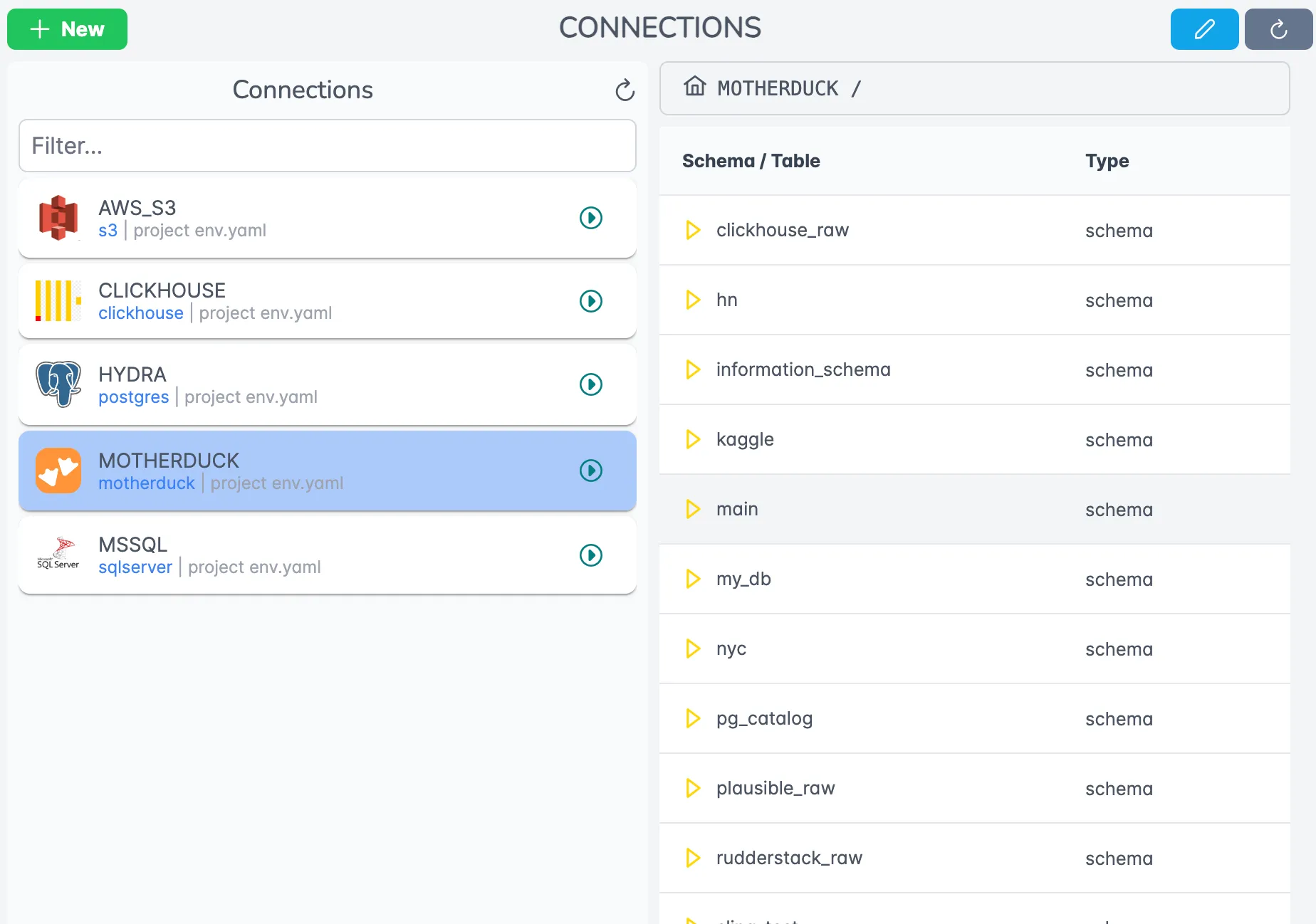
Connection Management
The platform provides a centralized place to manage all your connections securely. You can easily add, test, and manage MySQL and Snowflake connections through the intuitive interface.
Replication Editor
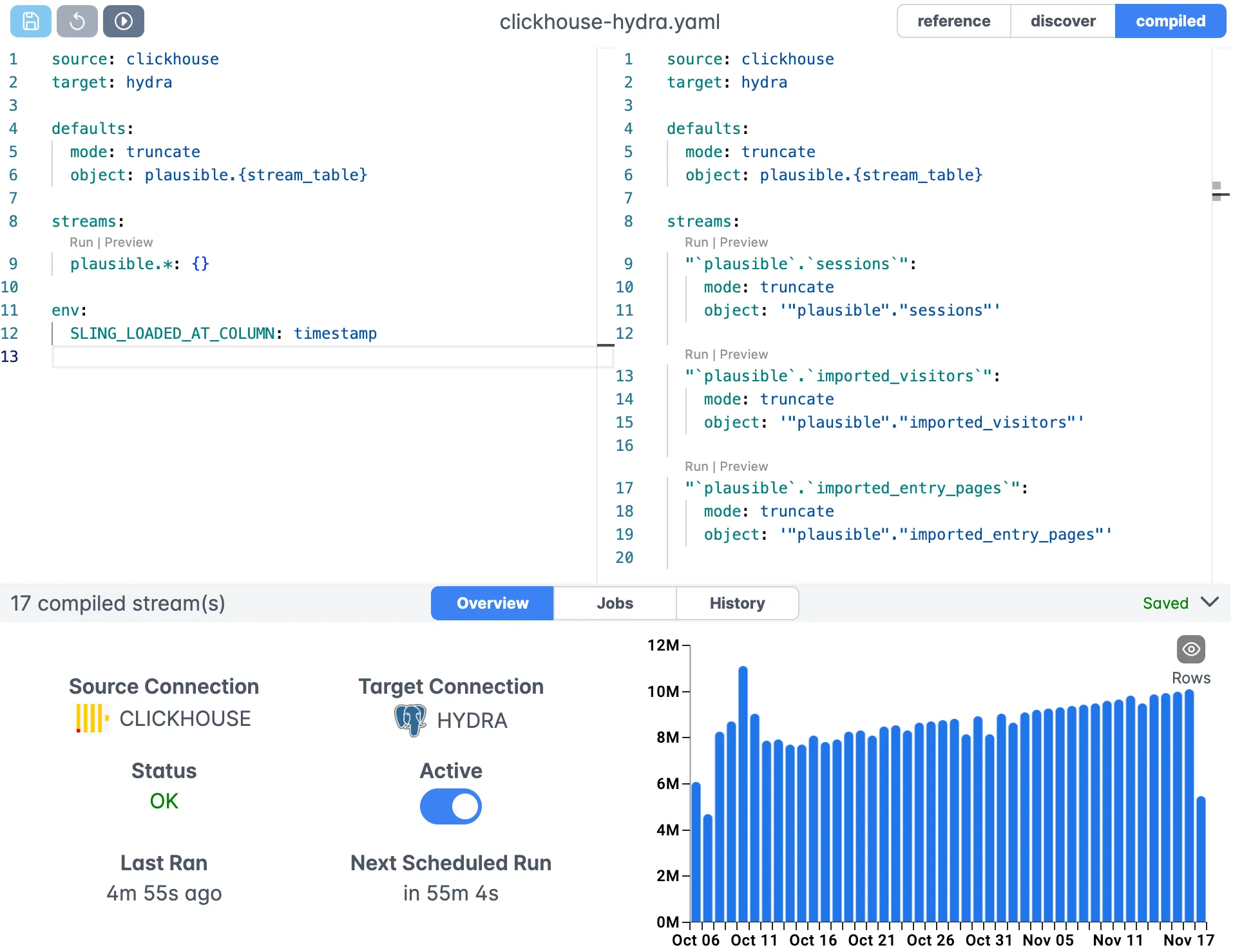
The platform includes a visual editor for creating and modifying replication configurations. This makes it easy to:
- Define source and target connections
- Configure replication modes and options
- Set up transformations and column mappings
- Define primary keys and incremental update keys
Execution Monitoring
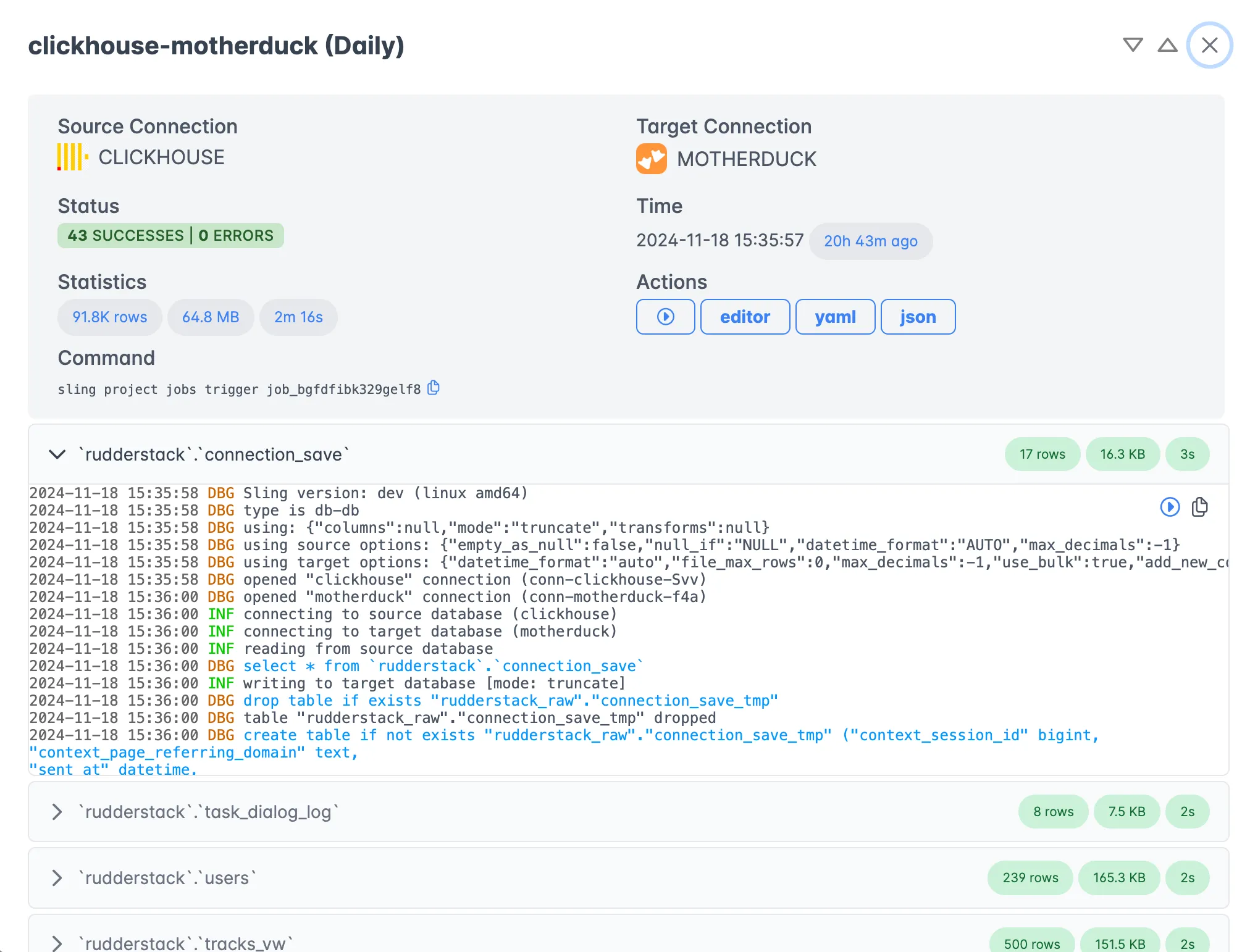
Once your replication is running, you can monitor its progress, view detailed logs, and track performance metrics through the execution view.
Key platform features include:
- Scheduled replications with flexible timing options
- Real-time monitoring and alerting
- Detailed execution history and logs
- Team collaboration and access control
- Agent-based architecture for secure data access
For more information about the Sling Platform, visit the platform documentation.
Conclusion
Sling significantly simplifies the process of moving data from MySQL to Snowflake by providing:
- Easy-to-use CLI and platform interfaces
- Flexible configuration options
- Built-in data type handling
- Automatic schema management
- Efficient incremental updates
- Comprehensive monitoring and logging
Whether you’re doing a one-time migration or setting up continuous replication, Sling’s features and intuitive design make it an excellent choice for your data movement needs. To go the other direction or branch into related flows, see loading Snowflake data into Postgres and loading local CSV files into Snowflake.
Frequently Asked Questions
How does Sling handle MySQL to Snowflake data type mapping?
Sling maps MySQL types to their Snowflake equivalents automatically when it creates the target table, so VARCHAR, INT, DATETIME, and DECIMAL columns land with sensible Snowflake types. You can override any column with an explicit type in the stream’s columns block when you need a specific representation.
Can I run incremental loads from MySQL to Snowflake instead of full refreshes?
Yes. Set mode to incremental on the stream and provide a primary_key and an update_key (such as a last_modified or created_at column). Sling then pulls only rows newer than the last run and merges them into the Snowflake table.
Do I need a Snowflake stage or external storage to load data with Sling?
No. Sling manages the load path for you, including the internal staging needed to bulk-load into Snowflake. You only configure the source and target connections; no manual stage, file format, or COPY INTO statement is required.
How do I replicate many MySQL tables to Snowflake at once?
Use a YAML replication file and list each table under streams, or use a wildcard like my_schema.* to capture every table in a schema. One sling run command then loads all of them in a single pass using the shared defaults block.
Does Sling add new MySQL columns to Snowflake automatically when the schema changes?
When add_new_columns is enabled under target_options, Sling detects columns that exist in the source but not the target and adds them to the Snowflake table before loading. This keeps the pipeline running through schema drift without manual DDL.
How do I load only a subset of columns from a MySQL table?
Pass --select with a comma-separated column list on the CLI, or add a select key to the stream in a YAML replication. Sling reads only those columns from MySQL and creates the Snowflake table with just that subset.
Is Sling a good fit for a one-time MySQL to Snowflake migration?
Yes. A single full-refresh run copies the tables you specify and creates them in Snowflake with inferred schemas, which is ideal for a one-off migration. The same configuration can later switch to incremental mode if you decide to keep the two systems in sync.
How do I keep Snowflake in sync with MySQL on a schedule?
Save the replication as a YAML file and call sling run -r replication.yaml from cron, Airflow, or another scheduler. On the Sling Platform you can attach a schedule to the same replication and get run history and failure alerts without extra tooling.
How does Sling map a MySQL tinyint(1) boolean column in Snowflake?
MySQL stores booleans as tinyint(1), which Sling loads as a numeric 0 or 1 by default. If you want a true boolean in Snowflake, set the column type explicitly in the stream’s columns block or cast it in a source sql query.
For more examples and detailed documentation, visit: