



Last updated: July 2026
Introduction
Database migrations can be complex and time-consuming, especially when moving data between different database management systems like MySQL and PostgreSQL. Each system has its own data types, syntax, and performance characteristics that need to be carefully considered during the migration process.
What is Sling?
Sling is a modern data movement and transformation platform that simplifies database migrations and synchronizations. It provides both a powerful command-line interface (CLI) and a comprehensive web-based platform, making it an ideal choice for developers and data engineers who need to move data efficiently between different database systems.
You can use Sling in two ways:
- Sling CLI: Perfect for local development, testing, and CI/CD pipelines
- Sling Platform: A web-based interface for visual workflow creation, team collaboration, and production deployments
Why Use Sling for MySQL to PostgreSQL Migrations?
When it comes to moving data from MySQL to PostgreSQL, Sling offers several key advantages:
- Automatic Type Mapping: Sling handles the conversion between MySQL and PostgreSQL data types automatically
- Efficient Data Transfer: Optimized for performance with support for bulk operations and parallel processing
- Schema Compatibility: Handles schema differences and provides options for customization
- Multiple Migration Modes: Supports full refresh, incremental, and snapshot-based migrations
- Data Validation: Built-in validation ensures data integrity during the transfer process
Use Cases
Common scenarios where you might need to migrate from MySQL to PostgreSQL include:
- Upgrading your database infrastructure
- Moving to a cloud-based PostgreSQL service
- Creating read replicas for reporting
- Setting up development and testing environments
- Database consolidation projects
If your destination is a cloud warehouse rather than PostgreSQL, see the related guides for MySQL to BigQuery and MySQL to Snowflake.
Prerequisites
Before getting started with Sling, ensure you have:
- Access credentials for both MySQL (source) and PostgreSQL (target) databases
- Basic understanding of database concepts
- Command-line familiarity (for CLI usage)
- Sufficient disk space for temporary data storage
In the following sections, we’ll guide you through the installation process and show you how to efficiently move your data from MySQL to PostgreSQL using both the CLI and Platform approaches.
Installation
Getting started with Sling is straightforward. You can install it on various operating systems using your preferred package manager or download it directly.
Mac Installation
For macOS users, the recommended installation method is through Homebrew:
# Install Sling using Homebrew
brew install slingdata-io/sling/sling
Windows Installation
Windows users can install Sling using Scoop:
# Add the Sling bucket to Scoop
scoop bucket add sling https://github.com/slingdata-io/scoop-sling.git

# Install Sling
scoop install sling
Linux Installation
On Linux systems, you can download and install Sling directly:
# Download and install Sling
curl -LO 'https://github.com/slingdata-io/sling-cli/releases/latest/download/sling_linux_amd64.tar.gz' \
  && tar xf sling_linux_amd64.tar.gz \
  && rm -f sling_linux_amd64.tar.gz \
  && chmod +x sling

# Move to a directory in your PATH
sudo mv sling /usr/local/bin/
Docker Installation
If you prefer using Docker, you can pull and use the official Sling image:
# Pull the Sling Docker image
docker pull slingdata/sling

# Test the installation
docker run --rm -i slingdata/sling --help
Verifying Your Installation
After installing Sling, verify that everything is working correctly:
# Check Sling version
sling --version

# View available commands
sling --help
Configuring Database Connections
Before we can start moving data, we need to set up connections to both our MySQL source and PostgreSQL target databases. Sling provides multiple ways to manage these connections.
Using the Sling Platform
The Sling Platform offers a user-friendly interface for managing database connections:
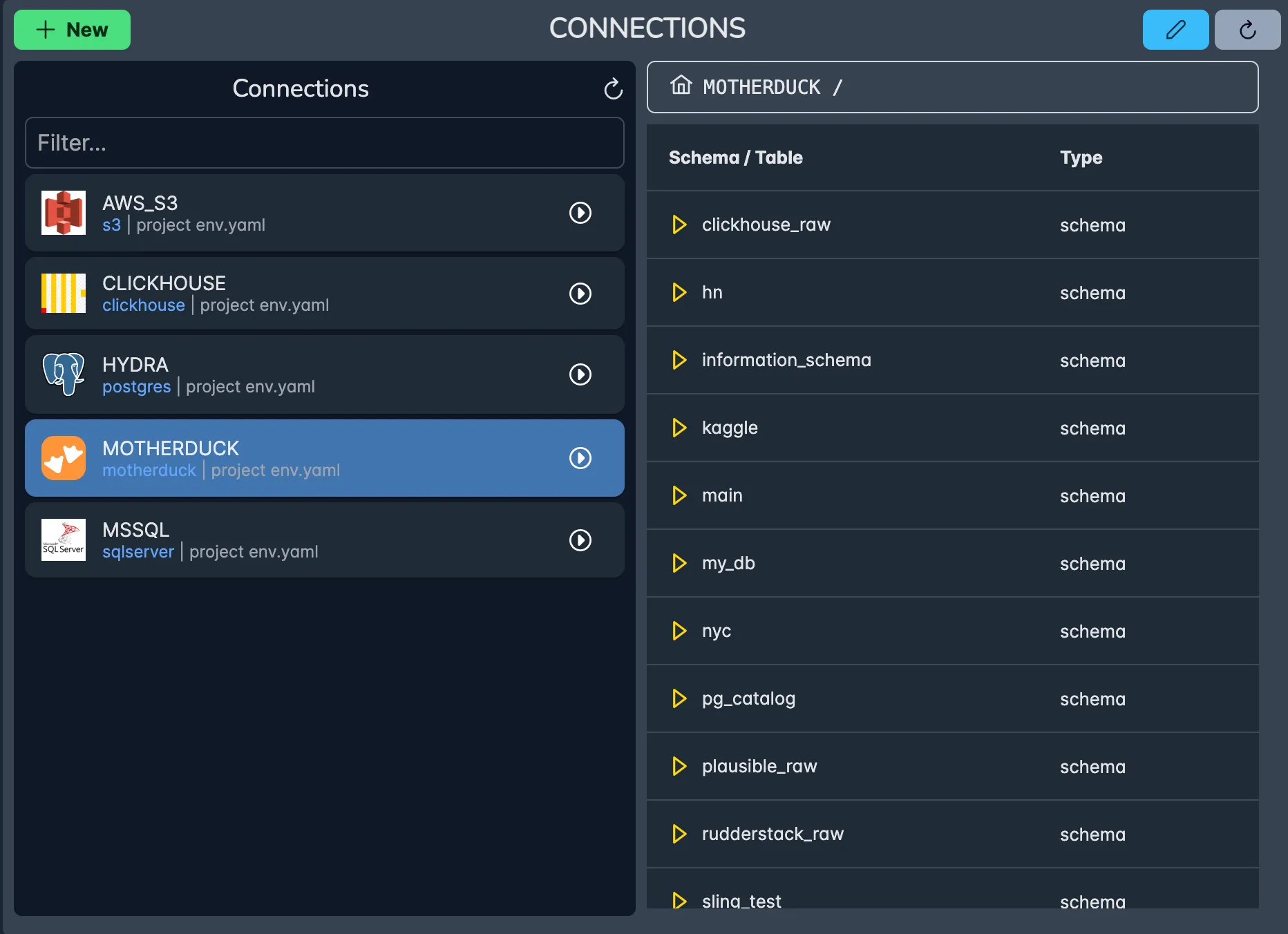
Benefits of using the Platform include:
- Secure credential management
- Connection health monitoring
- Team access controls
- Easy testing and validation
Using the CLI
For CLI users, there are several ways to configure database connections:
Method 1: Direct CLI Commands
The quickest way to set up connections is through the CLI:
# Configure MySQL source connection
sling conns set source_mysql \
  type=mysql \
  host=source-db.example.com \
  port=3306 \
  database=source_db \
  username=reader \
  password=your_password

# Configure PostgreSQL target connection
sling conns set target_pg \
  type=postgres \
  host=target-db.example.com \
  port=5432 \
  database=target_db \
  username=writer \
  password=your_password
Method 2: Environment File (Recommended)
For production environments, it’s recommended to use an env.yaml file:
connections:

  source_mysql:
    type: mysql
    host: source-db.example.com
    port: 3306
    database: source_db
    username: reader
    password: your_password

  target_pg:
    type: postgres
    host: target-db.example.com
    port: 5432
    database: target_db
    username: writer
    password: your_password
Method 3: Environment Variables
For CI/CD environments or quick testing:
# For Linux/Mac
export SOURCE_MYSQL='mysql://user:[email protected]:3306/source_db'
export TARGET_PG='postgresql://user:[email protected]:5432/target_db'

# For Windows PowerShell
$env:SOURCE_MYSQL='mysql://user:[email protected]:3306/source_db'
$env:TARGET_PG='postgresql://user:[email protected]:5432/target_db'
Testing Your Connections
Always verify your connections before proceeding with data migration:
# Test MySQL source connection
sling conns test source_mysql

# Test PostgreSQL target connection
sling conns test target_pg

# List available tables in MySQL
sling conns discover source_mysql
Creating and Running Replications
Now that we have our connections set up, let’s explore how to create and run replications from MySQL to PostgreSQL. We’ll start with basic examples and then move to more advanced scenarios.
Basic Single-Table Replication
The simplest way to start is by replicating a single table. Create a file named customers.yaml:
# Basic single table replication with wildcard
source: source_mysql
target: target_pg

# Define streams with wildcard pattern
streams:
  'mysql.*':
    object: 'public.{stream_table}'
    primary_key: [id]
    update_key: updated_at
Run the replication:
# Execute the replication using the YAML file
sling run -r customers.yaml
Multiple Tables Replication
For migrating multiple tables, create a file named mysql-to-postgres.yaml:
# Multiple tables replication configuration
source: source_mysql
target: target_pg

streams:
  # Customer related tables
  source_schema.customers:
    object: target_schema.customers
    mode: full-refresh

  source_schema.orders:
    object: target_schema.orders
    mode: full-refresh

  source_schema.order_items:
    object: target_schema.order_items
    mode: full-refresh
Advanced Replication Options
For more complex scenarios, you can use additional options:
# Advanced replication configuration
source: source_mysql
target: target_pg

streams:
  source_schema.orders:
    object: target_schema.orders
    mode: incremental
    primary_key: [ id ]
    updated_key: modified_at

    # Exclude specific columns
    select: [ "-password", "-fat_column" ]

    # coerce columns type
    columns:
      order_date: timestamp

    # set index on target table
    target_options:
      table_keys:
        index: [ order_id ]
Using Command Line Flags
While YAML configurations are recommended, you can also use command line flags for quick operations:
# Quick single table replication
sling run \
  --src-conn source_mysql \
  --src-stream source_schema.customers \
  --tgt-conn target_pg \
  --tgt-object target_schema.customers

# Specify mode and options
sling run \
  --src-conn source_mysql \
  --src-stream source_schema.orders \
  --tgt-conn target_pg \
  --tgt-object target_schema.orders \
  --mode incremental \
  --primary-key 'id' \
  --update-key modified_at
Using the Sling Platform
The Sling Platform provides a visual interface for creating and managing replications:
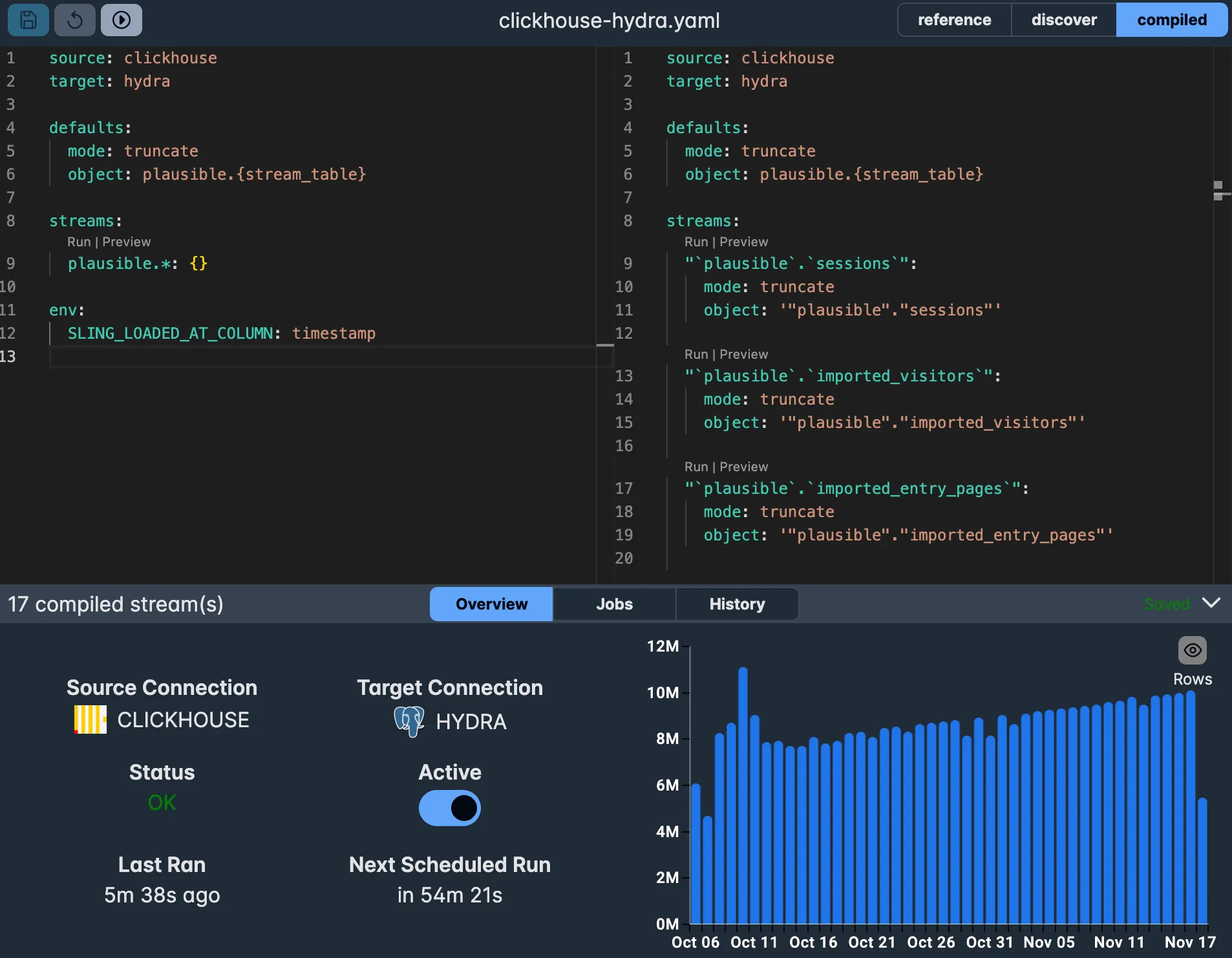
Benefits of using the Platform for replications:
- Visual replication builder
- Real-time validation
- Execution monitoring
- Schedule management
- Error notifications
Conclusion
Migrating data from MySQL to PostgreSQL doesn’t have to be a complex task. With Sling, you have a powerful and flexible tool that simplifies the entire process. Whether you prefer using the CLI for automation and scripting or the Platform for visual management and team collaboration, Sling provides the features you need for successful database migrations.
Key Takeaways
- Sling offers both CLI and Platform options for database migrations
- Multiple connection management methods for different use cases
- Flexible replication configurations using YAML
- Support for various migration modes and data transformations
- Built-in platform monitoring and validation capabilities
Next Steps
To learn more about Sling’s capabilities:
- Visit the Sling Documentation for detailed guides
- Explore Database Connections for connection-specific options
- Check out Replication Concepts for advanced features
- Join the Sling Community for support and discussions
Start small, test thoroughly, and gradually scale up your migrations. With Sling’s robust features and intuitive interfaces, you can confidently move your data from MySQL to PostgreSQL while maintaining data integrity and performance.
Related Guides
- Sync MySQL to PostgreSQL — keep a target Postgres in sync with an ongoing MySQL source
- Export MySQL to S3 Parquet — when the target is an object store rather than another database
- Export PostgreSQL to another PostgreSQL — same patterns applied between two Postgres instances
Frequently Asked Questions
How does Sling handle data type differences between MySQL and PostgreSQL?
Sling automatically maps MySQL column types (e.g. TINYINT(1), DATETIME, JSON) to compatible PostgreSQL types (boolean, timestamp, jsonb) at write time. You can override the mapping per column using the columns block in your replication YAML when you need a specific type — for example casting a BIGINT to numeric to preserve precision.
Can I migrate from MySQL to PostgreSQL incrementally without downtime?
Yes. Use mode: incremental with a primary_key and an update_key (typically a last_modified_at or updated_at column). Sling will only fetch rows newer than the last synced value on each run, so you can schedule it on a tight cadence and cut over once the target catches up.
What’s the largest table size Sling can move from MySQL to PostgreSQL?
There is no hard limit — Sling streams data row-by-row rather than buffering the whole table in memory, so tables in the hundreds of millions of rows are routine. Throughput is mostly bounded by source read speed and target write speed; the Postgres bulk loader uses COPY for fast inserts.
Do I need to pre-create the target tables in PostgreSQL?
No. Sling generates the target DDL automatically from the source schema if the table doesn’t exist. If you want to control the DDL (indexes, partitioning, custom types), you can supply a target_options.table_ddl template in the replication YAML.
How do I migrate only a subset of columns or rows?
Use select to include or exclude columns (select: ["-password", "-internal_notes"]) and the sql: field on a stream to provide a custom SELECT query with a WHERE clause. Combine this with {incremental_where_cond} if you also want incremental behavior on the filtered view.
Will Sling preserve foreign keys, indexes, and constraints?
Sling moves data and creates basic table structure, but it does not replicate foreign keys, indexes, triggers, or stored procedures. Apply those on the target side either before the migration (so they exist on first load) or after (so the bulk load is faster), depending on your tolerance for table locking.
Can I run the same MySQL → PostgreSQL replication on a schedule?
Yes. From the CLI you can wrap sling run -r replication.yaml in cron or any scheduler. On the Sling Platform, replications can be scheduled, monitored, and alerted on without writing scheduling code yourself.