



Export PostgreSQL Data to BigQuery Using Sling
Last updated: June 2026
Moving data from PostgreSQL to Google BigQuery is a common requirement in modern data architectures. Whether you’re consolidating data warehouses, setting up analytics pipelines, or migrating databases, having a reliable and efficient tool is crucial. Sling provides a streamlined solution for this exact scenario.
Sling is a modern data movement and transformation platform that makes it simple to transfer data between different systems. With its powerful CLI tool and intuitive platform interface, you can set up PostgreSQL to BigQuery replications in minutes, not hours.
Key features that make Sling perfect for Postgres to BigQuery transfers:
- Simple CLI and UI interfaces
- Support for various replication modes
- Automatic schema mapping
- Built-in data type conversions
- Progress monitoring and logging
- Scalable performance
Postgres to BigQuery: comparing your options
Before writing any config, it helps to know where Sling fits among the common ways to move PostgreSQL data into BigQuery. The right tool depends on how fresh the data needs to be and how much infrastructure you want to manage.
| Approach | How it works | Best for | Trade-offs |
|---|---|---|---|
| Sling | Open-source CLI/platform; batch full-refresh or incremental upserts, staged through GCS load jobs | Scheduled batch or near-real-time loads, multi-table replication, teams that want a single tool across many sources and targets | Not log-based CDC, so change latency is bounded by your schedule rather than sub-second |
| BigQuery Data Transfer Service | Google-managed scheduled transfers from a Postgres source | All-GCP shops that want a fully managed scheduler and no external binary | Limited transform control; tied to GCP scheduling and source connectivity rules |
| Datastream | Google’s managed log-based CDC reading the Postgres write-ahead log | Sub-minute change capture into BigQuery with minimal lag | Requires logical replication setup on Postgres; managed-service billing; GCP-only |
| Cloud Dataflow | Apache Beam streaming/batch pipelines via a provided template | Complex streaming transforms and large-scale custom pipelines | Heavyweight; you maintain pipeline code and Dataflow jobs |
| PeerDB | Open-source real-time CDC built on Postgres logical decoding | Continuous low-latency replication from Postgres specifically | Postgres-only source; requires replication slots and wal_level = logical |
The recurring question on forums (and the top Reddit thread for this query) is how to sync Postgres to BigQuery without standing up a heavy pipeline. That is where Sling fits. You describe the source, the target, and the mode in a few lines of YAML, then run it on a schedule or on demand. If you genuinely need sub-second change capture straight off the write-ahead log, reach for Datastream or PeerDB. For daily and hourly analytics loads, Sling is the lighter path.
Installation
Getting started with Sling is straightforward. You can install the CLI tool using various package managers:
# macOS / Linux
curl -fsSL https://slingdata.io/install.sh | bash

# Windows
irm https://slingdata.io/install.ps1 | iex

# Python
pip install sling
After installation, verify that Sling is properly installed by running:
# Check Sling version
sling --version
The CLI tool provides all the functionality needed for database migrations, while the Sling Platform offers a web interface for team collaboration and monitoring. You can sign up for the platform at slingdata.io.
Connection Setup
Before we can start transferring data, we need to set up connections to both PostgreSQL and BigQuery. Let’s configure these connections step by step.
PostgreSQL Connection
You can set up a PostgreSQL connection using either the CLI or the platform interface. Here’s how to do it using the CLI:
# Set up PostgreSQL connection using connection string
sling conns set postgres_source url="postgresql://user:pass@host:5432/dbname?sslmode=require"

# Or set up using individual parameters
sling conns set postgres_source type=postgres host=host.example.com user=myuser password=mypass database=mydb port=5432
BigQuery Connection
For BigQuery, you’ll need a Google Cloud service account with appropriate permissions. Here’s how to set up the connection:
# Set up BigQuery connection with service account key file
sling conns set bigquery_target type=bigquery project=my-project dataset=my_dataset gc_bucket=my-bucket key_file=/path/to/service-account.json

# Or set up using service account JSON content in environment variable
export GC_KEY_BODY='{"type": "service_account", ...}'
sling conns set bigquery_target type=bigquery project=my-project dataset=my_dataset gc_bucket=my-bucket
Testing Connections
Once you’ve set up both connections, it’s important to test them to ensure they’re working correctly:
# Test PostgreSQL connection
sling conns test postgres_source

# Test BigQuery connection
sling conns test bigquery_target
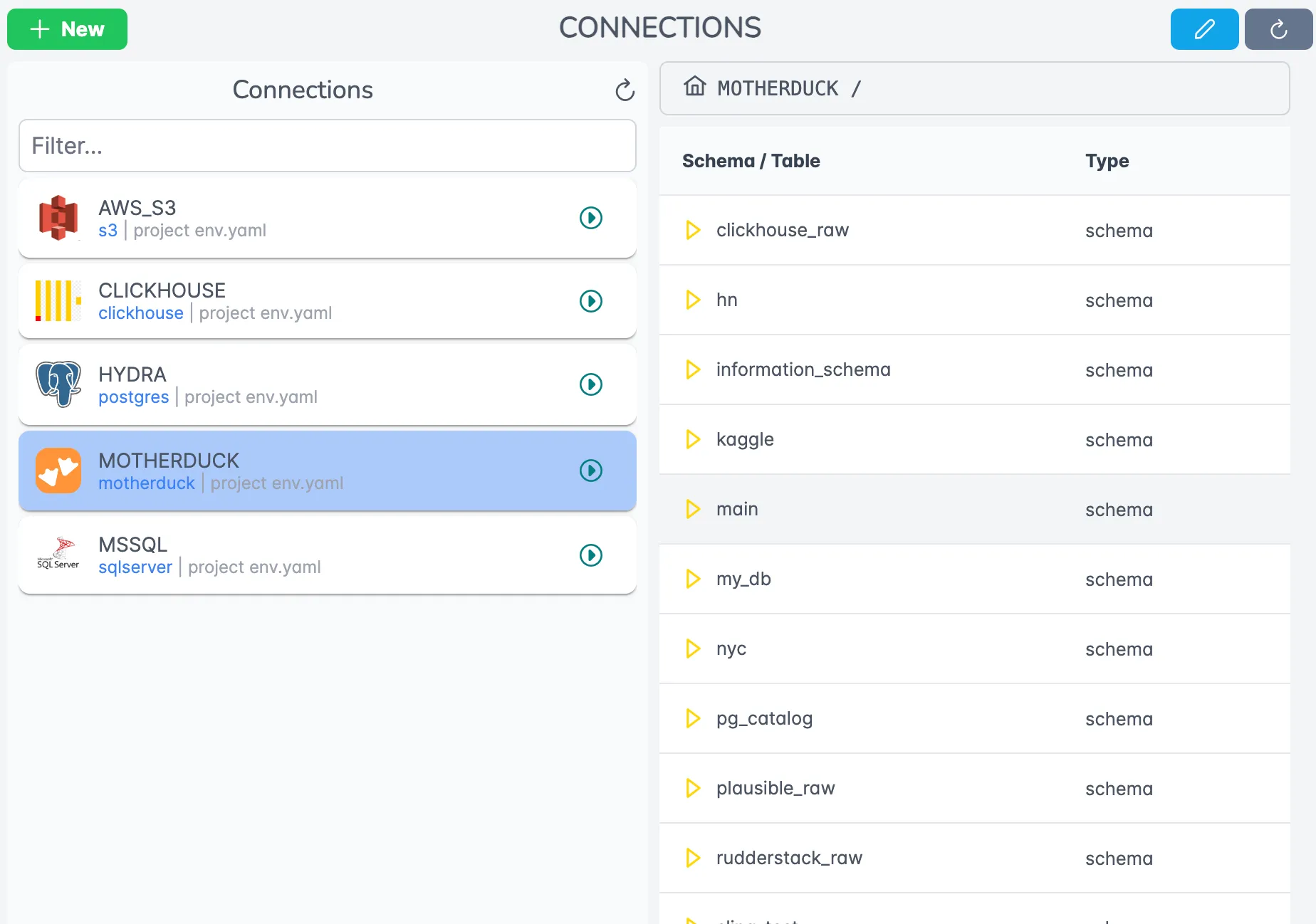
Here’s how connections appear in the Sling Platform interface:
Data Replication Examples
Let’s look at different ways to replicate data from PostgreSQL to BigQuery using Sling. We’ll cover both CLI commands and YAML configurations.
Basic CLI Commands
The simplest way to start a replication is using the CLI command:
# Replicate a single table with full refresh
sling run --src-conn postgres_source --src-stream "public.users" --tgt-conn bigquery_target --tgt-object "users" --mode full-refresh

# Replicate with specific columns
sling run --src-conn postgres_source --src-stream "public.users" --tgt-conn bigquery_target --tgt-object "users" --select "id,name,email,created_at"
YAML Configuration Examples
For more complex replications, YAML configurations provide better maintainability and version control. Here are some examples:
# using wildcards and stream variables
source: postgres_source
target: bigquery_target
defaults:
  mode: full-refresh

streams:
  'public.*':
    object: 'public.{stream_table}'
# using defaults and specific streams
source: postgres_source
target: bigquery_target

defaults:
  mode: full-refresh
  object: "public.{stream_table}"

streams:
  # use defaults for all streams
  public.users:
  public.orders:
    primary_key: [order_id]
  public.products:
# incremental
source: postgres_source
target: bigquery_target

streams:
  public.orders:
    update_key: updated_at
    primary_key: [order_id]
To run these YAML configurations:
# Run the replication
sling run -r postgres-bigquery.yaml
Replication Modes
Sling supports different replication modes to suit your needs:
- Full Refresh Mode:
mode: full-refresh
This mode completely replaces the target table with source data.
- Incremental Mode:
mode: incremental
primary_key: [id]
update_key: updated_at
This mode only updates changed records based on a primary key.
- Snapshot Mode:
mode: snapshot
This mode adds new records without modifying existing ones. See the Replication docs for more details.
PostgreSQL to BigQuery type mapping
A large share of the difficulty in any Postgres-to-BigQuery move comes down to types. PostgreSQL has a richer type system than BigQuery, so a few conversions need attention. Sling resolves each Postgres column to an internal type and then to the closest BigQuery native type automatically, so you rarely have to think about it. Here is what that mapping looks like for the types you’ll meet most often:
| PostgreSQL type | BigQuery type | Notes |
|---|---|---|
integer, bigint, smallint | INT64 | All integer widths land in a single 64-bit type |
numeric, decimal | NUMERIC | High-precision values that exceed BigQuery NUMERIC are kept as STRING so nothing is silently truncated |
real, double precision | FLOAT64 | Standard floating point |
text, varchar, char | STRING | Length limits are dropped; BigQuery STRING is unbounded |
boolean | BOOL | Direct mapping |
json, jsonb | JSON | Stored as native BigQuery JSON, queryable with JSON functions |
timestamp | TIMESTAMP | |
timestamptz | TIMESTAMP | Stored in UTC |
date | DATE | |
time | STRING | BigQuery TIME has no timezone, so Sling preserves the value as text |
uuid | STRING | |
bytea | BYTES | Binary preserved as-is |
When you need to override a decision, set it explicitly per stream with a columns: block in the replication YAML:
source: postgres_source
target: bigquery_target

streams:
  public.events:
    object: "analytics.events"
    columns:
      payload: json
      amount: 'decimal(38,9)'
This is the same mechanism you’d use to force a wider NUMERIC precision or to keep a column as a string when the inferred type isn’t what you want downstream.
Handling incremental loads and change data capture
For ongoing replication you rarely want to reload an entire table on every run. Sling’s incremental mode reads only the rows that changed since the last run and upserts them into BigQuery, which keeps both transfer cost and BigQuery slot usage low.
source: postgres_source
target: bigquery_target

defaults:
  mode: incremental

streams:
  public.orders:
    primary_key: [order_id]
    update_key: updated_at
  public.customers:
    primary_key: [customer_id]
    update_key: modified_at
On each run Sling records the maximum update_key value it has seen (the high-water mark) and, on the next run, pulls only rows greater than that value. The primary_key tells Sling how to upsert so re-processed rows update in place rather than duplicating.
A few practical notes for change-heavy Postgres tables:
- No timestamp column? Use a monotonically increasing key such as a
bigserialid as theupdate_key. Sling tracks the high-water mark the same way. - Hard deletes are not captured by timestamp-based incremental loads. If you need deletes reflected, either soft-delete in the source (a
deleted_atflag you can filter on) or run a periodicfull-refreshon smaller tables. - True log-based CDC (sub-second capture from the write-ahead log) is the domain of Datastream or PeerDB. Sling’s incremental mode is schedule-driven, which is enough for most analytics workloads and far less to operate. See the incremental replication guide for the full set of options.
Troubleshooting common issues
A handful of issues account for most failed first runs. Checking these up front saves time:
Permission deniedon the BigQuery load. The service account needsBigQuery Data Editoron the dataset andStorage Object Admin(or equivalent write access) on thegc_bucket. The load job reads staged files from GCS, so both grants are required.Dataset not found. Sling creates tables but not datasets. Create the target dataset once in the BigQuery console or withbq mk, then re-run.- Dataset / bucket location mismatch. A BigQuery load job fails if the dataset region and the GCS bucket region don’t line up (for example a
USdataset with anEUbucket). Keepgc_bucketin the same location as the target dataset. Quota exceededon load jobs. Many tiny streams can hit BigQuery’s per-table load-job limits. Batch related tables into one replication run, or widen the schedule interval so loads don’t pile up.- Type surprises. If a column lands as
STRINGwhen you expected a number, it usually means the source values exceeded BigQuery NUMERIC precision and Sling preserved them as text. Pin the type with acolumns:override as shown above.
Conclusion
Sling provides a powerful and flexible solution for moving data from PostgreSQL to BigQuery. Its combination of simple CLI commands and comprehensive YAML configurations makes it suitable for both quick migrations and complex data pipelines.
Key takeaways from this guide:
- Sling offers both CLI and Platform interfaces for managing data transfers
- Multiple replication modes support different use cases
- YAML configurations provide version-controlled, repeatable replications
- Built-in features like data type conversion and transformation simplify the process
To learn more about Sling’s capabilities:
- Visit the documentation
- Join our Discord community
- Follow us on GitHub
Start using Sling today to streamline your PostgreSQL to BigQuery data movement workflows.
Related guides
If you work with Postgres as a source, these companion walkthroughs cover other common targets:
- Export Postgres to Snowflake
- Postgres to Postgres replication
- Postgres to ClickHouse
- Postgres to DuckDB
- Snowflake to BigQuery
- MySQL to BigQuery
Frequently asked questions
How does Sling handle PostgreSQL types that don’t map cleanly to BigQuery?
Sling applies a built-in type-mapping layer that converts Postgres types (numeric, jsonb, timestamptz, arrays, etc.) into the closest BigQuery equivalents (NUMERIC, JSON, TIMESTAMP, REPEATED). When a fully lossless mapping isn’t possible (for example, very high-precision NUMERIC), the source value is rendered as a string so no precision is dropped silently. You can override the mapping per stream using columns: in the replication YAML.
Do I need to pre-create the BigQuery dataset and tables?
You need to create the dataset because Sling won’t create datasets implicitly. Tables, however, are created automatically on first run for any target object that doesn’t yet exist, and Sling will adjust them on subsequent runs (adding columns, widening types) when the target connection allows DDL.
Why does Sling need a GCS bucket (gc_bucket) for BigQuery loads?
BigQuery’s high-throughput ingest path is a load job from Google Cloud Storage, not row-by-row inserts. Sling stages batches of records as compressed files in your gc_bucket, then issues a BigQuery load job pointing at those files. This is significantly faster and cheaper than the streaming insert API for bulk replications.
Can I run incremental replications without a updated_at column?
Yes. If the table has a monotonically increasing primary key (like a serial/bigserial id), set that column as update_key and Sling will track the high-water mark on each run. If the table has neither a timestamp nor a monotonic key, you’re limited to full-refresh or snapshot modes.
How do I replicate hundreds of tables without writing a stream entry for each?
Use a wildcard pattern in streams: and a {stream_table} token in the target object. The example in this guide ('public.*' mapped to 'public.{stream_table}') is the canonical pattern. You can still override individual tables by listing them explicitly below the wildcard, and the explicit entry wins.
How is Sling different from Datastream or Dataflow for Postgres to BigQuery?
Datastream is Google’s managed log-based CDC service and Dataflow is a heavyweight streaming framework. Both require GCP-native setup and bill on managed-service rates. Sling is an open-source CLI you run anywhere, configured in a few lines of YAML, with batch full-refresh and incremental upserts out of the box. Choose Datastream when you need sub-minute change capture from the Postgres write-ahead log, and Sling when you want scheduled batch or near-real-time replication without managing GCP pipeline infrastructure.
What’s the right replication mode for a daily analytics load?
For most analytics workloads, incremental with both update_key and primary_key set gives you upsert semantics with the smallest possible transfer per run. Use full-refresh only for small dimension tables or when the source has no reliable change column. snapshot is for append-only audit workloads where history matters more than deduplication.
How do I keep the BigQuery service-account JSON out of source control?
Set it once with sling conns set (the credential is written to your local ~/.sling/env.yaml), or pass it via the GC_KEY_BODY environment variable at runtime so the secret never lands in a YAML file you’d commit. The replication YAML only references the connection name (bigquery_target), not the credentials themselves.