



Last updated: July 2026
The Challenge of Snowflake to BigQuery Data Migration
Moving data between cloud data warehouses like Snowflake and BigQuery traditionally involves complex ETL processes, custom scripts, and significant engineering effort. Common challenges include:
- Setting up and maintaining data extraction processes from Snowflake
- Managing data type compatibility between platforms
- Implementing efficient data loading into BigQuery
- Monitoring and maintaining the data pipeline
- Handling incremental updates and schema changes
Sling simplifies this entire process by providing a streamlined, configuration-based approach that eliminates the need for custom code and complex infrastructure setup.
Comparing Your Snowflake to BigQuery Options
Before writing any config, it helps to know what else is on the table. Most people searching for how to move data from Snowflake to BigQuery land on one of four approaches, and they trade off differently on setup, cost, and how much infrastructure you have to own.
| Approach | How it works | Best for |
|---|---|---|
| Sling | Reads Snowflake over the driver, maps types, bulk-loads into BigQuery from a single config | Recurring syncs, multiple source/target pairs, teams that want one tool |
| BigQuery Data Transfer Service | Google-managed job that stages Snowflake data through a Cloud Storage bucket you provision | A one-time, GCP-native migration where you are happy managing a GCS bucket |
| Snowflake Connector for Google Cloud / Iceberg | Share Snowflake tables as Iceberg, query from BigQuery without a full copy | Keeping data in Snowflake but reading it from BigQuery occasionally |
| Manual unload + load | COPY INTO to GCS, then bq load or a load job | One-off exports when you already have scripts and a bucket |
The Data Transfer Service is the closest managed alternative, but it routes every byte through a Cloud Storage staging bucket and is scoped to a single source-target pair. The Iceberg path avoids copying data but is a query-federation pattern, not a true load into BigQuery tables. Sling sits in the middle: a true table-to-table load that you run yourself, with no staging bucket to manage and the same config working for one-time backfills and incremental refreshes. If you are still weighing the platforms themselves rather than the move, see our note on Snowflake vs BigQuery trade-offs below.
Installing Sling
Getting started with Sling is straightforward. You can install the CLI tool using various package managers:
# macOS / Linux
curl -fsSL https://slingdata.io/install.sh | bash

# Windows
irm https://slingdata.io/install.ps1 | iex

# Python
pip install sling
For more detailed installation instructions, visit the official documentation.
Setting Up Connections
Before we can start replicating data, we need to configure our Snowflake and BigQuery connections. Sling makes this process simple with its connection management system.
First, let’s set up our Snowflake connection:
# Set up Snowflake connection
export SNOWFLAKE_SOURCE="snowflake://${SNOWFLAKE_USER}:${SNOWFLAKE_PASSWORD}@${SNOWFLAKE_ACCOUNT}/${SNOWFLAKE_DATABASE}?warehouse=${SNOWFLAKE_WAREHOUSE}&role=${SNOWFLAKE_ROLE}"

# we should be able to test our connection now
sling conns test snowflake_source
Next, let’s configure the BigQuery connection:
# Set up BigQuery connection
sling conns set bigquery_target type=bigquery project=<project> dataset=<dataset> key_file=/path/to/service.account.json

# we should be able to test our connection now
sling conns test bigquery_target
Creating a Snowflake to BigQuery Replication
Now that our connections are set up, we can create a replication configuration. Create a file named snowflake_to_bigquery.yaml with the following content:
# Define source and target connections
source: snowflake_source
target: bigquery_target

# Set default options for all streams
defaults:
  mode: full-refresh

# Define the tables to replicate
streams:
  # Replicate a single table
  "SALES.ORDERS":
    object: "sales_dataset.orders"
    table_keys:
      primary: [order_id]

  # Replicate multiple tables using wildcards
  "SALES.*":
    object: "sales_dataset.{stream_table}"
    mode: incremental
    update_key: last_modified_at
For more detailed configuration options, refer to the replication documentation.
Running the Replication
With our configuration in place, we can now run the replication using the Sling CLI:
# Run the replication
sling run -r snowflake_to_bigquery.yaml
Incremental Snowflake to BigQuery Syncs
A full refresh is fine for a first load, but reloading a large Snowflake table on every run wastes warehouse credits and slows the pipeline. For ongoing replication, switch the stream to incremental and tell Sling how to detect new rows.
source: snowflake_source
target: bigquery_target

streams:
  "SALES.ORDERS":
    object: "sales_dataset.orders"
    mode: incremental
    update_key: last_modified_at
    table_keys:
      primary: [order_id]
On the first run Sling loads everything. On later runs it reads only rows where last_modified_at is greater than the highest value already in BigQuery, then merges them on the order_id primary key so updates land in place instead of creating duplicates. If your source has no reliable update timestamp, you can use a monotonically increasing id as the update_key for append-only tables. The replication modes guide covers full-refresh, incremental, and truncate behaviour in detail.
Snowflake to BigQuery Type Mapping
One reason hand-rolled migrations break is type mismatches between the two warehouses. Sling normalizes every column through an internal general type, so you do not have to memorize the cross-product of Snowflake and BigQuery types. The table below shows how the common Snowflake types land in BigQuery.
| Snowflake type | BigQuery type |
|---|---|
NUMBER, DECIMAL | NUMERIC |
INTEGER, BIGINT | INT64 |
FLOAT, DOUBLE | FLOAT64 |
VARCHAR, TEXT | STRING |
BOOLEAN | BOOL |
DATE | DATE |
TIMESTAMP_NTZ | TIMESTAMP |
TIMESTAMP_TZ | TIMESTAMP |
VARIANT, OBJECT, ARRAY | JSON |
BINARY | BYTES |
Two cases are worth calling out. Snowflake’s semi-structured VARIANT, OBJECT, and ARRAY columns are carried as JSON and land as BigQuery JSON, so nested data survives the trip without manual flattening. And because BigQuery has a single TIMESTAMP type, both TIMESTAMP_NTZ and TIMESTAMP_TZ map to it, so confirm your timezone handling matches your expectations after the first load.
The Sling Platform
While the CLI provides powerful functionality for data replication, the Sling Platform offers a comprehensive UI-based solution for managing your data pipelines at scale.
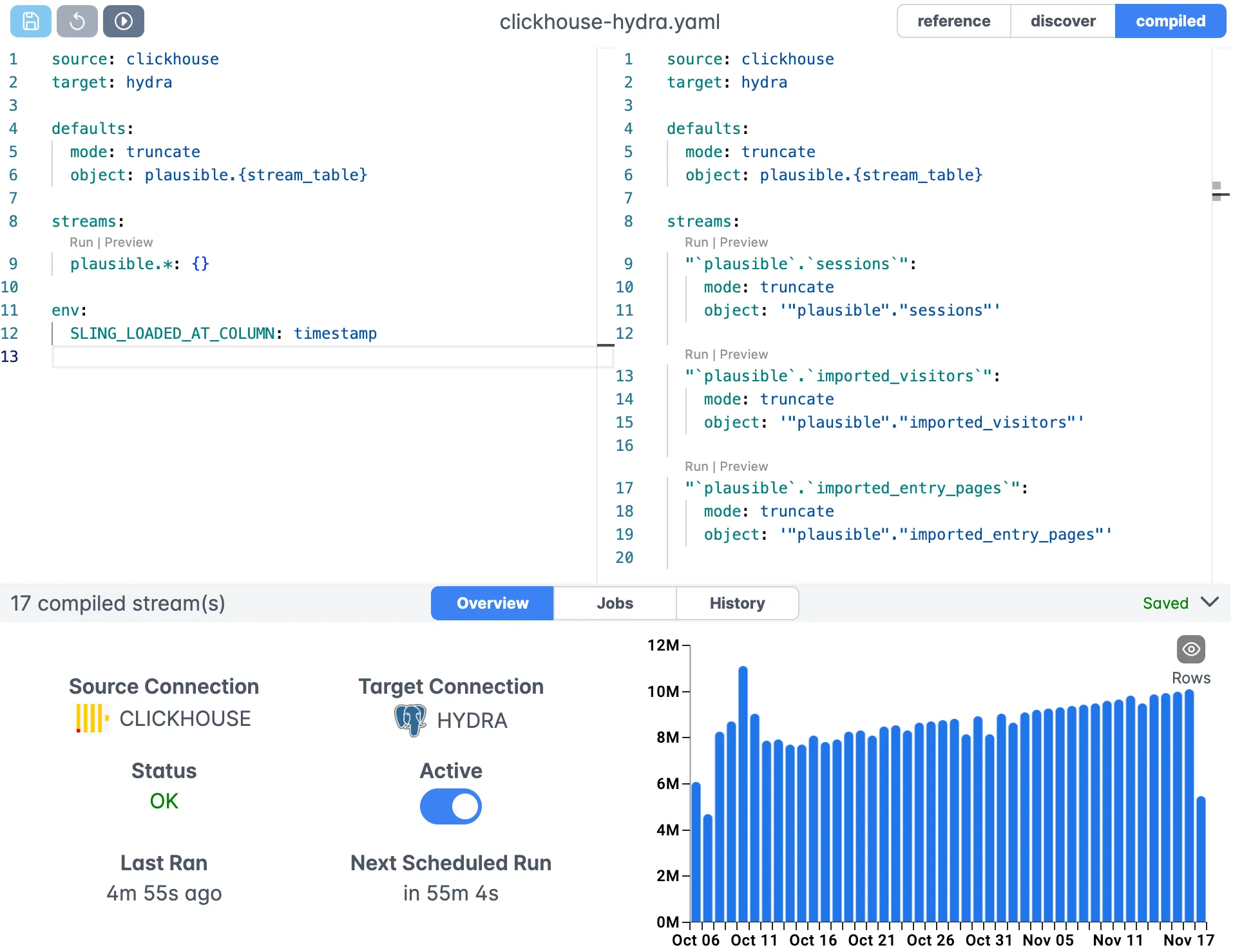
The platform provides:
- Visual replication configuration
- Real-time monitoring and logging
- Team collaboration features
- Scheduled executions
- Agent management for distributed workloads
Best Practices and Tips
To get the most out of your Snowflake to BigQuery replications:
- Use incremental mode for large tables that update frequently
- Implement appropriate primary keys for data integrity
- Land semi-structured columns as JSON and post-process in BigQuery if needed
- Monitor replication logs regularly
- Use runtime variables for flexible configurations
Snowflake vs BigQuery: Which Should You Keep?
Sometimes the real question behind “how do I move data from Snowflake to BigQuery” is “should I consolidate on one of them?” The two warehouses differ in ways that matter for that decision:
- Pricing model. Snowflake bills for compute by the second on warehouses you size yourself, with storage charged separately. BigQuery’s default is pay-per-byte-scanned, with flat-rate slot reservations available for predictable workloads. Spiky, ad-hoc query patterns often look cheaper on BigQuery; steady high-concurrency workloads can favour a right-sized Snowflake warehouse.
- Architecture. Snowflake separates storage and multi-cluster compute that you provision. BigQuery is serverless, so there is no cluster to manage at all, at the cost of less direct control over how queries are resourced.
- Multi-cloud. Snowflake runs natively on AWS, Azure, and GCP. BigQuery is GCP-native, with BigQuery Omni for limited multi-cloud reads.
If you are staying on both and just need the data in BigQuery for a GCP-based analytics or ML stack, replication with Sling keeps a current copy without committing to a one-way migration. If you are consolidating, run a full load now and an incremental schedule afterward so the BigQuery side stays in sync while you cut over. For the reverse direction, see BigQuery to Snowflake with Sling.
Next Steps
To learn more about Sling’s capabilities:
- Explore database-to-database examples
- Read about replication modes
- Learn about runtime variables
- Check out the Sling Platform documentation
Related Guides
For more Snowflake and BigQuery workflows, these articles cover related paths:
- SQL Server to BigQuery with Sling
- Postgres to BigQuery with Sling
- MySQL to BigQuery with Sling
- BigQuery to Snowflake with Sling
- Snowflake to Postgres with Sling
Frequently Asked Questions
Does Sling pull data from Snowflake using UNLOAD to a stage, or does it stream rows over the wire?
Sling streams rows over the standard Snowflake driver and buffers them in batches before pushing to BigQuery. There’s no Snowflake stage or external table involved, which makes the setup simpler but means very large tables benefit from running on hardware close to the BigQuery region.
How does Sling map Snowflake’s VARIANT and OBJECT columns to BigQuery?
Variant, object, and array columns are serialized to JSON strings during extraction and land in BigQuery as STRING by default. If you want them as JSON in BigQuery, run a post-load SQL step that casts the column with SAFE.PARSE_JSON() into a new column or view.
Can I replicate a Snowflake share without copying data into my own database first?
Yes. As long as the Snowflake role on the connection has IMPORTED PRIVILEGES on the share, you can address the shared database and schema directly in your stream names. Sling reads from the share the same way it reads from any other database.
What’s the right approach for handling case-sensitive Snowflake identifiers?
Snowflake stores unquoted identifiers in uppercase. Sling preserves the source casing by default, so streams like SALES.ORDERS keep their uppercase form. Set target_options.column_casing: snake if you want lower_snake_case columns on the BigQuery side, which is the BigQuery convention.
Will Sling create the target dataset in BigQuery automatically?
Sling will create the target tables, but the dataset itself must exist before the run starts. This is by design because dataset creation involves location and billing decisions that Sling shouldn’t make for you. Create the dataset once, then point your replications at it.
How can I throttle the load on Snowflake during a large initial backfill?
Use target_options.batch_limit to cap rows per transaction batch and run streams sequentially by leaving the default parallelism. You can also point the replication at a smaller Snowflake warehouse so it auto-suspends quickly if the run pauses.
Does the use_bulk: true option actually change anything for BigQuery targets?
BigQuery loads are already done via the bulk load API by default, so use_bulk: true is effectively a no-op for this target. You can safely omit it in BigQuery replications; it’s only meaningful for targets that have both row-by-row and bulk paths.