



Last updated: May 2026
The Data Pipeline Challenge
Setting up a data pipeline to load Parquet files into PostgreSQL has traditionally been a complex endeavor. Organizations often struggle with multiple challenges:
- Writing custom scripts to handle Parquet file parsing
- Managing schema changes and type mappings between Parquet and PostgreSQL
- Implementing efficient batch processing and error handling
- Maintaining dependencies for various data formats
- Dealing with performance optimization and resource management
Common solutions often involve using tools like Apache Spark, Python scripts with pandas, or custom ETL tools. However, these approaches typically require:
- Significant development time and resources
- Complex infrastructure setup and maintenance
- Ongoing monitoring and error handling implementation
- Deep knowledge of both source and target systems
Enter Sling
Sling simplifies this entire process by providing a streamlined solution for moving data between Parquet files and PostgreSQL. With Sling, you can:
- Load Parquet files into PostgreSQL with a single command
- Automatically handle schema mapping and type conversion
- Process files efficiently with built-in performance optimizations
- Monitor and manage your data pipelines through a modern UI
Let’s explore how to set up and use Sling for your Parquet to PostgreSQL data pipeline needs.
Getting Started with Sling
The first step is to install Sling on your system. Sling provides multiple installation methods to suit your environment:
# macOS / Linux
curl -fsSL https://slingdata.io/install.sh | bash

# Windows
irm https://slingdata.io/install.ps1 | iex

# Python
pip install sling
After installation, verify that Sling is properly installed by running:
# Check Sling version
sling --version
For more detailed installation instructions and system-specific requirements, visit the installation guide.
Setting Up Connections
Before we can start moving data, we need to set up our connections for both the Parquet files and PostgreSQL database. Sling provides multiple ways to manage connections:
Using Environment Variables
The simplest way to set up connections is through environment variables. For PostgreSQL:
# PostgreSQL connection
export POSTGRES_DB="postgres://user:pass@host:5432/dbname"
Using the Sling CLI
A more secure and maintainable approach is to use Sling’s connection management commands:
# Set up PostgreSQL connection
sling conns set postgres_db "postgres://user:pass@host:5432/dbname"
You can verify your connections using the test command:
# Test PostgreSQL connection
sling conns test postgres_db

# Test local storage connection
sling conns test local
Connection Management Best Practices
Use Environment Variables for CI/CD
- Store sensitive credentials in environment variables
- Use
.envfiles for local development - Leverage your CI/CD platform’s secret management
Connection Naming Conventions
- Use descriptive names that indicate the purpose
- Follow a consistent naming pattern
- Include environment indicators when needed
Security Considerations
- Never commit credentials to version control
- Use least-privilege database users
- Rotate credentials regularly
For more details about connection management and supported options, visit the environment setup guide.
Using the CLI for Data Sync
Sling’s CLI provides a powerful yet simple interface for moving data between Parquet files and PostgreSQL. Let’s look at some examples, from basic to advanced usage.
Basic Usage
The simplest way to load a Parquet file into PostgreSQL is using the run command with basic flags:
# Load a single Parquet file into PostgreSQL
sling run \
  --src-conn local \
  --src-stream "file://./data/users.parquet" \
  --tgt-conn postgres_db \
  --tgt-object "public.users"
This command:
- Uses the previously set up connections
- Automatically detects the Parquet schema
- Creates the target table if it doesn’t exist
- Handles data type mapping automatically
Advanced Usage
For more complex scenarios, Sling offers additional flags to customize the data transfer:
# Load multiple Parquet files with transformations
sling run \
  --src-conn local \
  --src-stream "data/*.parquet" \
  --src-options '{ "empty_as_null": true }' \
  --tgt-conn postgres_db \
  --tgt-object "public.users" \
  --tgt-options '{ "column_casing": "snake", "add_new_columns": true }' \
  --mode incremental \
  --primary-key "id" \
  --update-key "updated_at"
This advanced example:
- Processes multiple Parquet files using wildcards
- Converts empty values to NULL
- Ensures consistent column naming in snake_case
- Automatically adds new columns if found in source
- Uses incremental loading mode with specified keys
For a complete overview of available CLI flags and options, refer to the CLI flags documentation.
Using Replication YAML
While CLI flags are great for quick operations, Sling’s replication YAML provides a more maintainable way to define your data pipelines. Let’s explore some examples:
Basic Replication YAML
Here’s a basic example that loads multiple Parquet files into different PostgreSQL tables:
# parquet_to_postgres.yaml
source: local
target: postgres_db

defaults:
  mode: full-refresh
  target_options:
    column_casing: snake
    add_new_columns: true

streams:
  data/users/*.parquet:
    object: public.users
    primary_key: id
    source_options:
      empty_as_null: true

  data/orders/*.parquet:
    object: public.orders
    primary_key: order_id
    source_options:
      empty_as_null: true
Run this replication with:
# Execute the replication
sling run -r parquet_to_postgres.yaml
Advanced Replication YAML
For more complex scenarios, here’s an advanced example with transformations and custom options:
# parquet_to_postgres_advanced.yaml
source: local
target: postgres_db

defaults:
  mode: incremental
  target_options:
    column_casing: snake
    add_new_columns: true
    table_keys:
      primary: [id]
      unique: [email]

streams:
  data/users/*.parquet:
    object: public.users
    update_key: updated_at
    columns:
      id: bigint
      email: varchar(255)
      status: varchar(50)
      created_at: timestamp
      updated_at: timestamp
    transforms:
      email: [lower]
      status: [upper]
    source_options:
      empty_as_null: true
      datetime_format: "YYYY-MM-DD HH:mm:ss"

  data/transactions/*.parquet:
    object: public.transactions
    update_key: transaction_date
    columns:
      transaction_id: string(36)
      user_id: bigint
      amount: decimal(15,2)
      transaction_date: timestamp
    source_options:
      empty_as_null: true
This advanced configuration:
- Uses incremental loading mode by default
- Defines explicit column types and constraints
- Applies string transformations (lowercase emails, uppercase status)
- Handles date/time formatting
- Creates tables with proper constraints and foreign keys
For more details about replication configuration options, refer to:
The Sling Platform
While the CLI is powerful for local development and automation, the Sling Platform provides a comprehensive web interface for managing your data pipelines at scale. Let’s explore its key components:
Visual Workflow Management
The Sling Platform offers an intuitive interface for managing your data operations:
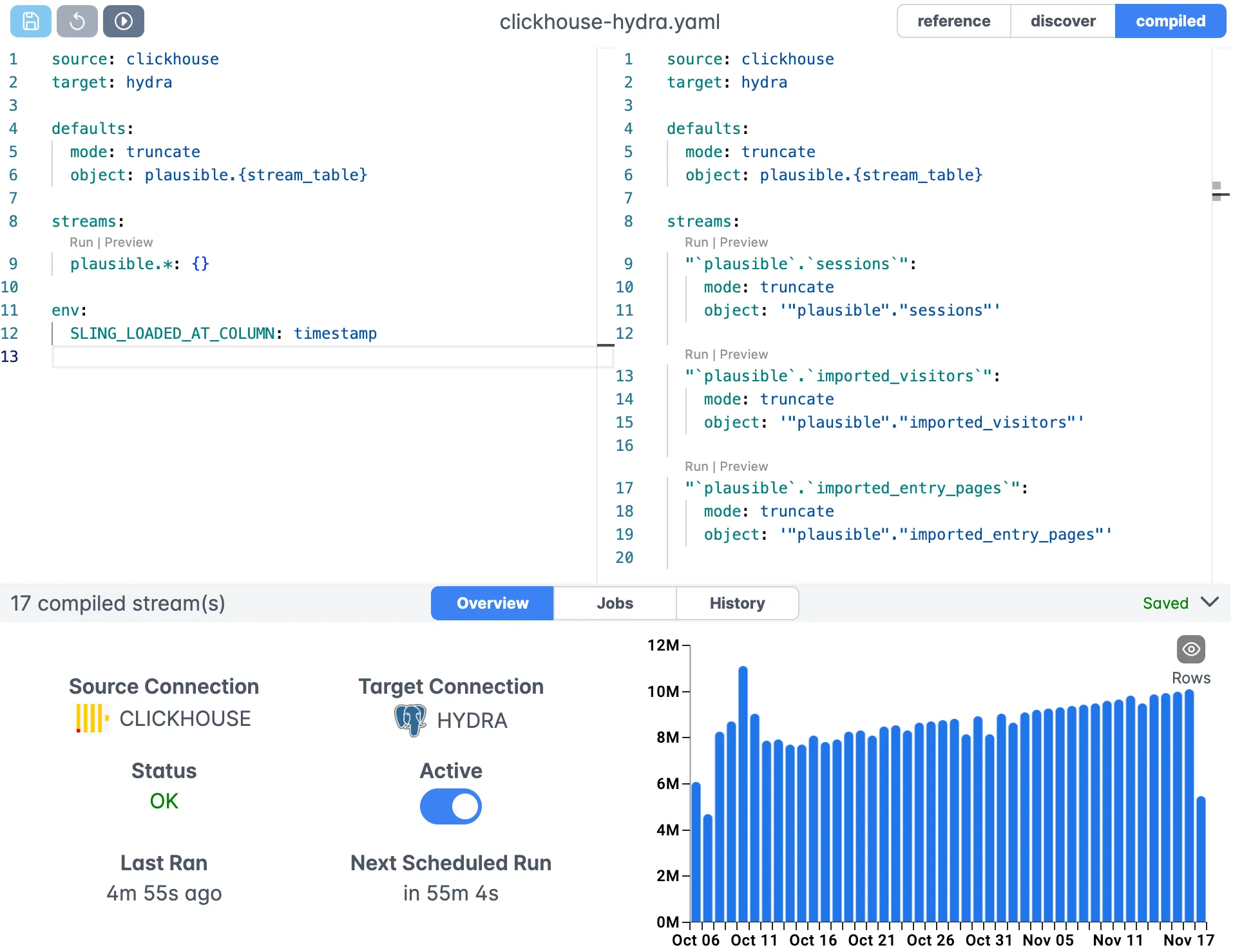
The editor provides:
- Visual YAML configuration
- Syntax highlighting
- Real-time validation
- Auto-completion
Connection Management
Manage all your connections in one place:
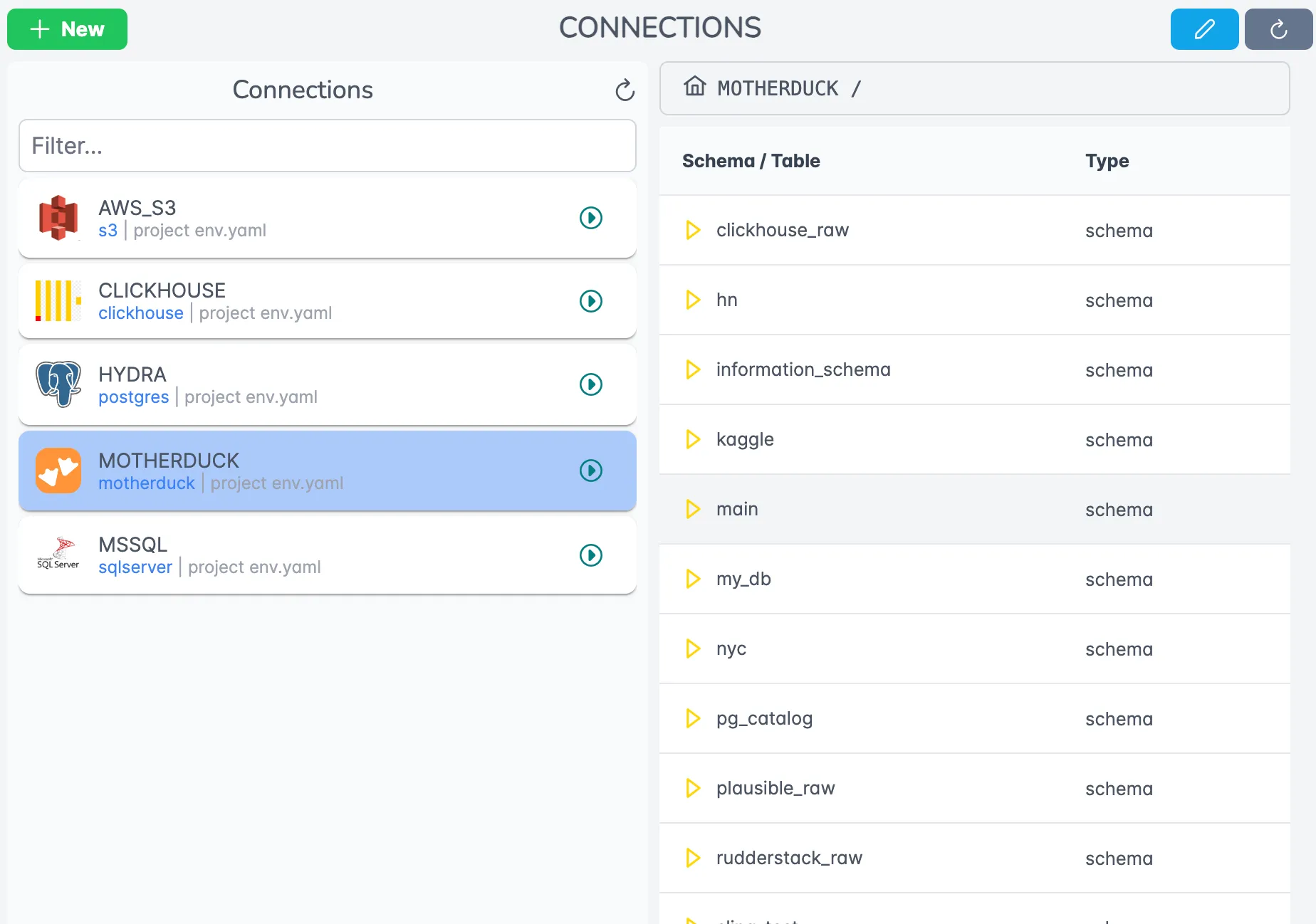
Features include:
- Centralized credential management
- Connection testing
- Access control
- Usage monitoring
Job Monitoring and History
Track all your data operations:
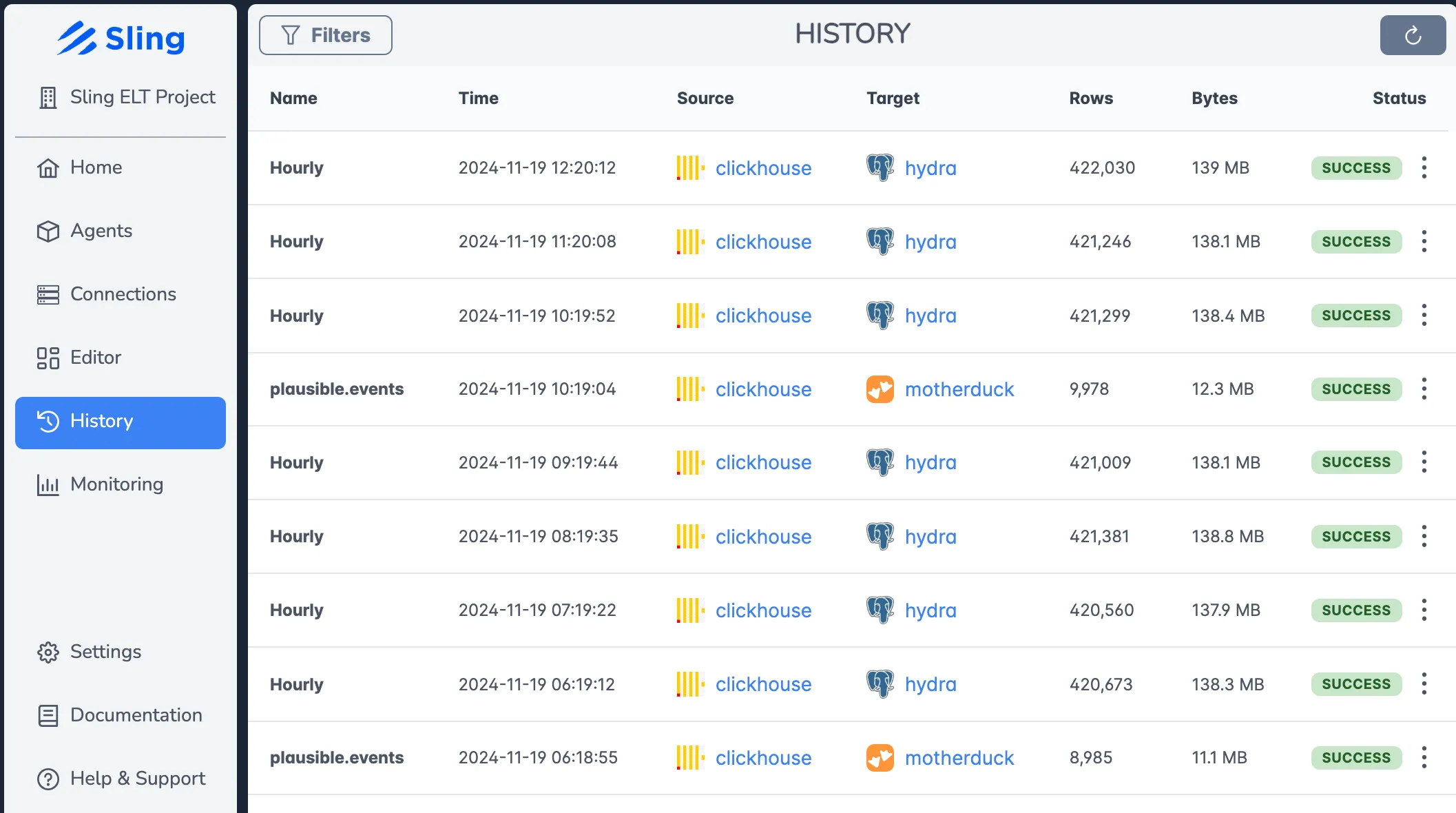
The history view shows:
- Real-time execution status
- Detailed logs
- Performance metrics
- Error reporting
Agent Management
Deploy and manage Sling agents across your infrastructure:
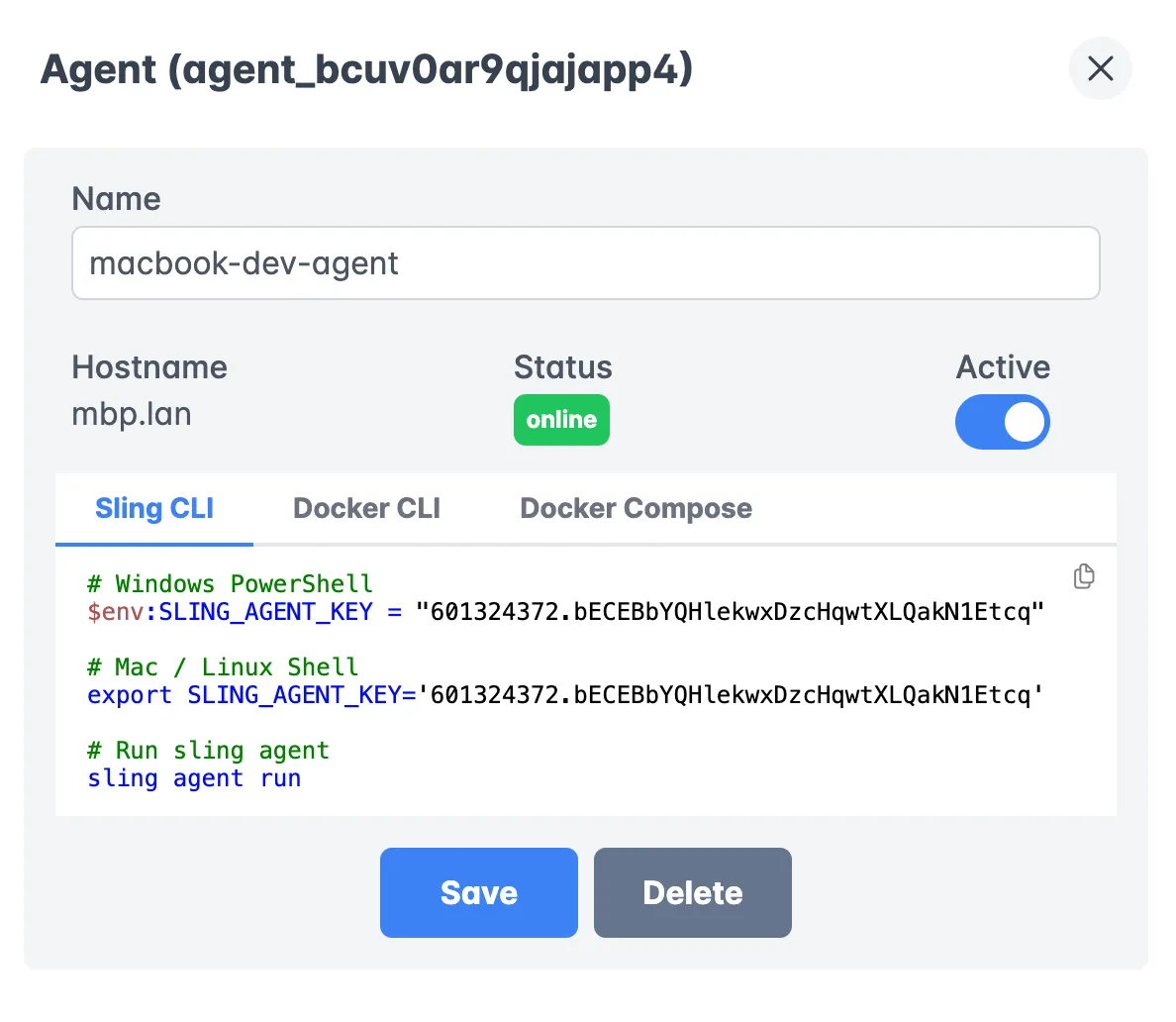
Key features:
- Agent health monitoring
- Resource utilization
- Configuration management
- Load balancing
For more information about the Sling Platform and its capabilities, visit the platform documentation.
Getting Started
Now that you understand how Sling can help with your Parquet to PostgreSQL data pipeline needs, here are some next steps to get started:
Explore the Documentation
Check Out Example Configurations
Explore Available Connections
Database Connections:
Storage Connections:
Best Practices
- Start with simple configurations and gradually add complexity
- Use version control for your replication YAML files
- Implement proper monitoring and alerting
- Follow security best practices for credential management
Sling provides a powerful yet simple solution for your data movement needs. Whether you’re working with Parquet files, databases, or other data formats, Sling can help you build reliable and efficient data pipelines.
Related Guides
If you work with Parquet on a regular basis, these companion walkthroughs cover the most common variations:
- Exporting PostgreSQL data to Parquet walks through the reverse direction with the same connection model.
- Loading S3 Parquet files into PostgreSQL covers the cloud-storage variant for teams whose Parquet lives in object storage.
- Loading local Parquet files into MySQL is the MySQL equivalent of this guide.
- Importing Parquet into Snowflake shows the same flow against a warehouse target.
- Loading local Parquet files into SQLite is useful for lightweight local analytics workflows.
FAQ
Does Sling read Parquet files in chunks, or load them all into memory?
Sling streams Parquet files row group by row group rather than reading the full file into memory. This means a multi-gigabyte Parquet file can be loaded into PostgreSQL on a machine with modest RAM, and progress is visible in the logs as each batch is committed.
How does Sling map Parquet types to PostgreSQL columns?
Parquet logical types are converted to their PostgreSQL equivalents on the fly: INT64 becomes bigint, BYTE_ARRAY (UTF8) becomes text, decimals preserve precision and scale, and timestamps land in timestamp or timestamptz. You can override any mapping with the columns: block in a replication YAML when you need a specific type.
Can I load many Parquet files at once with a wildcard pattern?
Yes. Both the CLI (--src-stream "data/*.parquet") and the replication YAML support glob patterns, and each matched file is treated as part of the same stream. Use a recursive pattern like data/**/*.parquet when files live in nested folders.
What is the best way to do incremental loads from Parquet?
Use mode: incremental along with a primary_key and an update_key such as updated_at. Sling tracks the high-water mark per stream and only loads rows newer than the last run, so re-running the job on the same folder is cheap.
Does Sling create the PostgreSQL table for me, or do I need to create it first?
If the target table does not exist, Sling will create it using the inferred Parquet schema. If the table already exists, Sling matches columns by name; set add_new_columns: true in target_options to let Sling ALTER the table when new columns appear in the Parquet files.
How do I handle Parquet files that have nulls represented as empty strings?
Set empty_as_null: true under source_options. Sling will then treat empty string values as proper NULL in PostgreSQL, which matters for nullable numeric and timestamp columns where the empty string would otherwise fail to convert.
Can I rename or transform columns during the load?
Yes. Use the transforms: block in the replication YAML to apply functions like lower, upper, or trim per column. For full renaming, declare the desired column names under columns: and Sling will map source values into the renamed target schema.