



Last updated: June 2026
Introduction
Moving data from MySQL databases to Google BigQuery traditionally involves complex ETL processes, custom scripts, and significant engineering effort. Organizations often face challenges such as:
- Setting up and maintaining data extraction processes from MySQL
- Managing authentication and permissions across platforms
- Handling schema compatibility and data type conversions
- Implementing efficient data loading into BigQuery
- Monitoring and maintaining the data pipeline
- Dealing with incremental updates and schema changes
According to industry research, setting up a traditional data pipeline between MySQL and BigQuery can take weeks or even months, requiring specialized knowledge of both platforms and custom code development. This complexity often leads to increased costs, maintenance overhead, and potential reliability issues.
Sling simplifies this entire process by providing a streamlined, configuration-based approach that eliminates the need for custom code and complex infrastructure setup. With Sling, you can:
- Configure connections with simple environment variables or CLI commands
- Automatically handle schema mapping and data type conversions
- Optimize performance with built-in batch processing and parallel execution
- Monitor and manage replications through both CLI and web interface
- Implement incremental updates with minimal configuration
In this guide, we’ll walk through the process of setting up a MySQL to BigQuery replication using Sling, demonstrating how to overcome common challenges and implement an efficient data pipeline in minutes rather than days or weeks.
Installation
Getting started with Sling is straightforward. You can install it using various package managers depending on your operating system:
# macOS / Linux
curl -fsSL https://slingdata.io/install.sh | bash

# Windows
irm https://slingdata.io/install.ps1 | iex

# Python
pip install sling
After installation, verify that Sling is properly installed by running:
# Check sling version
sling --version
For more detailed installation instructions and options, visit the installation guide.
Setting Up Connections
Before we can start replicating data, we need to configure our source (MySQL) and target (BigQuery) connections. Sling provides multiple ways to manage connections, including environment variables, the sling conns command, and a YAML configuration file.
MySQL Connection Setup
For MySQL, you’ll need:
- Host and port information
- Username and password
- Database name
- Schema (optional)
- SSL/TLS configuration (if required)
The same MySQL source connection works for other targets too, such as syncing MySQL to Postgres or exporting MySQL to Google Cloud Storage.
Here’s how to set up the MySQL connection:
- Using the
sling conns setCommand
# Set up MySQL connection using CLI
sling conns set mysql_source type=mysql \
  host=<host> \
  user=<user> \
  password=<password> \
  database=<database> \
  port=3306
- Using Environment Variables
# Set up using connection URL format
export MYSQL_SOURCE='mysql://user:password@host:3306/database?tls=skip-verify'
- Using Sling Environment YAML
Add to your ~/.sling/env.yaml:
connections:
  mysql_source:
    type: mysql
    host: your_host
    user: your_username
    password: your_password
    database: your_database
    port: 3306
    schema: public    # optional
BigQuery Connection Setup
The BigQuery setup below is the same regardless of the source database, so it carries over to related guides like exporting Postgres to BigQuery and moving Snowflake to BigQuery.
For BigQuery, you’ll need:
- Google Cloud project ID
- Service account credentials with appropriate permissions
- Dataset information
- Google Cloud Storage bucket (for data transfer)
Here’s how to set up the BigQuery connection:
- Using the
sling conns setCommand
# Set up BigQuery connection using CLI
sling conns set bigquery_target type=bigquery \
  project=<project> \
  dataset=<dataset> \
  gc_bucket=<gc_bucket> \
  key_file=/path/to/service.account.json \
  location=US
- Using Environment Variables
# Set up using service account JSON content
export GC_KEY_BODY='{"type": "service_account", ...}'
export BIGQUERY_TARGET='{type: bigquery, project: <project>, dataset: <dataset>, gc_bucket: <gc_bucket>}'
- Using Sling Environment YAML
Add to your ~/.sling/env.yaml:
connections:
  bigquery_target:
    type: bigquery
    project: your-project
    dataset: your_dataset
    gc_bucket: your-bucket
    key_file: /path/to/service.account.json
    location: US
Testing Connections
After setting up your connections, it’s important to verify they work correctly:
# Test MySQL connection
sling conns test mysql_source

# Test BigQuery connection
sling conns test bigquery_target

# List available tables in MySQL
sling conns discover mysql_source
You can also manage your connections through the Sling Platform’s web interface:
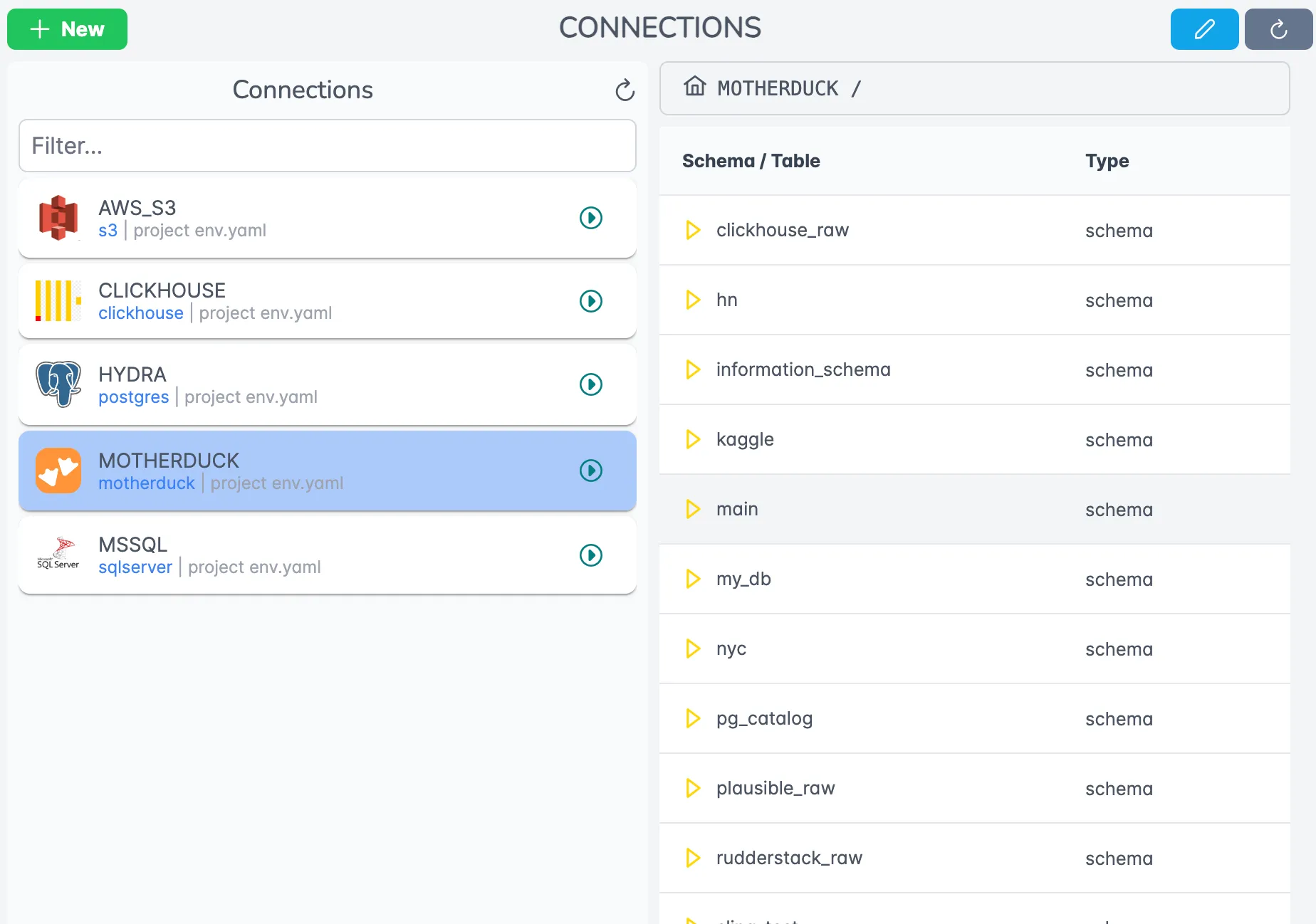
For more details about connection configuration, visit the environment documentation.
Data Replication Methods
Sling provides multiple ways to replicate data from MySQL to BigQuery. Let’s explore both CLI-based and YAML-based approaches, starting from simple configurations to more advanced use cases.
Using CLI Flags
The quickest way to start a replication is using CLI flags. Here are two examples:
Basic CLI Example
This example shows how to replicate a single table with default settings:
# Replicate a single table from MySQL to BigQuery
sling run \
  --src-conn mysql_source \
  --src-stream "analytics.daily_sales" \
  --tgt-conn bigquery_target \
  --tgt-object "ANALYTICS.DAILY_SALES" \
  --tgt-options '{ "column_casing": "upper", "add_new_columns": true }'
Advanced CLI Example
This example demonstrates more advanced options including column selection and incremental updates:
# Replicate with advanced options
sling run \
  --src-conn mysql_source \
  --src-stream "analytics.customer_orders" \
  --select "order_id, customer_id, order_date, total_amount" \
  --tgt-conn bigquery_target \
  --tgt-object "ANALYTICS.CUSTOMER_ORDERS" \
  --mode incremental \
  --primary-key order_id \
  --update-key order_date
For more CLI flag options, visit the CLI flags documentation.
Using YAML Configuration
For more complex replication scenarios, YAML configuration files provide better maintainability and reusability. Let’s look at two examples:
Basic YAML Example
Create a file named mysql_to_bigquery.yaml:
# Define source and target connections
source: mysql_source
target: bigquery_target

# Default settings for all streams
defaults:
  mode: full-refresh
  target_options:
    column_casing: snake

# Define streams to replicate
streams:
  analytics.products:
    object: ANALYTICS.PRODUCTS
    primary_key: product_id

  analytics.orders:
    object: ANALYTICS.ORDERS
    primary_key: order_id
    mode: incremental
    update_key: order_date
    select:
      - order_id
      - customer_id
      - order_date
      - total_amount
      - status
Advanced YAML Example
Here’s a more complex example that demonstrates additional features:
source: mysql_source
target: bigquery_target

defaults:
  mode: incremental
  target_options:
    column_casing: upper
    add_new_columns: true

streams:
  analytics.customers:
    object: ANALYTICS.CUSTOMERS
    primary_key: id
    update_key: updated_at
    select:
      - id
      - email
      - first_name
      - last_name
      - created_at
      - updated_at
    target_options:
      table_keys:
        unique:
          - email

  analytics.orders_*:
    object: ANALYTICS.ORDERS
    primary_key: order_id
    update_key: order_date
    columns:
      total_amount: float64
      status: string
    target_options:
      add_new_columns: true
      adjust_column_type: true
To run a replication using a YAML file:
# Run the replication
sling run -r mysql_to_bigquery.yaml
For more information about YAML configuration options, see:
Using Sling Platform
While the CLI is powerful for local development and automation, the Sling Platform provides a user-friendly interface for managing and monitoring your data pipelines.
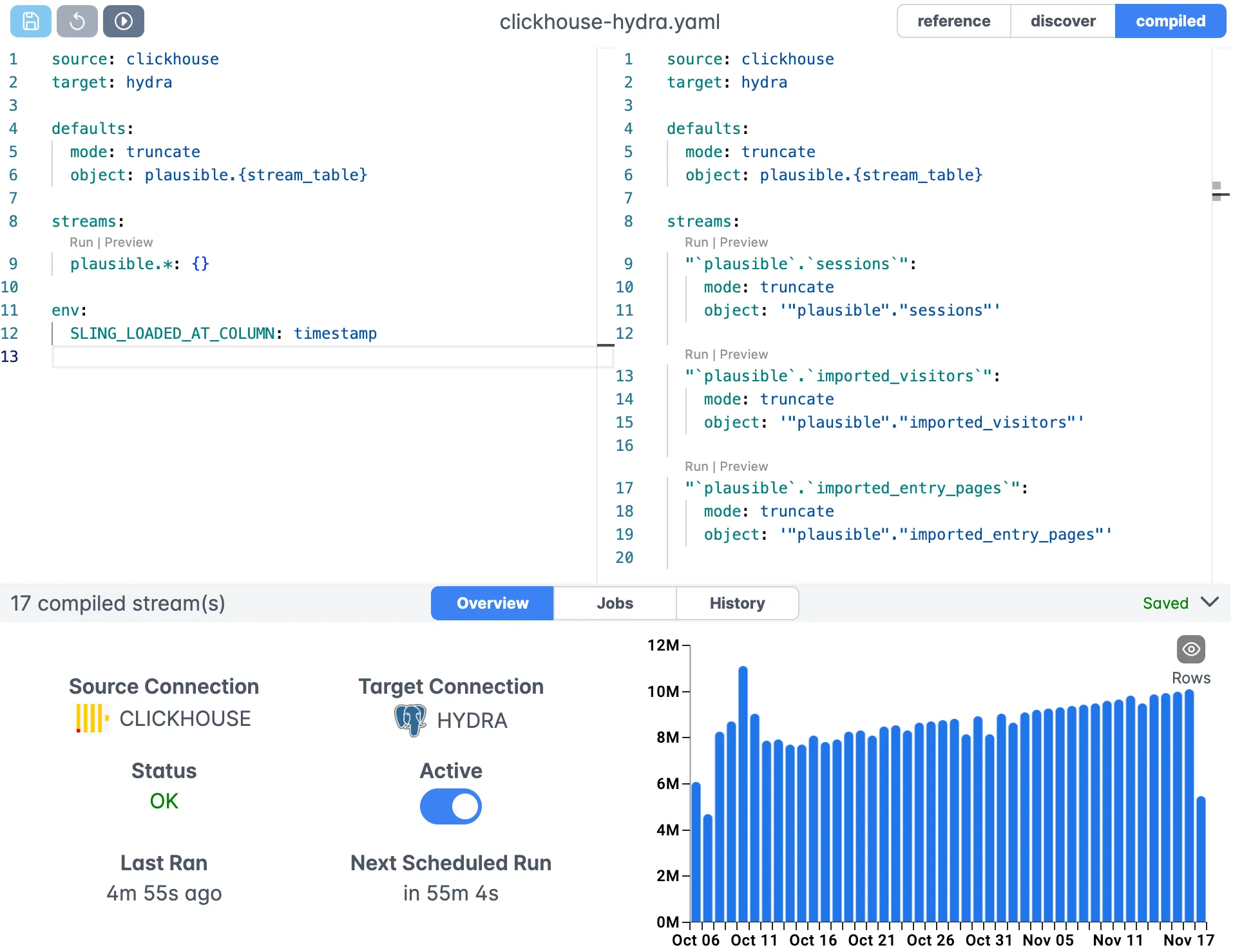
Creating Replications in the UI
The Sling Platform features a visual editor for creating and managing replications:
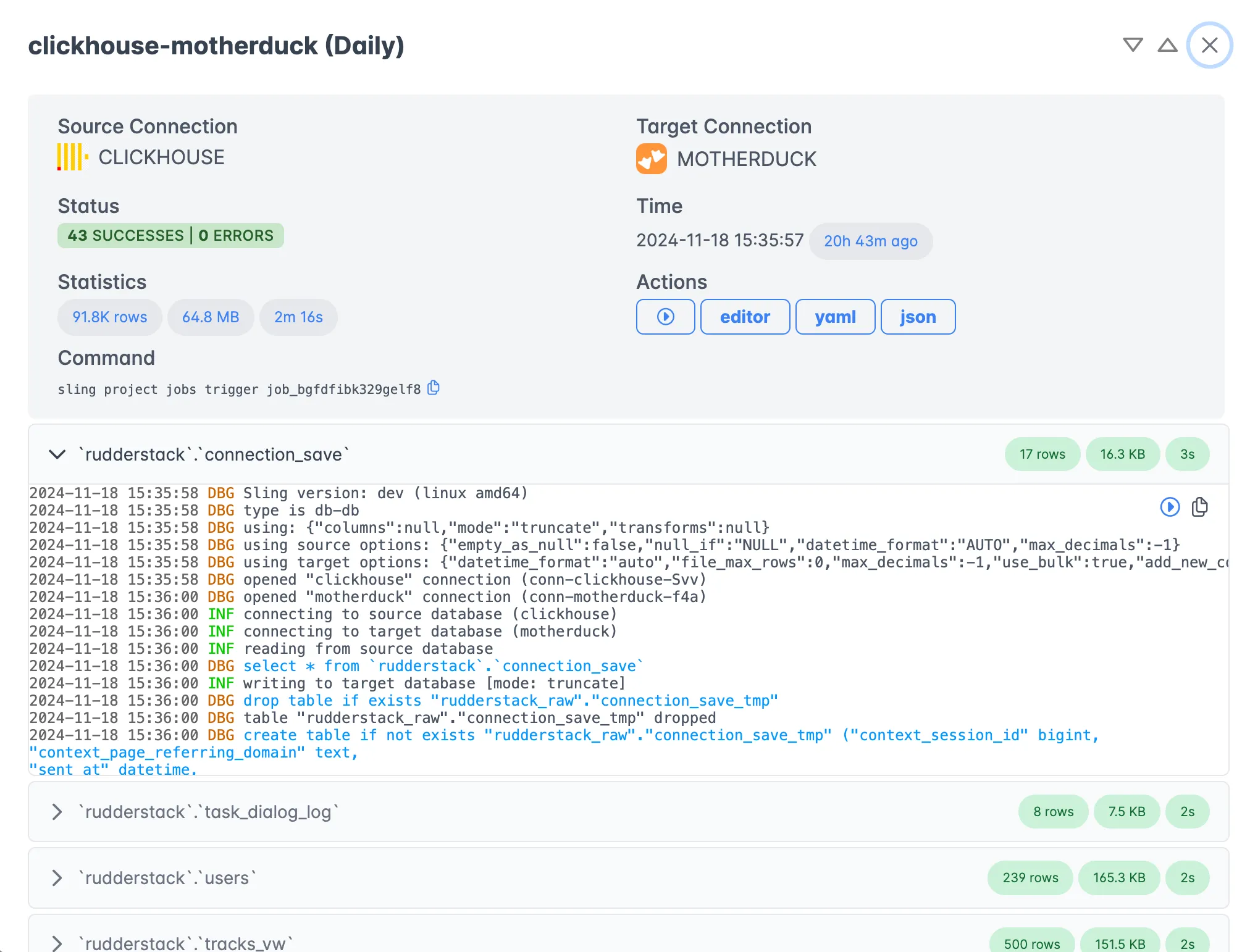
Monitoring Executions
Track the progress and performance of your replications in real-time:
Getting Started
To get started with Sling:
- Install the Sling CLI using the instructions above
- Set up your MySQL and BigQuery connections
- Create a simple replication using either CLI flags or YAML
- Monitor the replication progress
- Explore more advanced features as needed
If you ever need to move data the other way, the BigQuery to PostgreSQL guide walks through the reverse direction with the same connection setup.
For more examples and detailed documentation:
- Database to Database Examples
- MySQL Connection Guide
- BigQuery Connection Guide
- Sling Platform Documentation
The Sling community is here to help! Join us on Discord or check out our GitHub repository for more resources and support.
FAQ
Does Sling need a Google Cloud Storage bucket to load into BigQuery?
Yes. Sling stages data in the GCS bucket you set with gc_bucket, then runs BigQuery’s bulk load from there. Make sure the service account can read and write objects in that bucket.
How do I do incremental MySQL to BigQuery syncs instead of full reloads?
Set mode to incremental on the stream and provide a primary key plus an update_key column such as updated_at. Sling then loads only rows newer than the last run’s high-water mark.
What handles MySQL to BigQuery data type conversion?
Sling maps source types to BigQuery types automatically during load. You can override a specific column with the columns key (for example total_amount: float64) when you want to pin a type.
Can Sling add new columns to a BigQuery table when the MySQL schema changes?
Yes. Set add_new_columns to true under target_options and Sling will add columns that appear in the source but not yet in the target table.
How do I control column name casing in BigQuery?
Use column_casing under target_options. Common values are snake for snake_case and upper to force uppercase names, which some BigQuery conventions prefer.
Can I replicate many MySQL tables at once with one config?
Yes. List each table as a stream, or use a wildcard pattern like analytics.orders_* to match a group of tables in a single replication file.
Does Sling support custom SQL against MySQL before loading into BigQuery?
Yes. Put a query in the stream’s sql key to join, filter, or reshape data on the MySQL side, and Sling loads the result set into the BigQuery target.