



Last updated: May 2026
Introduction
In today’s data-driven world, efficiently moving data between different systems is crucial for analytics, reporting, and data warehousing. One common requirement is transferring data from PostgreSQL databases to Parquet files, a columnar storage format that offers excellent compression and query performance. However, setting up this data pipeline traditionally involves multiple tools, complex configurations, and significant maintenance overhead.
Enter Sling, an open-source data movement tool that simplifies this process dramatically. In this guide, we’ll explore how to use Sling to efficiently transfer data from PostgreSQL to Parquet files, making your data pipeline both powerful and maintainable. If you need a different output format, the same approach covers exporting PostgreSQL to local JSON files and exporting PostgreSQL to CSV files.
Why Parquet for PostgreSQL Data?
Before getting into the mechanics, it’s worth being clear about why so many teams move PostgreSQL data into Parquet in the first place. The format earns its place for three concrete reasons:
- Columnar layout. Parquet stores values by column rather than by row. An analytical query that reads three columns out of forty only touches those three, so it scans a fraction of the bytes a row-based CSV would force it to read.
- Built-in compression. Each column is compressed independently, and similar values sitting next to each other compress well. A table that occupies several gigabytes in Postgres often lands as a few hundred megabytes of Parquet, which directly lowers storage and transfer cost.
- A typed schema travels with the file. Parquet records each column’s type inside the file. Numerics stay numeric and timestamps stay timestamps, so a downstream engine reads them correctly without the type-guessing that CSV consumers have to do.
In practice this means a Parquet export of your Postgres tables can be queried directly by DuckDB, Spark, Polars, Athena, or BigQuery without first loading it into a warehouse. That makes Parquet a useful staging layer between an operational Postgres database and an analytical stack.
Traditional Data Pipeline Challenges
When building a data pipeline to transfer PostgreSQL data to Parquet files, organizations often face several challenges:
- Complex setup requiring multiple tools and dependencies
- Performance bottlenecks when handling large datasets
- Difficulty in maintaining schema consistency
- Resource-intensive ETL processes
- Lack of monitoring and error handling
- High maintenance overhead
These challenges often lead to brittle pipelines that are difficult to maintain and scale. Let’s see how Sling addresses these issues.
Enter Sling: A Modern Solution
Sling is a modern data movement platform designed to simplify data operations. It provides both a powerful CLI tool and a comprehensive platform for managing data workflows between various sources and destinations.
Key Features
- Efficient Data Transfer: Optimized for performance with built-in parallelization
- Simple Configuration: Easy-to-use CLI and YAML-based configuration
- Schema Handling: Automatic schema detection and evolution
- Monitoring: Built-in progress tracking and error reporting
- Flexibility: Support for multiple replication modes and data formats
Platform Components
The Sling platform consists of several key components:
- Sling CLI: A powerful command-line tool for data operations
- Sling Platform: A web-based interface for managing connections and monitoring jobs
- Sling Agents: Worker processes that execute data operations in your infrastructure
- Connection Management: Secure credential storage and connection handling
Let’s dive into how to get started with Sling for your PostgreSQL to Parquet data transfer needs.
Getting Started with Sling
The first step is to install Sling on your system. Sling provides multiple installation methods to suit your environment:
Installation
# macOS / Linux
curl -fsSL https://slingdata.io/install.sh | bash

# Windows
irm https://slingdata.io/install.ps1 | iex

# Python
pip install sling
After installation, verify that Sling is properly installed by checking its version:
# Check Sling version
sling --version
For more detailed installation instructions, visit the Sling CLI Getting Started Guide.
Setting Up Connections
Now that Sling is installed, let’s set up the necessary connections for our PostgreSQL to Parquet transfer. Sling manages connections through its environment system, which supports multiple ways to store credentials securely.
PostgreSQL Connection Setup
You can set up a PostgreSQL connection using any of these methods:
Using sling conns set Command
# Set up PostgreSQL connection using individual parameters
sling conns set POSTGRES type=postgres host=localhost user=myuser database=mydb password=mypassword port=5432

# Or use a connection URL
sling conns set POSTGRES url="postgresql://myuser:mypassword@localhost:5432/mydb"
Using Environment Variables
# Set PostgreSQL connection using environment variable
export POSTGRES='postgresql://myuser:mypassword@localhost:5432/mydb'
Using Sling Environment File
Create or edit ~/.sling/env.yaml:
connections:
  POSTGRES:
    type: postgres
    host: localhost
    user: myuser
    password: mypassword
    port: 5432
    database: mydb
    schema: public  # optional
Local Storage Setup
For Parquet file output, you’ll need a local storage connection. This is simpler as it just requires specifying a local directory:
connections:
  LOCAL:
    type: local
Verifying Connections
After setting up your connections, verify them using the sling conns commands:
# List all configured connections
sling conns list

# Test PostgreSQL connection
sling conns test POSTGRES

# Discover available tables in PostgreSQL
sling conns discover POSTGRES
For more details about connection configuration, refer to the Sling Environment Documentation.
Basic Data Transfer with CLI Flags
The simplest way to transfer data from PostgreSQL to Parquet files is using Sling’s CLI flags. This method is perfect for quick transfers and testing.
Simple Transfer Example
# Transfer a single table to a Parquet file
sling run \
  --src-conn POSTGRES \
  --src-stream "public.users" \
  --tgt-conn LOCAL \
  --tgt-object "file://./data/users.parquet"
Advanced CLI Options
# Transfer with custom SQL query and options
sling run \
  --src-conn POSTGRES \
  --src-stream "SELECT id, name, email, created_at FROM users WHERE created_at > '2023-01-01'" \
  --tgt-conn LOCAL \
  --tgt-object "file://./data/recent_users.parquet" \
  --tgt-options '{"file_max_bytes": 100000000, "compression": "snappy"}'
For more details about CLI flags, visit the CLI Flags Documentation.
Sling vs pg_parquet and Foreign Data Wrappers
If you’ve searched for how to get PostgreSQL data into Parquet, you’ve probably run across the in-database options: the pg_parquet extension and foreign data wrappers like parquet_s3_fdw. They work well in the right setting, but they solve a narrower problem than an external tool does. Here’s how the approaches compare:
| Approach | Install requirement | Works on managed Postgres? | Targets beyond local/S3 | Incremental built in |
|---|---|---|---|---|
pg_parquet extension | Superuser install on the server | Only if the provider ships it | No | No |
parquet_s3_fdw | Compile and install the FDW | Rarely | S3 only | No |
| Sling CLI | None — runs outside the database | Yes (RDS, Cloud SQL, Aurora, Neon) | Local, S3, GCS, Azure, SFTP | Yes |
What usually decides it is where your database lives. pg_parquet needs CREATE EXTENSION rights, which managed services like Amazon RDS, Google Cloud SQL, and Neon don’t grant for arbitrary extensions. Sling connects over the standard Postgres wire protocol as an ordinary client, so it runs against any Postgres you can reach with a connection string, with no server-side changes.
Sling also covers the part those extensions leave out: incremental loads, schema evolution, file-size control, and writing the same data to local disk, S3, GCS, or Azure by swapping one connection. If you only ever need a one-off dump on a self-managed server, pg_parquet is fine. For a repeatable pipeline, or anything on managed Postgres, an external mover is the simpler path.
Advanced Data Transfer with Replication YAML
For more complex data transfer scenarios, Sling supports YAML-based replication configurations. This approach offers more control and is better suited for production environments.
Basic Replication Example
Create a file named postgres_to_parquet.yaml:
source: POSTGRES
target: LOCAL

defaults:
  mode: full-refresh
  target_options:
    format: parquet
    compression: snappy
    file_max_bytes: 100000000

streams:
  # Export all tables in schema 'private'
  private.*:
    object: 'file:///data/private/{stream_table}.parquet'
    mode: full-refresh

  public.users:
    object: file:///data/users/users.parquet
    columns:
      id: int
      name: string
      email: string
      created_at: timestamp

  public.orders:
    object: file:///data/orders/orders.parquet
    select:
      - order_id
      - user_id
      - total_amount
      - status
      - created_at
Advanced Replication Example
Here’s a more complex example with multiple streams and custom options:
source: POSTGRES
target: LOCAL

defaults:
  mode: incremental
  target_options:
    format: parquet
    compression: snappy
    file_max_bytes: 500000000

streams:
  # Custom SQL query with specific columns
  analytics.daily_metrics:
    sql: |
      SELECT
        date,
        product_id,
        SUM(revenue) as daily_revenue,
        COUNT(DISTINCT user_id) as unique_users
      FROM raw_events
      WHERE date >= '2023-01-01'
      GROUP BY date, product_id
    object: file:///data/metrics/daily_metrics.parquet
    primary_key: [date, product_id]

  # Incremental load with update key
  public.transactions:
    object: file:///data/transactions/{part_year}-{part_month}/transactions.parquet
    mode: incremental
    primary_key: [transaction_id]
    update_key: updated_at
    source_options:
      empty_as_null: true
    target_options:
      file_max_bytes: 100000000

  # Multiple tables using wildcard
  public.user_*:
    object: file:///data/user_data/{stream_name}.parquet
    select:
      - id
      - created_at
      - updated_at
      - metadata
    source_options:
      flatten: true

env:
  SLING_LOADED_AT_COLUMN: true
  SLING_STREAM_URL_COLUMN: true
To run a replication configuration:
# Run the replication
sling run -r postgres_to_parquet.yaml
For more details about replication configuration, see the Replication Documentation. To land the Parquet files in cloud object storage instead of local disk, see exporting PostgreSQL to Parquet on S3.
Choosing Parquet Compression
Compression is the single setting that most affects the size and read speed of your output, so it’s worth picking deliberately rather than leaving it to the default. Sling writes three codecs, set through the compression property under target_options:
- snappy — fast to write and fast to read, with moderate file size. This is the right default for files that are queried often or rewritten frequently.
- zstd — compresses noticeably smaller than snappy at a modest CPU cost. Reach for it on cold or archival data where storage cost matters more than write speed.
- gzip — widely compatible and compact, but slower to decompress, so it suits data that is written once and read rarely.
defaults:
  target_options:
    format: parquet
    compression: zstd   # snappy | zstd | gzip
As a rule of thumb, start with snappy, and switch to zstd only once you’ve confirmed a table is large and queried infrequently enough that the smaller files pay for the extra CPU. The choice is per-stream, so a single replication can write hot tables as snappy and archives as zstd.
Querying Your Parquet Files with DuckDB
Exporting to Parquet is only half the story. The reason teams pick the format is that the result is immediately queryable, no warehouse load required. DuckDB makes this especially clean because it reads Parquet natively:
-- Query a single exported file directly
SELECT status, count(*)
FROM read_parquet('data/orders/orders.parquet')
GROUP BY status;

-- Query an entire directory of Parquet files with a glob
SELECT date_trunc('month', created_at) AS month, count(*)
FROM read_parquet('data/transactions/**/*.parquet')
GROUP BY 1
ORDER BY 1;
Because the schema lives inside each file, there’s no CREATE TABLE step and no type declarations to maintain. The same files work with Polars (pl.read_parquet), Spark, AWS Athena, and BigQuery external tables. If you’d rather keep the data inside a fast local analytical database, you can also load it directly with Sling — see moving PostgreSQL data into DuckDB.
Partitioning Parquet Output for Faster Queries
For large, time-series-style tables, writing every row into one file forces every query to read the whole dataset. Partitioning the output by date lets query engines skip the files they don’t need. Sling builds a partitioned layout when you put partition runtime variables in the object path:
streams:
  public.events:
    object: 'file:///data/events/{part_year}/{part_month}/events.parquet'
    mode: incremental
    primary_key: [event_id]
    update_key: created_at
Sling routes each row to the prefix that matches its timestamp, producing a year=/month=-style tree on disk or in S3. When DuckDB, Spark, or Athena later read this with a WHERE created_at >= ... filter, they prune whole directories instead of scanning everything, which is where the real query speedup comes from. Combine partitioning with file_max_bytes so that each partition is split into files in the 128 MB to 512 MB range that engines read most efficiently.
Using the Sling Platform UI
While the CLI is powerful for automation and scripting, Sling also provides a web-based platform for managing and monitoring data transfers visually.
Platform Features
- Visual Connection Management: Create and manage connections through an intuitive interface
- Job Monitoring: Track the progress and status of your data transfers
- Scheduling: Set up recurring transfers with built-in scheduling
- Error Handling: Visual error tracking and debugging
- Team Collaboration: Share connections and configurations with team members
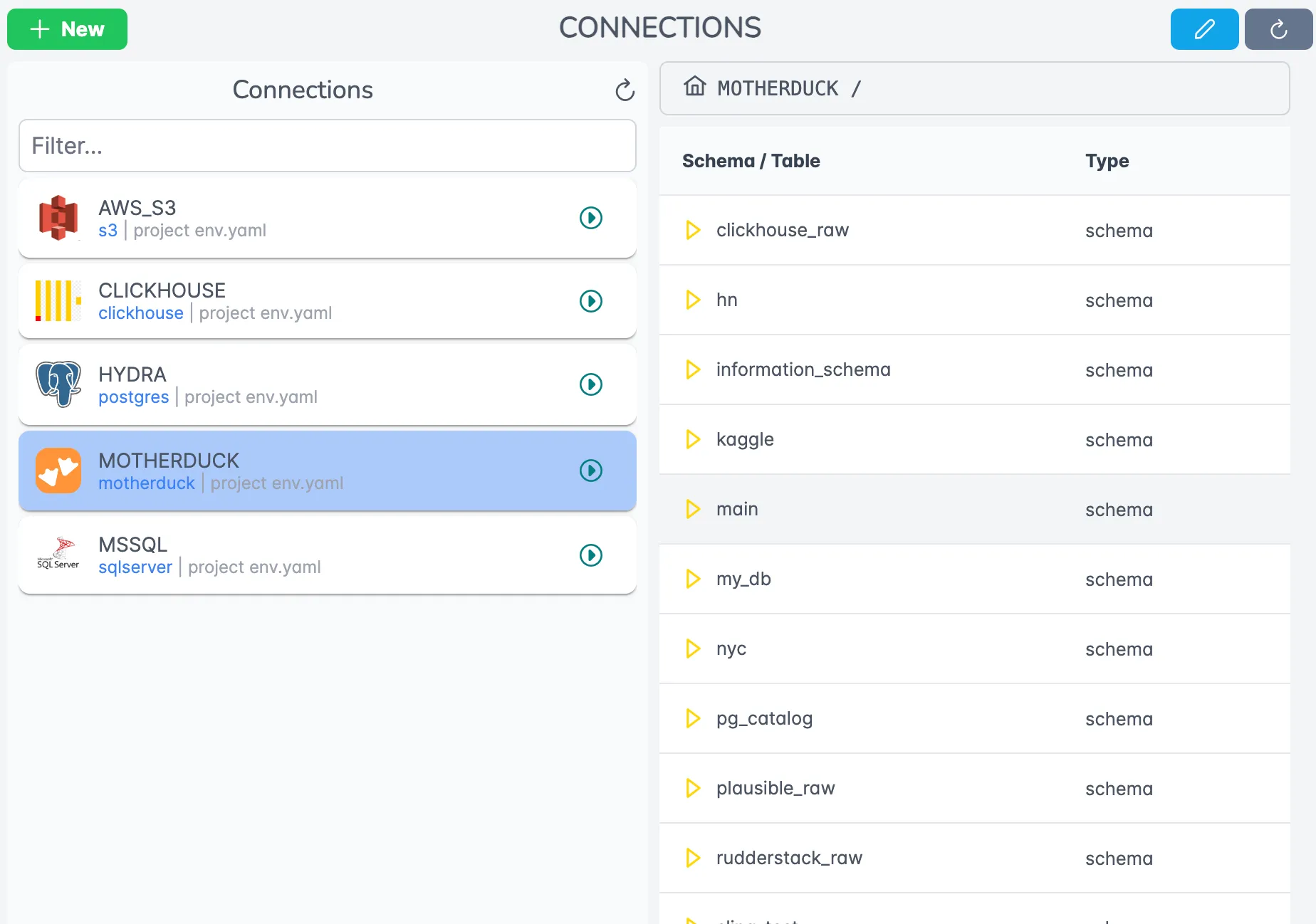
Connection Management
The Sling Platform provides an intuitive interface for managing your connections:
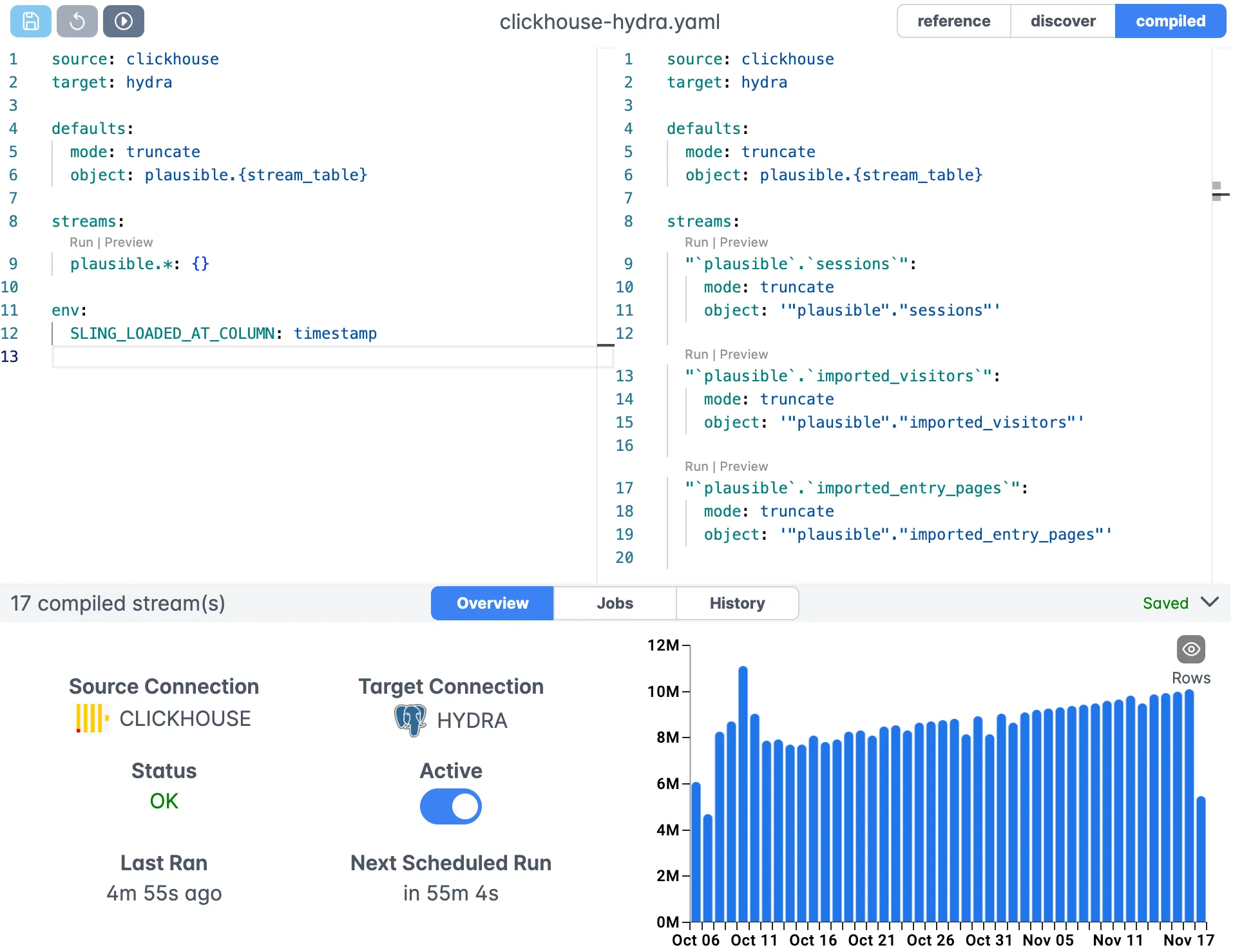
Replication Editor
Create and edit your replication configurations with the visual editor:
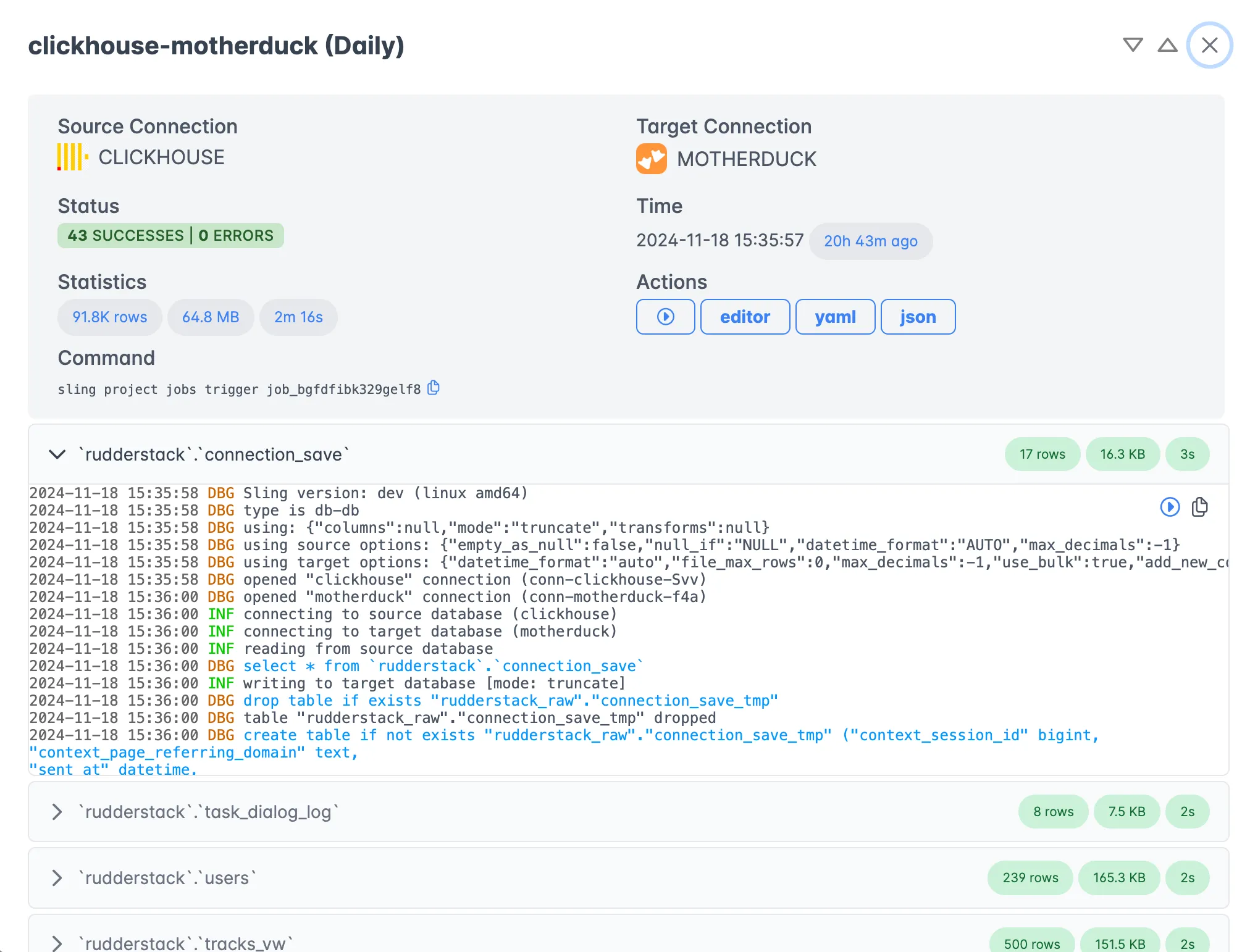
Job Monitoring
Monitor your data transfers in real-time with detailed execution information:
Getting Started with the Platform
- Sign up for a Sling account at app.slingdata.io
- Create your connections in the web interface
- Set up your first replication job
- Monitor the transfer progress in real-time
For more information about the Sling Platform, visit the Platform Documentation.
Best Practices and Optimization
To get the most out of your PostgreSQL to Parquet transfers with Sling, consider these best practices:
- Use Incremental Mode: For large tables that update frequently, use incremental mode with an appropriate update key
- Optimize File Sizes: Configure
file_max_bytesbased on your downstream processing requirements - Choose Compression: Use
snappycompression for a good balance of speed and compression ratio - Leverage Parallelization: Sling automatically parallelizes operations when possible
- Monitor Memory Usage: Adjust batch sizes for optimal performance
- Regular Testing: Use the
sling conns testcommand to verify connections regularly
Conclusion
Sling provides a powerful and flexible solution for transferring data from PostgreSQL to Parquet files. Whether you prefer the simplicity of CLI commands or the convenience of the web platform, Sling offers the tools you need to build robust data pipelines.
For more examples and detailed documentation, visit:
Join the Sling community:
Related Guides
- Export PostgreSQL data to local JSON files
- Export PostgreSQL data to CSV files
- Export PostgreSQL data to Parquet on S3
- Move PostgreSQL data into DuckDB
FAQ
Why export PostgreSQL data to Parquet instead of CSV or JSON?
Parquet is a columnar, compressed format, so analytical queries that touch a few columns read far less data than a row-based CSV. It also preserves column types, which avoids the type-guessing that CSV consumers have to do.
What compression codecs does Sling support for Parquet output?
Sling supports snappy, gzip, and zstd for Parquet. Snappy is a good default for a balance of speed and size; zstd compresses smaller at a modest CPU cost. Set it with compression under target_options.
How do I do incremental PostgreSQL to Parquet loads?
Set mode to incremental and provide an update_key column (such as updated_at) plus a primary_key. Each run only pulls rows changed since the last watermark and appends new Parquet files rather than rewriting everything.
Can Sling control the size of each Parquet file?
Yes. Set file_max_bytes (or file_max_rows) under target_options and Sling rolls to a new file once the limit is hit, which keeps files in a range that engines like Spark or DuckDB read efficiently.
Does Sling preserve PostgreSQL data types in the Parquet schema?
Yes. Sling maps PostgreSQL types to Parquet logical types automatically, and you can pin specific columns with a columns block in the stream if you need to override the inferred type.
Can I partition the Parquet output by a date column?
Yes. Use partition runtime variables such as part_year and part_month in the object path, for example file:///data/transactions/{part_year}/{part_month}/transactions.parquet. Sling routes each row to the matching prefix, producing a directory layout that query engines can prune on.
How do I export an entire PostgreSQL schema to Parquet at once?
Use a wildcard stream like public.* (or public.user_*) with a templated object path. Sling expands the wildcard to every matching table and writes one Parquet dataset per table.