



Last updated: July 2026
Moving data from JSON files into SQLite databases traditionally requires writing custom scripts, handling data type conversions, and managing error cases. This process can be time-consuming and error-prone, often involving multiple dependencies and complex code. If you are weighing storage targets, our guide on loading Parquet into SQLite compares the columnar file format with the embedded database.
Sling simplifies this process by providing a streamlined, efficient way to transfer data between JSON files and SQLite databases. With features like automatic data type inference, support for nested JSON structures, and flexible transformation options, Sling eliminates the need for custom scripts and reduces development time significantly.
Key advantages of using Sling include:
- Automated data type mapping and schema creation
- Built-in support for complex JSON structures
- Efficient bulk loading capabilities
- Real-time data validation
- Simple command-line interface
- Flexible configuration options
Let’s explore how to set up and use Sling for your JSON to SQLite data integration needs.
JSON to SQLite: Comparing Your Options
Search for “json to sqlite” and you land on a Python script, a browser converter, or a one-off VS Code extension. Each works for a single file, but they diverge quickly once you have nested arrays, a directory of files, or a load you need to rerun on a schedule. Here is how the common approaches line up.
| Approach | Schema + table creation | Nested JSON | Multiple files | Reruns / scheduling | Best for |
|---|---|---|---|---|---|
Python json + sqlite3 | You write the CREATE TABLE and type casts by hand | Manual flattening in code | Loop in your own script | You script it | Full control, one-off tasks |
sqlite-utils insert | Inferred automatically | Stored as JSON text, or --flatten | One file per command | Shell scripting | Quick imports from the terminal |
| GUI / browser converters | Automatic | Usually flattened | One at a time | Not repeatable | A single ad-hoc conversion |
| Sling | Inferred, table created for you | flatten into columns or keep raw for json_extract | Directory or wildcard in one run | Built-in modes, YAML, runtime variables | Repeatable pipelines, one file to many |
The Python-and-sqlite3 route gives you total control but leaves the type handling, table creation, and error paths on your plate. sqlite-utils is excellent for a quick terminal import of one file. Sling covers the same ground and keeps working as the job grows: it infers the schema, creates the table, expands nested structures, and runs the identical load for a single file or an entire folder, from one command or a version-controlled YAML file. The rest of this guide walks through that workflow.
Installation
Getting started with Sling is straightforward. You can install it using various package managers:
# macOS / Linux
curl -fsSL https://slingdata.io/install.sh | bash

# Windows
irm https://slingdata.io/install.ps1 | iex

# Python
pip install sling
After installation, verify that Sling is properly installed by checking its version:
# Check Sling version
sling --version
For more detailed installation instructions, visit the Sling CLI Getting Started Guide.
Setting Up Connections
Before we can start moving data, we need to configure our source (local JSON files) and target (SQLite) connections. Sling provides multiple ways to manage connections securely.
Local File Connection
For local JSON files, Sling automatically configures a default connection named LOCAL. You don’t need any additional configuration for accessing local files.
SQLite Connection Setup
For SQLite, you can set up the connection using one of these methods:
Using Environment Variables
The simplest way to set up a SQLite connection is through environment variables:
# Set up SQLite connection using environment variable
export SQLITE='sqlite:///path/to/database.db'
Using the Sling CLI
A more secure and maintainable approach is to use Sling’s connection management commands:
# Set up SQLite connection using sling conns set
sling conns set sqlite_db type=sqlite database=/path/to/database.db
Using YAML Configuration
For a more permanent setup, you can define your connections in the ~/.sling/env.yaml file:
connections:
  sqlite_db:
    type: sqlite
    database: /path/to/database.db
Testing Connections
After setting up your connections, it’s important to verify they work correctly:
# Test SQLite connection
sling conns test sqlite_db

# Test local connection
sling conns test local
For more information about connection management and environment variables, refer to the Sling CLI Environment documentation.
Using CLI Flags for Data Sync
Sling’s command-line interface provides a quick way to transfer data using CLI flags. This approach is perfect for one-off transfers or when you want to test your data pipeline before creating a more permanent configuration.
Basic Example
Here’s a simple example of loading a JSON file into a SQLite table:
# Load a JSON file into a SQLite table
sling run \
  --src-conn local \
  --src-stream "file://data/products.json" \
  --tgt-conn sqlite_db \
  --tgt-object "products"
In this example:
--src-conn local: Specifies the source connection (local filesystem)--src-stream: Specifies the source JSON file path--tgt-conn sqlite_db: Specifies the target SQLite connection--tgt-object: Specifies the target table name
Advanced Example
Here’s a more complex example that includes source and target options:
# Load JSON data with specific options
sling run \
  --src-conn local \
  --src-stream "file://data/products.json" \
  --src-options '{ "flatten": true, "empty_as_null": true, "jmespath": "products[*]" }' \
  --tgt-conn sqlite_db \
  --tgt-object "products" \
  --tgt-options '{ "column_casing": "snake", "add_new_columns": true }'
This example includes:
flatten: Flattens nested JSON structuresempty_as_null: Treats empty strings as NULL valuesjmespath: Extracts specific data using JMESPath expressioncolumn_casing: Converts column names to snake_caseadd_new_columns: Automatically adds new columns if they appear in the source
For more details about available CLI flags, visit the CLI Flags Overview.
Using YAML Configuration
For more complex data synchronization scenarios or when you want to maintain your configuration in version control, Sling supports YAML-based replication configurations. Let’s look at some examples. The same JSON-handling options apply when the target is a server database, such as loading JSON into Postgres or loading JSON into MySQL.
Basic YAML Configuration
Here’s a basic example that loads multiple JSON files into SQLite tables:
# local_to_sqlite.yaml
source: local
target: sqlite_db

streams:
  # Load products data
  file://data/products.json:
    object: products
    mode: full-refresh
    source_options:
      format: json
      empty_as_null: true

  # Load customers data
  file://data/customers.json:
    object: customers
    mode: full-refresh
    source_options:
      format: json
      empty_as_null: true
To run this replication:
# Run the replication configuration
sling run -r local_to_sqlite.yaml
Advanced YAML Configuration
Here’s a more complex example that includes transformations and runtime variables:
# local_to_sqlite_advanced.yaml
source: local
target: sqlite_db

defaults:
  mode: full-refresh
  source_options:
    format: json
    empty_as_null: true
    flatten: true
  target_options:
    column_casing: snake
    add_new_columns: true

streams:
  # Load products with transformations
  file://data/products.json:
    object: products
    source_options:
      jmespath: "products[*]"

  # Load orders with dynamic file names
  "file://data/orders_{stream_date}.json":
    object: "{stream_file_name}"
    source_options:
      jmespath: "orders[*]"
    columns:
      total_amount: decimal(20,6)

env:
  stream_date: ${STREAM_DATE}
To run this replication with runtime variables:
# Run the replication with a specific date
export STREAM_DATE=20240101
sling run -r local_to_sqlite_advanced.yaml
This advanced configuration demonstrates:
- Default options for all streams
- Column transformations for specific data types
- Runtime variables for dynamic file names and table names
- JMESPath expressions for JSON data extraction
- Data type handling for amounts
For more details about replication configurations, refer to:
Flatten or Keep Raw JSON: Querying JSON Inside SQLite
Loading is only half the question. The other half is how you want to read the data back, and SQLite gives you two good paths. Sling supports both, and the choice comes down to a single source option: flatten.
Option A: Flatten into columns
When you set flatten: true, Sling expands each nested object into its own column using dotted names, so address.city becomes an address_city column. Every field is a normal, typed SQLite column that you can index and query with plain SQL:
SELECT name, address_city FROM products WHERE address_city = 'Austin';
This is the right choice when the JSON has a stable shape and you want the convenience of flat columns.
Option B: Keep the raw JSON and use SQLite’s JSON functions
Leave flatten off and a nested value lands in a single text column. Sling maps its internal json type to SQLite’s json affinity, which SQLite stores as text. From there you query it with SQLite’s built-in JSON functions, the same ones the sqlite json and sqlite jsonb searches are about:
-- json_extract pulls a value out of a JSON column
SELECT json_extract(details, '$.warranty_years') AS warranty
FROM products;

-- the ->> operator is shorthand for the same thing (returns SQL text)
SELECT details ->> '$.brand' AS brand FROM products;

-- json_each expands an embedded array into rows
SELECT p.name, tag.value AS tag
FROM products p, json_each(p.tags) AS tag;
JSON1 support has been compiled into SQLite by default since version 3.38, so on any recent build these functions work with no load_extension step. Keeping the raw JSON is the better fit when the structure varies between records or when you do not want to commit to a column layout up front.
JSON vs JSONB in SQLite 3.45+
SQLite 3.45 (January 2024) added JSONB, a binary form of JSON that skips the text reparse on every read and runs noticeably faster for repeated queries. Sling writes JSON as text, which stays human-readable and works with every JSON function. If a particular column is queried heavily, convert it to JSONB inside SQLite once after the load:
UPDATE products SET details = jsonb(details);
The json_extract, ->>, and json_each calls above all accept a JSONB blob unchanged, so nothing else in your queries has to change. For a full function reference, see the SQLite JSON documentation.
Sling Platform Overview
While the CLI is powerful for local development and automation, the Sling Platform provides a comprehensive web interface for managing your data operations at scale. Let’s explore the key components and features of the platform.
Web Interface
The Sling Platform offers an intuitive web interface for managing your data operations:
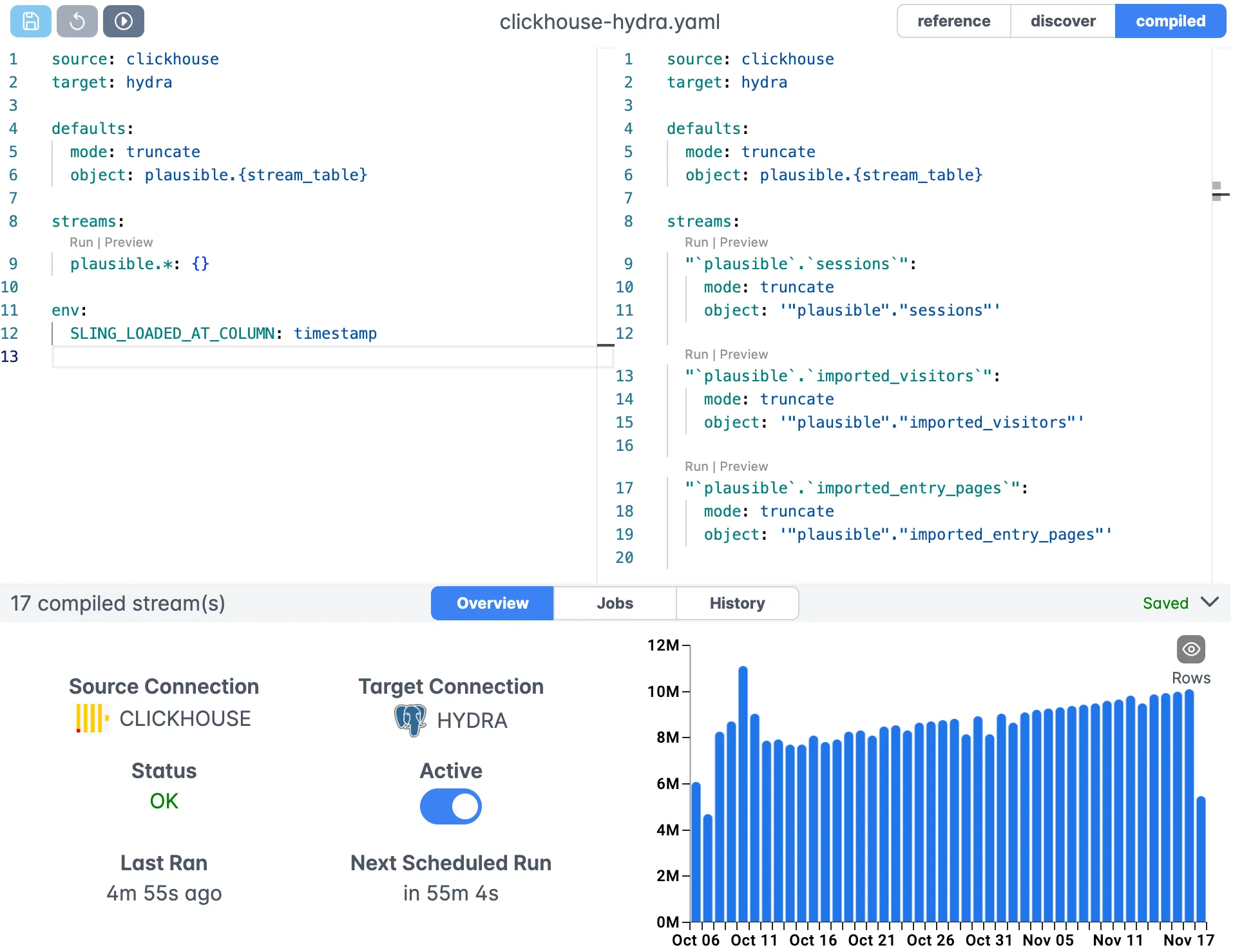
The web interface provides:
- Visual replication editor
- Real-time validation
- Syntax highlighting
- Auto-completion
- Version control integration
Connection Management
Manage all your connections in one place:
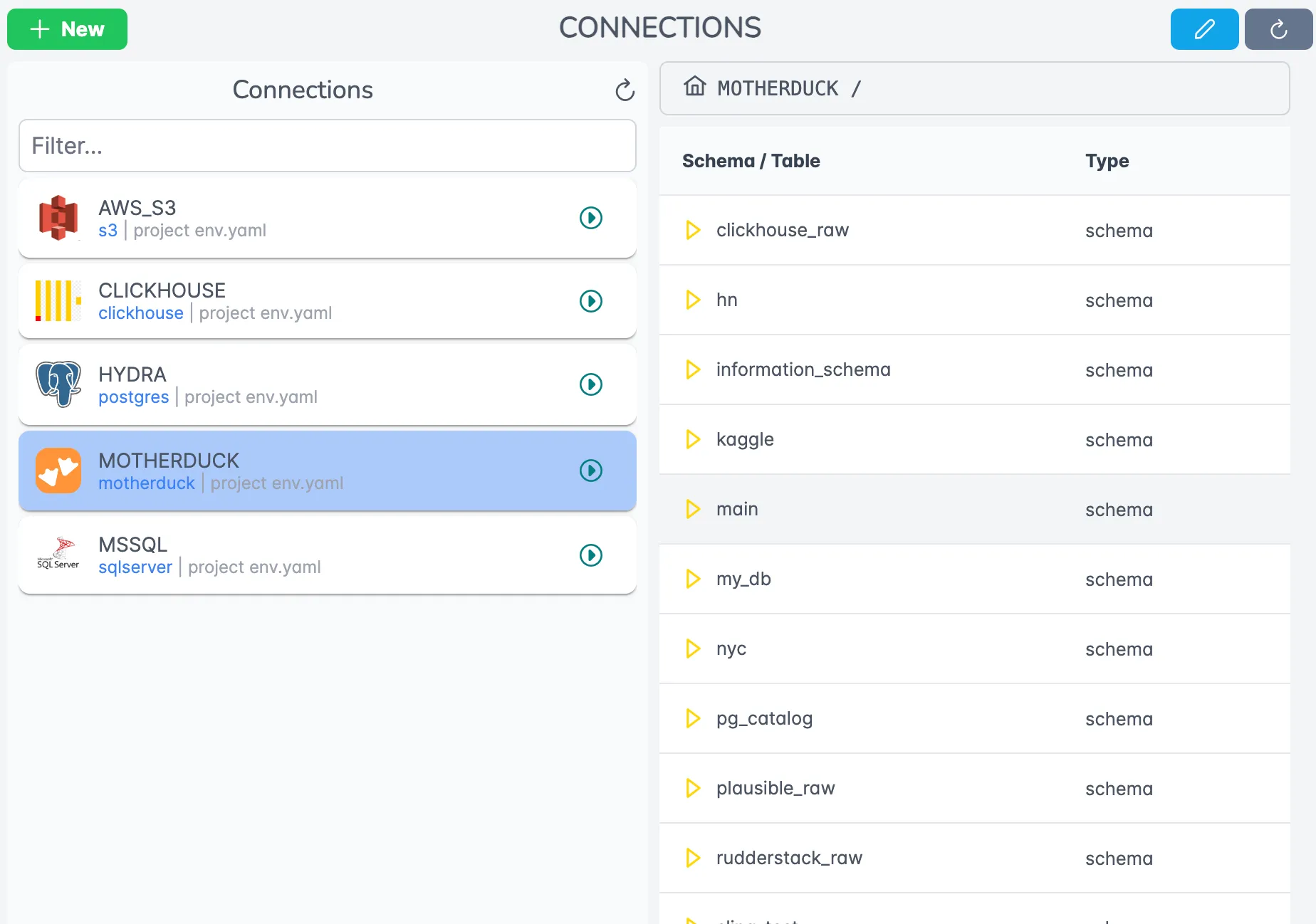
Benefits of using the Platform include:
- Centralized credential management
- Team access controls
- Connection health monitoring
- Easy testing and validation
For more information about the Sling Platform, visit:
Getting Started
Now that we’ve covered the various aspects of using Sling for JSON to SQLite data migration, here are some recommended steps to get started:
Start Small
- Begin with a simple file transfer
- Test with a subset of your data
- Validate the results thoroughly
Explore Features
- Try different replication modes
- Experiment with transformations
- Test various source and target options
Scale Up
- Move to YAML configurations for complex workflows
- Implement proper error handling
- Set up monitoring and alerting
Consider Platform
- Evaluate the Sling Platform for enterprise needs
- Set up agents for distributed processing
- Implement team collaboration workflows
If you also need to go the other direction or move JSON between other systems, see exporting Postgres to local JSON files and loading local CSV data into Postgres.
Troubleshooting JSON to SQLite Loads
A few situations come up often enough to be worth calling out.
The records are nested under a key. When your file wraps the rows in an outer object, for example { "products": [ ... ] }, point Sling at the array with a jmespath expression such as products[*]. Without it, Sling treats the whole document as one record. This is the same expression shown in the advanced examples above.
Numbers land as the wrong type. SQLite uses flexible typing, so a value that looks like an integer in one record and a decimal in another can infer inconsistently. Pin the type with a columns block on the stream, for example total_amount: decimal(20,6), and Sling applies it when it creates the table instead of guessing from the data.
Deeply nested arrays. flatten expands nested objects into columns, but an array of objects has no single column shape. Either keep the array as raw JSON and read it later with json_each (see the querying section above), or use jmespath to select and reshape the array before it loads.
Empty strings should be NULL. Set empty_as_null: true in source_options so blank JSON string values store as NULL rather than zero-length text. This keeps IS NULL filters behaving the way you expect once the data is in SQLite.
Re-running the load. Use mode: full-refresh to replace the table each run, or switch to incremental with a primary_key and update_key when you only want new and changed records appended. See the replication modes reference for the full set.
Frequently Asked Questions
Can Sling load nested JSON into SQLite?
Yes. Enable flatten in source_options and Sling expands nested objects into separate columns using dotted names. For JSON where the records sit under a key, use a jmespath expression such as products[*] to select the array you want to load.
How do I load only part of a JSON file into SQLite?
Use a jmespath expression in source_options to select a sub-array or filter records before they are loaded. This is the standard way to pull, for example, just the items array out of a larger JSON document.
Does Sling create the SQLite table automatically?
Yes. Sling infers the schema from the JSON data and creates the target table during the load, so you do not have to write a CREATE TABLE statement first. You can still override individual column types with a columns block when SQLite’s flexible typing would infer something unexpected.
What happens to empty strings when loading JSON into SQLite?
Set empty_as_null to true in source_options and Sling stores empty strings as NULL rather than as zero-length text. This keeps the SQLite data clean and makes IS NULL filtering behave as expected.
Can I load multiple JSON files into SQLite in one run?
Yes. List each file as a stream in a YAML replication, or use a wildcard path like file://data/*.json to capture every matching file. A single sling run command then loads them all using the shared defaults block.
How do I handle data types like decimals when loading JSON into SQLite?
Add a columns block to the stream and set the type explicitly, for example total_amount: decimal(20,6). Sling applies that type when creating the table instead of relying on inference, which matters because SQLite uses flexible typing.
Is SQLite a good target for JSON data, or should I use Postgres or DuckDB?
SQLite is a good fit for portable, embedded, single-file storage that an application reads and writes locally. If you need a server, concurrent writes, or heavier analytics, the same Sling workflow loads the same JSON into Postgres or DuckDB by changing the target connection.
Can I query JSON inside SQLite after loading it?
Yes. Load the records without flatten so each nested value lands in a text column, then use SQLite’s built-in JSON functions such as json_extract(col, '$.field') or the ->> operator. JSON1 support is compiled in by default since SQLite 3.38, so no extension loading is needed on modern builds.
What is the difference between JSON and JSONB in SQLite?
JSON is stored as ordinary text and parsed on every read. JSONB, added in SQLite 3.45, is a binary form that skips the reparse and runs faster for repeated queries. Sling writes JSON as text, which stays readable and works with every json function; you can convert a column to JSONB with the jsonb() function inside SQLite if you need the speed.
How does loading JSON with Sling compare to sqlite-utils or a Python script?
A Python json plus sqlite3 script or the sqlite-utils tool works well for a single file, but you hand-write the type handling, table creation, and reruns. Sling infers the schema, creates the table, handles nested arrays with jmespath, and runs the same load for one file or a whole directory from one command or YAML file.
For more examples and detailed documentation, visit https://docs.slingdata.io/.