



Introduction
Last updated: June 2026
Moving data from cloud storage to databases efficiently is a critical requirement in modern data architectures. When dealing with CSV files stored in Amazon S3 and PostgreSQL databases, organizations often face challenges that require significant development effort.
Traditional approaches like custom scripts, AWS Data Pipeline, or ETL tools often involve:
- Complex error handling and maintenance
- High development and licensing costs
- Limited flexibility and scalability
- Manual implementation of monitoring
Sling provides a streamlined solution to these challenges, offering built-in support for S3 and PostgreSQL connections, automatic CSV parsing, efficient bulk loading, and comprehensive monitoring.
Setting Up Connections
Before we can start moving data, we need to configure our source (S3) and target (PostgreSQL) connections.
S3 Connection Setup
You can set up an S3 connection using environment variables or the CLI:
# Set AWS credentials
export AWS_ACCESS_KEY_ID="your_access_key_id"
export AWS_SECRET_ACCESS_KEY="your_secret_access_key"
export AWS_REGION="us-west-2"  # optional

# Create S3 connection using CLI
sling conns set S3 type=s3 bucket="my-data-bucket"
PostgreSQL Connection Setup
For PostgreSQL, you can use environment variables or the CLI:
# Set PostgreSQL connection using environment variable
export POSTGRES_DB='postgresql://user:password@host:5432/database'

# Or use the CLI
sling conns set POSTGRES url='postgresql://user:password@host:5432/database'
Verifying Connections
After setting up your connections, verify them:
# List all configured connections
sling conns list

# Test S3 connection
sling conns test S3

# Test PostgreSQL connection
sling conns test POSTGRES
Basic Data Transfer with CLI Flags
The quickest way to start transferring data from S3 to PostgreSQL is using Sling’s CLI flags.
Simple Transfer Example
# Transfer a single CSV file to PostgreSQL
sling run \
  --src-conn S3 \
  --src-stream "data/users.csv" \
  --tgt-conn POSTGRES \
  --tgt-object "public.users"
Advanced CLI Options
# Transfer with custom options and transformations
sling run \
  --src-conn S3 \
  --src-stream "data/*.csv" \
  --src-options '{
    "delimiter": ",",
    "empty_as_null": true,
    "datetime_format": "YYYY-MM-DD HH:mm:ss"
  }' \
  --tgt-conn POSTGRES \
  --tgt-object "public.{stream_file_name}" \
  --tgt-options '{
    "column_casing": "snake",
    "add_new_columns": true,
    "table_keys": { "primary": ["id"] }
  }' \
  --mode incremental \
  --update-key "updated_at"
Advanced Configuration with YAML
For more complex data transfer scenarios, YAML configurations provide better maintainability and reusability.
Basic YAML Example
Create a file named s3_to_postgres.yaml:
source: S3
target: POSTGRES

defaults:
  mode: full-refresh
  target_options:
    add_new_columns: true
    column_casing: snake

streams:
  # Daily sales data
  data/sales/daily/*.csv:
    object: analytics.daily_sales
    source_options:
      delimiter: ","
    primary_key: [id]

  # Customer data
  data/customers/current.csv:
    object: analytics.customers
    source_options:
      delimiter: ","
      empty_as_null: true
    primary_key: [customer_id]
Complex YAML Example
Here’s a more advanced configuration with multiple streams and transformations:
source: S3
target: POSTGRES

defaults:
  mode: incremental
  source_options:
    delimiter: ","
    empty_as_null: true
    datetime_format: "YYYY-MM-DD HH:mm:ss"
  target_options:
    add_new_columns: true
    column_casing: snake
    table_keys:
      primary: [id]
      unique: [email]

streams:
  # Customer data with specific columns
  data/customers/{YYYY}_{MM}_{DD}.csv:
    object: analytics.customers
    select:
      - customer_id
      - name
      - email
      - status
      - created_at
      - updated_at
    update_key: updated_at

  # Orders with custom SQL and options
  data/orders/{part_year}/{part_month}.csv:
    object: analytics.orders
    primary_key: [order_id]
    update_key: created_at
Run the replication using:
# Execute the replication
sling run -r s3_to_postgres.yaml
The Sling Platform
While the CLI is powerful for local development and simple workflows, the Sling Platform provides a comprehensive web-based interface for managing your data operations at scale. Let’s explore the platform’s capabilities.
Platform Overview
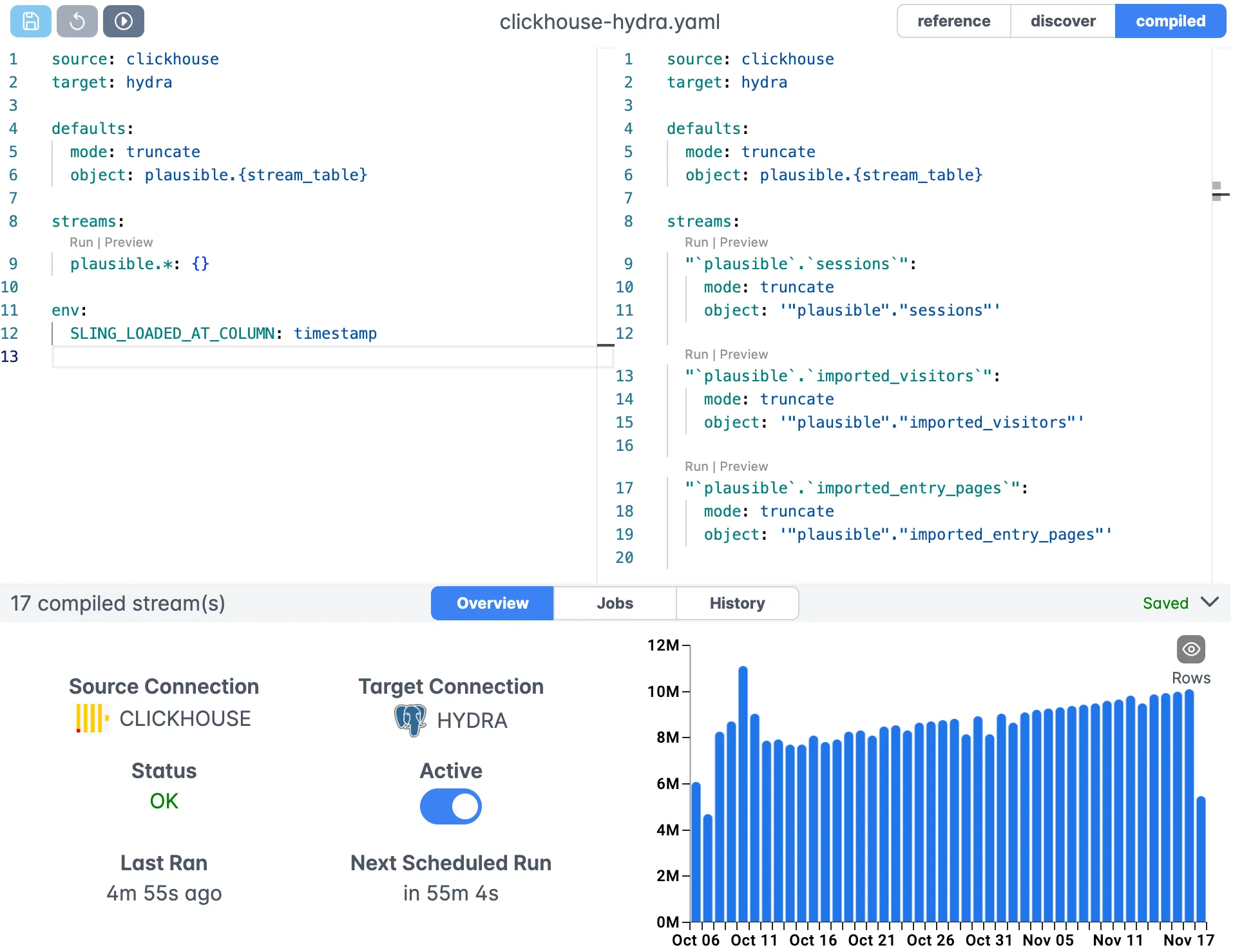
The Sling Platform consists of several key components that work together to provide a complete data movement solution:
Web Interface
- User-friendly interface for managing connections
- Visual replication builder
- Real-time monitoring dashboard
- Team collaboration features
Agents
- Distributed workers that execute data operations
- Run in your infrastructure
- Secure and scalable deployment
- Automatic updates and maintenance
Scheduling
- Built-in job scheduling
- Dependency management
- Retry policies
- Notification system
Monitoring
- Real-time execution tracking
- Performance metrics
- Error reporting
- Audit logging
Getting Started with the Platform
To start using the Sling Platform:
- Sign up at app.slingdata.io
- Install and configure a Sling agent in your infrastructure
- Set up your connections through the web interface
- Create and schedule your replications
For more information about the platform, visit:
Conclusion
Moving data from S3 to PostgreSQL doesn’t have to be complicated. Sling provides a powerful yet simple solution that can handle everything from basic file transfers to complex data pipelines. Whether you’re using the CLI for local development or the Platform for enterprise-scale operations, Sling offers the flexibility and features you need.
Next Steps
To take your data integration to the next level:
- Install Sling and set up your connections
- Start with simple transfers using CLI flags
- Progress to replication YAML for complex scenarios
- Consider the Platform for enterprise needs
- Join the Sling community for support and updates
For more examples and detailed documentation, visit:
- File to Database Examples
- Database to Database Examples
- Replication Documentation
- Platform Documentation
Related Guides
These guides cover related file-to-database workflows:
- Loading Parquet files from S3 to PostgreSQL when your S3 files are Parquet instead of CSV.
- Load a local CSV file into PostgreSQL when the CSV is on your machine rather than in S3.
- Export PostgreSQL to S3 as CSV for the reverse direction.
- Import SFTP files into PostgreSQL if your source is an SFTP server.
FAQ
Can Sling load a CSV file from S3 into Postgres without a predefined table?
Yes. Sling infers column names and types from the CSV header and sample rows, then creates the Postgres table on the first run. You can override the inferred types with a columns block if you need exact types.
What if my CSV uses a tab or pipe instead of a comma?
Set the delimiter under source_options, for example delimiter with a tab or pipe character. Sling parses the file using that delimiter instead of assuming a comma.
How do I treat empty CSV fields as NULL instead of empty strings?
Enable empty_as_null under source_options. Sling then writes a NULL into Postgres wherever the CSV cell is blank rather than storing an empty string.
Can I load CSV files that are organized into dated folders in S3?
Yes. Use runtime variables or wildcards in the stream path, such as data/orders/{part_year}/{part_month}.csv, so Sling resolves the path and loads the matching files.
How does incremental mode work when loading CSVs from S3?
Set mode to incremental with an update_key and a primary key. Sling loads rows newer than the last recorded value and upserts on the key, so re-running does not create duplicates.
Does Sling handle quoted fields and embedded commas in CSV files?
Yes. Sling follows standard CSV quoting rules, so quoted fields containing commas or newlines parse correctly without extra configuration.