



Effortless Data Loading: From Local Parquet to MySQL with Sling
Last updated: September 2026
In today’s data-driven world, efficiently moving data between different storage systems and databases is crucial for businesses. One common scenario is the need to transfer data from Parquet files, a popular columnar storage format, into MySQL databases for analysis and operational use. However, this process traditionally involves multiple steps, complex ETL pipelines, and potential compatibility issues.
Enter Sling, a modern data movement and transformation platform that simplifies this process. In this comprehensive guide, we’ll walk through how to use Sling to effortlessly migrate data from local Parquet files to MySQL databases, eliminating the complexity typically associated with such operations.
Whether you’re dealing with a one-time migration or setting up regular data synchronization, Sling provides the tools and flexibility you need to get the job done efficiently.
If your target isn’t MySQL, the same workflow applies to other databases. See loading local Parquet into PostgreSQL and loading Parquet into SQL Server for close variations on this guide.
Installing Sling
Before we begin migrating data, let’s get Sling installed on your system. Sling provides multiple installation methods to suit your operating system and preferences.
Installation Methods
Choose the installation method that best suits your environment:
# macOS / Linux
curl -fsSL https://slingdata.io/install.sh | bash

# Windows
irm https://slingdata.io/install.ps1 | iex

# Python
pip install sling
Verifying Installation
After installation, verify that Sling is properly installed by checking its version:
# Check Sling version
sling --version
For more detailed installation instructions and system requirements, visit the official installation guide.
Setting Up Connections
To transfer data between local Parquet files and MySQL, we need to configure both source and target connections. Let’s set these up step by step.
MySQL Connection Setup
Setting up the MySQL connection requires a bit more configuration. First, ensure you have the necessary database privileges:
-- Run these SQL commands on your MySQL server
CREATE USER 'sling'@'%' IDENTIFIED BY 'your_password';
CREATE SCHEMA sling;
GRANT SELECT, INSERT, UPDATE, DELETE, CREATE, DROP, ALTER, CREATE TEMPORARY TABLES, CREATE VIEW ON sling.* TO 'sling'@'%';
Then, set up the MySQL connection using one of these methods:
# Using sling conns with individual parameters
sling conns set MYSQL type=mysql host=localhost user=sling password=your_password database=sling port=3306

# Or using a connection URL
sling conns set MYSQL url="mysql://sling:your_password@localhost:3306/sling"
For a more permanent configuration, add it to your env.yaml:
connections:
  MYSQL:
    type: mysql
    host: localhost
    user: sling
    password: your_password
    database: sling
    port: 3306
    # Optional parameters
    schema: my_schema
    tls: skip-verify  # For development environments
Environment Variables
You can also use environment variables for your connections:
# Set environment variables for connections
export MYSQL='mysql://sling:your_password@localhost:3306/sling'
Testing Connections
After setting up your connections, it’s important to verify they work correctly:
# Test the local connection
sling conns test LOCAL

# Test the MySQL connection
sling conns test MYSQL
For more details about connection configuration, refer to:
Basic Data Transfer with CLI
Now that we have our connections set up, let’s explore how to transfer data using Sling’s command-line interface. We’ll start with basic examples and then move on to more advanced usage.
Simple Transfer Example
The simplest way to transfer data from a Parquet file to MySQL is using the sling run command with basic flags:
# Basic transfer from Parquet file to MySQL table
sling run \
  --src-stream "/data/sales/transactions.parquet" \
  --tgt-conn MYSQL \
  --tgt-object "sales.transactions"
This command will:
- Read the Parquet file from the specified path
- Automatically detect the schema
- Create the target table if it doesn’t exist
- Transfer the data to MySQL
Advanced Transfer with Options
For more control over the transfer process, you can use additional options:
# Advanced transfer with source and target options
sling run \
  --src-stream "/data/sales/*.parquet" \
  --src-options '{ "empty_as_null": true }' \
  --tgt-conn MYSQL \
  --tgt-object "sales.transactions" \
  --tgt-options '{
    "column_casing": "snake",
    "table_keys": {"index": ["country_id"]},
    "add_new_columns": true
  }' \
  --mode incremental \
  --primary-key "transaction_id" \
  --update-key "updated_at"
This advanced example demonstrates:
- Using wildcards to process multiple Parquet files
- Converting empty values to NULL
- Enforcing snake case for column names
- Setting a primary key
- Enabling automatic column addition
- Using incremental mode with an update key
Handling Large Files
When dealing with large Parquet files, you can optimize the transfer:
# Transfer with batch size and parallel processing
sling run \
  --src-stream "/data/sales/large_file.parquet" \
  --tgt-conn MYSQL \
  --tgt-object "sales.transactions" \
  --tgt-options '{
    "batch_limit": 10000,
    "use_bulk": true
  }'
For more details about CLI flags and options, visit the CLI flags documentation.
Advanced Data Transfer with YAML
While CLI flags are great for quick operations, YAML configurations provide more flexibility and reusability for complex data transfer scenarios. Let’s explore how to use YAML configurations for Parquet to MySQL transfers.
Basic YAML Configuration
Here’s a simple example of a replication YAML file:
# local_to_mysql.yaml
source: LOCAL
target: MYSQL

streams:
  "data/sales/daily/*.parquet":
    object: "sales.daily_transactions"
    mode: full-refresh
    source_options:
      empty_as_null: true
    target_options:
      column_casing: snake
      table_keys:
        index: ["transaction_id"]

  trx_report01:
    sql:
      SELECT
        t.transaction_id,
        t.customer_id,
        t.amount,
        c.customer_name,
        DATE_FORMAT(t.transaction_date, '%Y-%m-%d') as tx_date
      FROM read_parquet('data/transactions/**.parquet') t
      JOIN read_parquet('data/customers.parquet') c ON t.customer_id = c.id
      WHERE t.transaction_date >= '{start_date}'
      AND t.transaction_date < '{end_date}'
    object: sales.trx_report01
    mode: full-refresh

env:
  start_date: ${START_DATE}  # fetch from environment variables
  end_date: ${END_DATE}      # fetch from environment variables
To run this replication:
# Run the replication using the YAML file
export START_DATE=2024-01-01
export END_DATE=2024-02-01
sling run -r local_to_mysql.yaml
Complex Multi-Stream Example
Here’s a more complex example handling multiple streams with different configurations:
# sales_replication.yaml
source: LOCAL
target: MYSQL

defaults:
  mode: incremental
  source_options:
    empty_as_null: true
  target_options:
    column_casing: snake
    add_new_columns: true
    use_bulk: true
    batch_limit: 10000

streams:
  "data/sales/{stream_date}/transactions.parquet":
    object: "sales.transactions_{stream_date}"
    primary_key: "transaction_id"
    update_key: "updated_at"

  "data/sales/{stream_date}/customers.parquet":
    object: "sales.customers"
    mode: full-refresh
    primary_key: "customer_id"
    columns:
      customer_id: string(50)
      email: string(255)
      signup_date: timestamp

env:
  stream_date: "2024-01-01"
This advanced configuration demonstrates:
- Using runtime variables (
{stream_date}) - Different modes per stream (incremental and full-refresh)
- Column transformations
- Custom column definitions
- Pre-SQL operations
- Default options for all streams
Using Runtime Variables
Runtime variables make your configurations more flexible:
# Run replication
sling run -r sales_replication.yaml
For more details about replication configurations, refer to:
Once your data lands in MySQL, you might want to push it further downstream. The guides on moving MySQL to S3 as CSV, Parquet, or JSON and syncing MySQL to PostgreSQL cover the next hops.
Sling Platform Overview
While the CLI is powerful for local development and automation, the Sling Platform provides a comprehensive web interface for managing your data operations at scale. Let’s explore the key components and features of the platform.
Web Interface
The Sling Platform offers an intuitive web interface for managing your data operations:
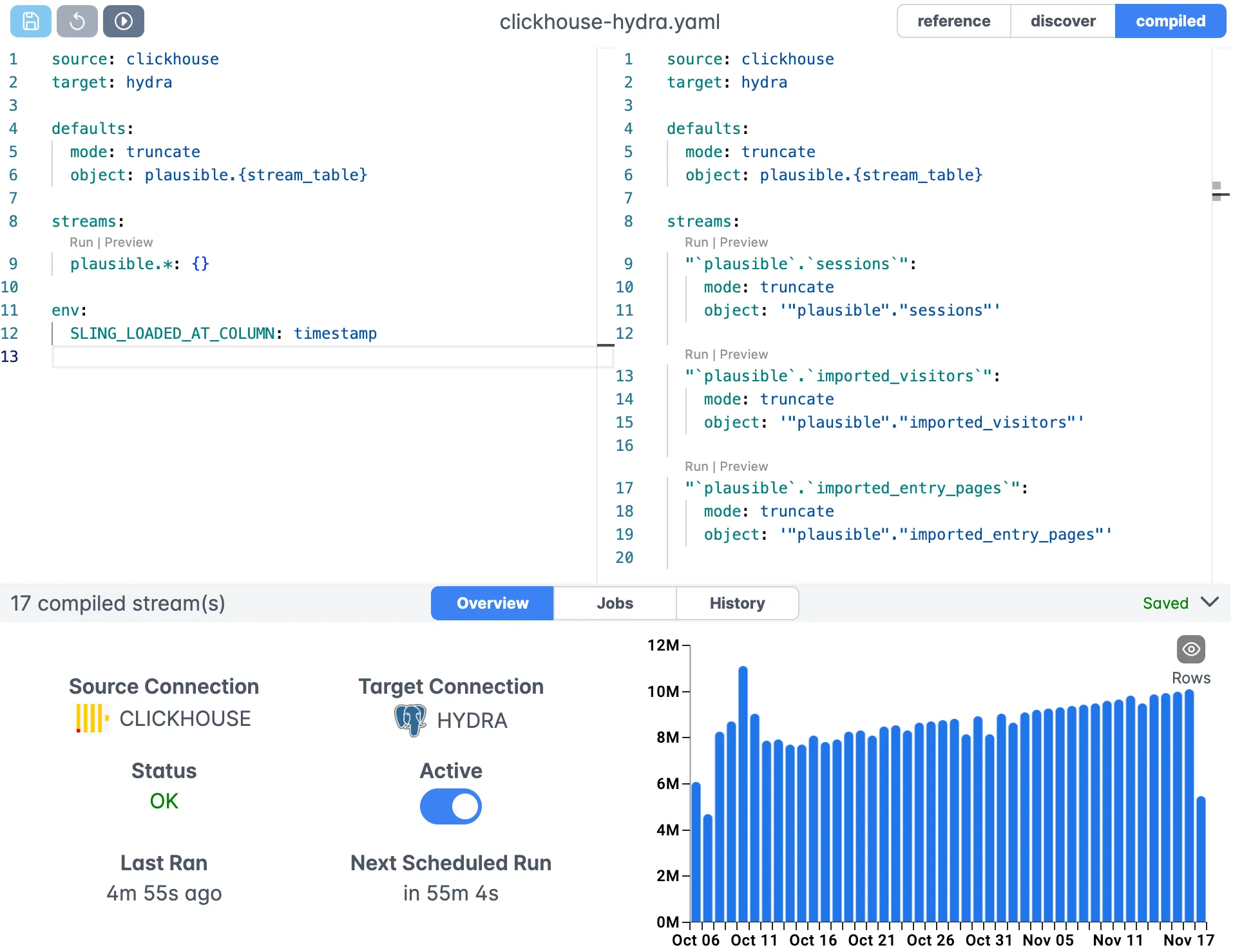
The web interface provides:
- Visual replication editor
- Real-time validation
- Syntax highlighting
- Auto-completion
- Version control integration
Connection Management
Manage all your connections in one place:
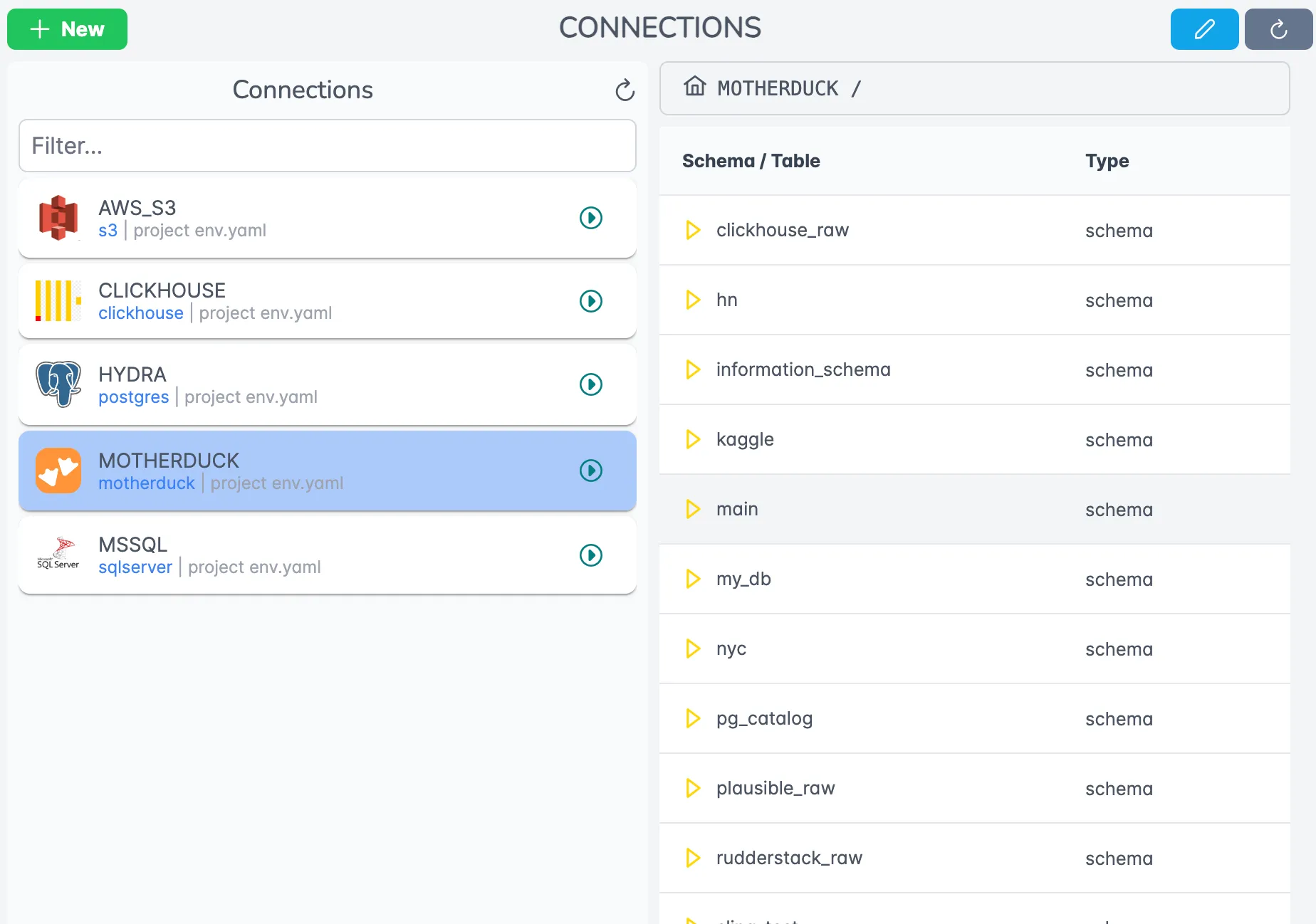
Features include:
- Centralized credential management
- Connection testing
- Access control
- Connection discovery
Job Monitoring
Track your data transfer jobs in real-time:
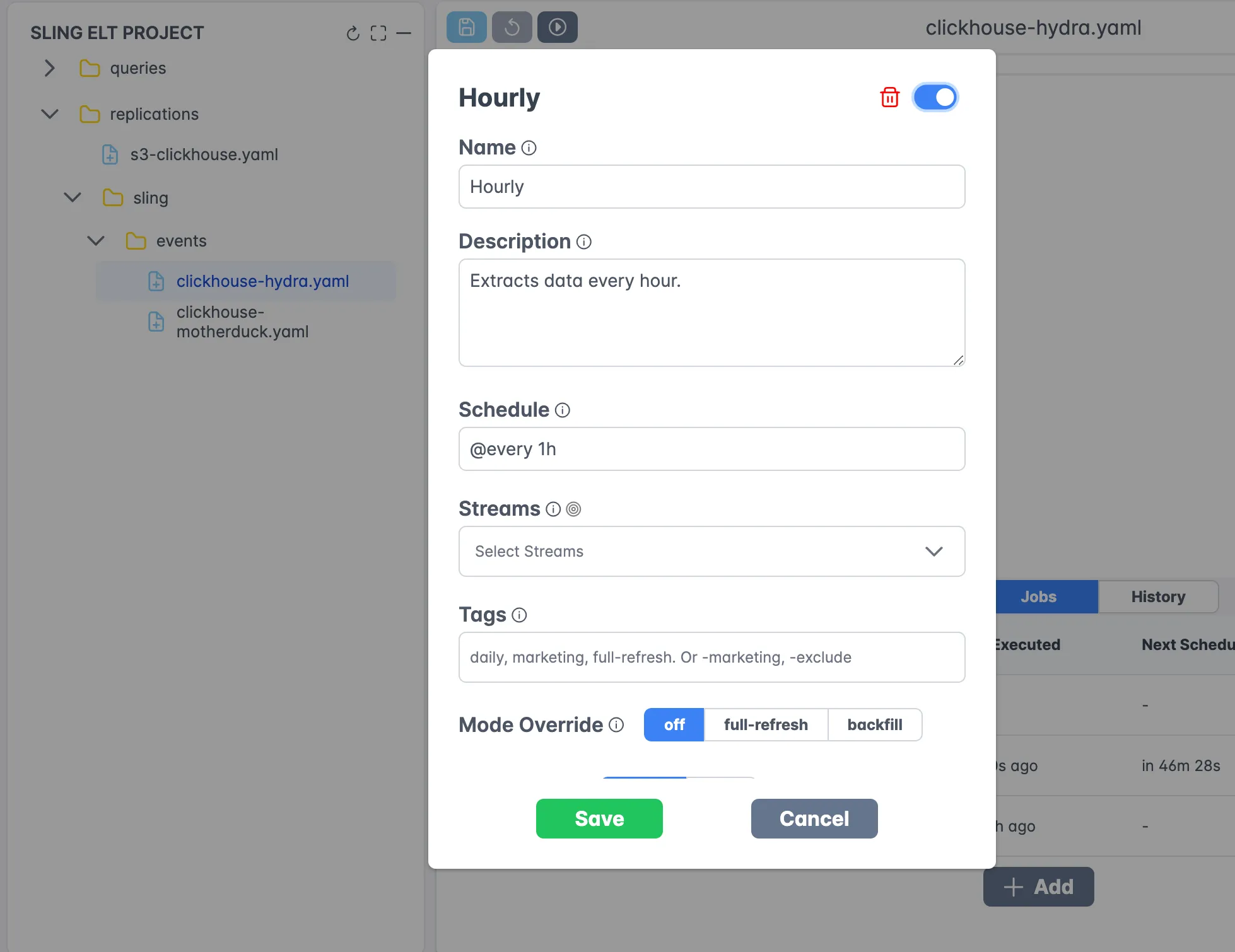
The monitoring interface provides:
- Real-time progress tracking
- Detailed logs
- Performance metrics
- Error reporting
- Historical job data
Agent Architecture
Sling uses a distributed agent architecture for scalable execution:
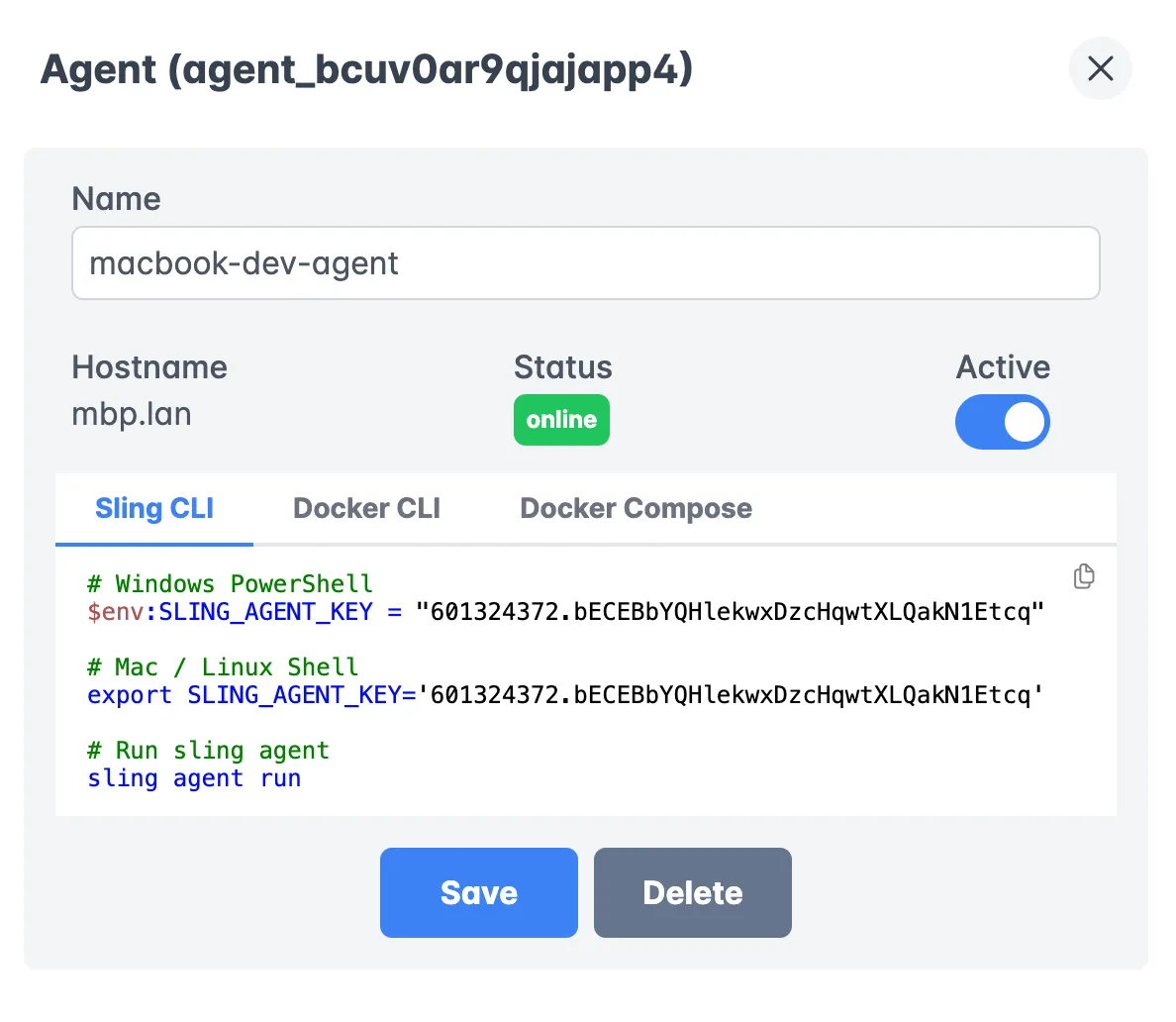
Benefits of the agent architecture:
- Distributed processing
- Secure data access
- Resource optimization
- High availability
- Load balancing
Execution History
Review past executions and analyze performance:
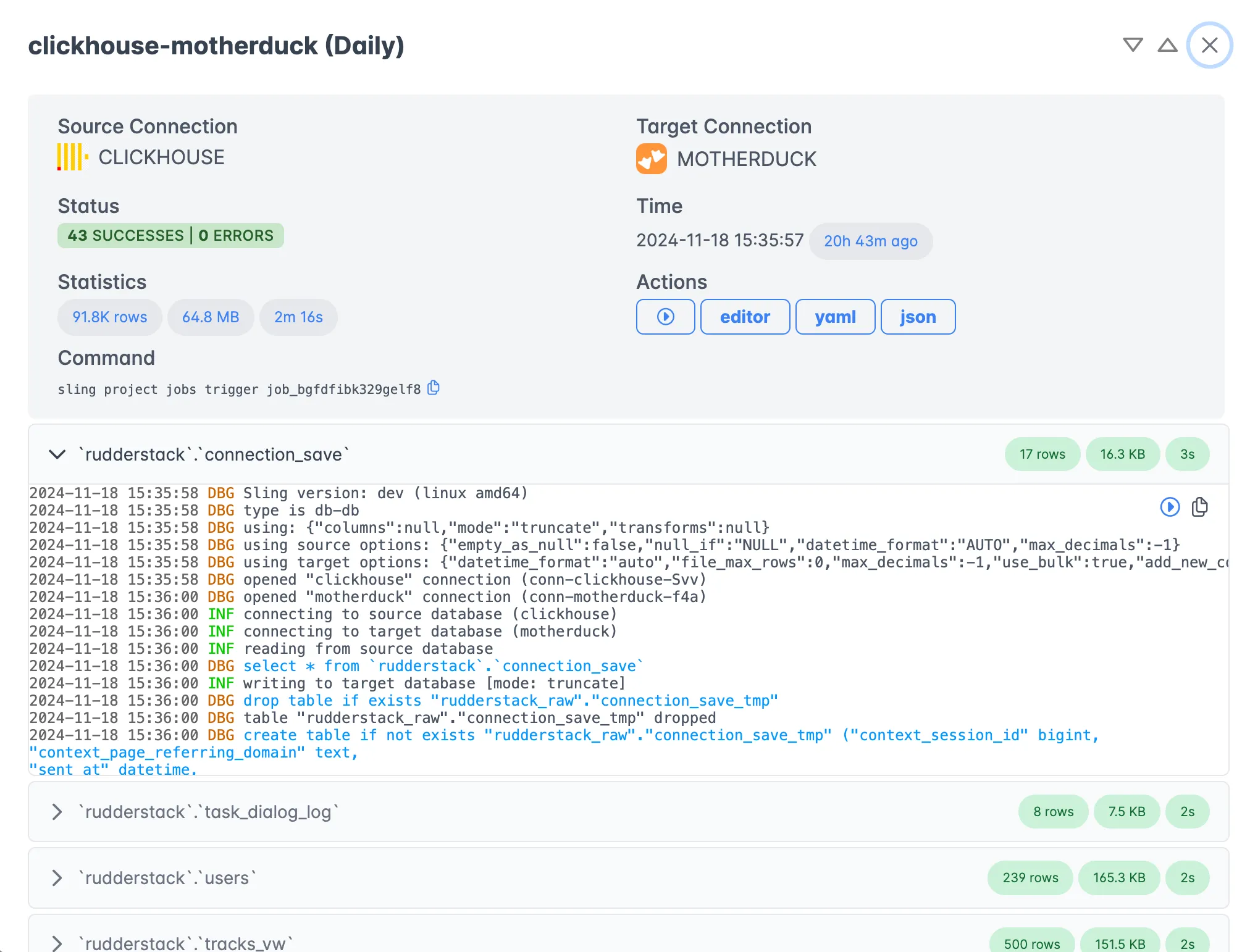
The history view offers:
- Detailed execution logs
- Performance analytics
- Error analysis
- Trend visualization
- Audit trails
For more information about the Sling Platform, visit:
Getting Started with Sling
Now that we’ve covered the various aspects of using Sling for Parquet to MySQL data migration, here are some recommended steps to get started:
Start Small
- Begin with a simple file transfer
- Test with a subset of your data
- Validate the results thoroughly
Explore Features
- Try different replication modes
- Experiment with transformations
- Test various source and target options
Scale Up
- Move to YAML configurations for complex workflows
- Implement proper error handling
- Set up monitoring and alerting
Consider Platform
- Evaluate the Sling Platform for enterprise needs
- Set up agents for distributed processing
- Implement team collaboration workflows
Conclusion
Sling provides a powerful yet simple solution for transferring data from Parquet files to MySQL databases. Whether you’re dealing with simple one-off transfers or complex data pipelines, Sling’s flexible architecture and comprehensive feature set make it an excellent choice for your data migration needs.
The combination of an easy-to-use CLI and a robust platform interface means you can start small and scale up as your needs grow. With features like automatic schema detection, incremental updates, and distributed processing, Sling handles the complexities of data migration while you focus on getting value from your data.
FAQ
Does Sling read the schema from a Parquet file automatically?
Yes. Parquet keeps column names and types in its footer, so Sling reads that metadata and creates the MySQL table with matching types. You only need to define columns by hand when you want to override an inferred type.
Can I load several Parquet files into one MySQL table at once?
Use a glob in the source stream, such as data/sales/*.parquet, or data/sales/**.parquet to walk nested folders. Sling reads every matching file and writes them all to the single target object you name.
How do I do incremental loads from Parquet into MySQL?
Set mode: incremental and give Sling an update_key (a timestamp or increasing id) along with a primary key. On each run it loads only the rows newer than the last value it recorded in the target table, so you don’t reload everything.
Why are my numbers or dates arriving as text in MySQL?
That usually means the Parquet column was written as a string. Fix the type at the source if you can, or define the column under the columns key in your stream so Sling casts it to the type you actually want.
Does Sling create the MySQL database and table for me?
Sling creates the target table when it doesn’t exist, but the schema (database) has to be there already and the connecting user needs CREATE privileges on it. The GRANT statement near the top of this guide covers what’s needed.
How big a Parquet file can Sling handle?
Sling streams data in batches instead of pulling the whole file into memory, so raw file size is rarely the bottleneck. For very large files, raise batch_limit and keep use_bulk on so MySQL ingests the rows efficiently.
How do I run the same Parquet-to-MySQL load on a schedule?
The CLI has no built-in scheduler. Save the run as a replication YAML and trigger it with cron, an orchestrator like Airflow, or a job on the Sling Platform. Each run picks up new files that match your glob, so a dated folder pattern keeps loading fresh data.
Can Sling load Parquet files from S3 or GCS instead of local disk?
Yes. Point the source stream at a cloud path such as s3://bucket/sales/*.parquet and set the matching connection as the source. The rest of the mapping and mode options work the same as they do for a local file.
Additional Resources
To learn more about Sling and its capabilities, check out these resources:
Start your data migration journey with Sling today and experience the simplicity of modern data movement.